Using Delayed Egress Lighting (If Equipped)
RXA0099744-UN-07NOV08
COMMANDCENTER Main Menu
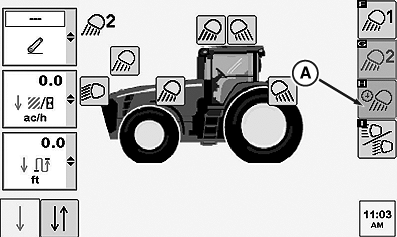
RXA0104737-UN-22SEP09
Lighting Page
RXA0104738-UN-22SEP09
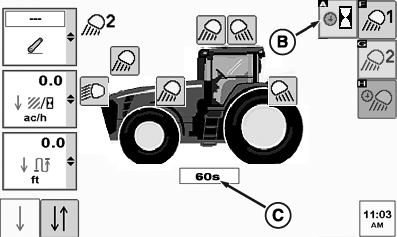
Egress Lighting Page
RXA0104739-UN-22SEP09
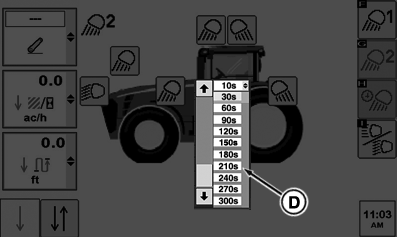
Pull Down Menu
A - Egress Softkey
B - Egress Delay Softkey
C - Egress Delay Drop Down Box
D - Egress Delay Time Selection
At CommandCenter™ main menu, select lights icon.
Select Egress softkey (A) for egress lighting.
Select Egress Delay softkey (B).
Selecting drop down box (C) set at 60 seconds. When drop down box options appear, make egress delay time selection (D) before lights will automatically turn off. This could be from 10 to 300 seconds in thirty second increments.
Programming Egress lighting is the same as field lighting with all clear-lens lights selectable. Only operator selected clear-lens lights will come ON when egress lighting is selected.
|
CommandCenter is a trademark of Deere & Company |
OURX935,000014C-19-20101109 |