Entering Equipment On iTEC™ Editing Page
-

RXA0103927-UN-24JUL09iTEC
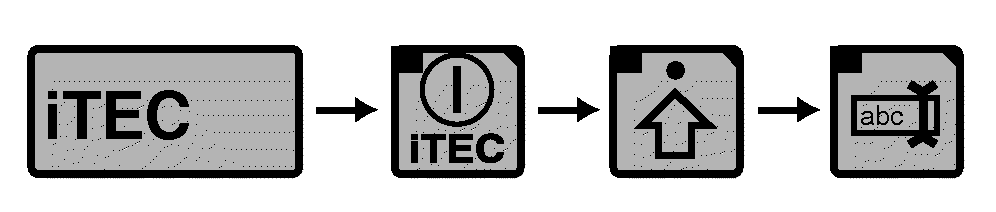
RXA0101338-UN-02APR09iTEC→ Advanced Settings

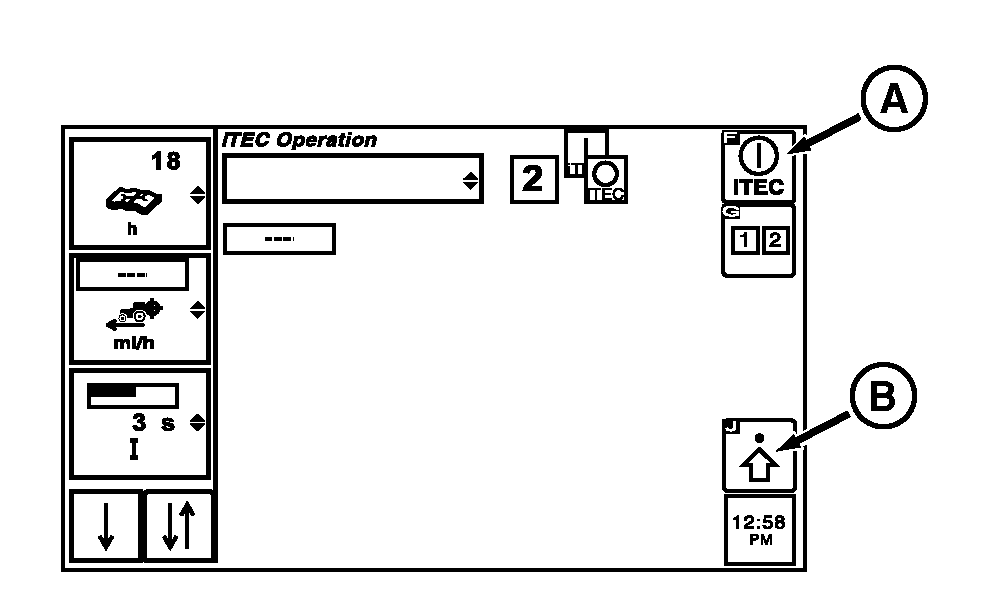
RXA0104007-UN-20JUL09iTEC Edit Page
A - iTEC ON/OFF Softkey
B - Advanced Settings Softkey
C - Implement Name Drop Down Box
D - Edit Implement Name Softkey
Select iTEC -
Select iTEC ON/OFF softkey (A).
-
Select Advanced Settings softkey (B).
-
If desired implement is not loaded, displayed in Implement Name drop down box (C) which displays loaded implements, proceed with step 5.
-
Select Edit Implement Name softkey (D) to display editing page with key pad.
-
At the editing page:
RXA0104067-UN-29JUL10iTEC→ Advanced Settings→Edit Implement Name
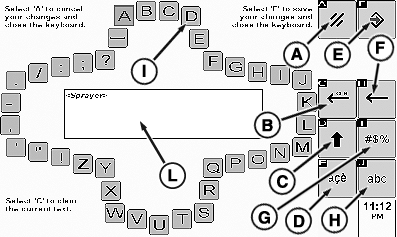
RXA0104026-UN-20JUL09Alphabet Page
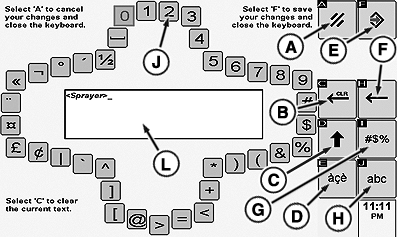
RXA0104028-UN-20JUL09Symbols Page
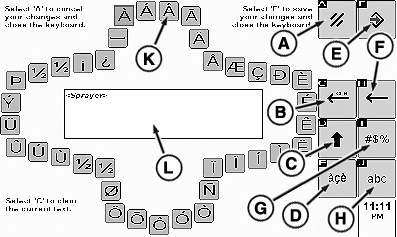
RXA0104030-UN-20JUL09Special Characters Page
A - Cancel Softkey
B - Clear Edit Box Softkey
C - Upper/Lower Case Softkey
D - Special Character Softkey
E - Save/Enter Softkey
F - Back Space Softkey
G - Numbers/Symbols Softkey
H - Standard Alphabet Softkey
I - Standard Alphabet Key Pad
J - Numbers/Symbols Key Pad
K - Special Character Key Pad
L - Editing Box
- C—Toggles between upper and lower case editing keys.
- Editing Keys are the 37 keys outlining the editing box. Normally these 37 keys are in alphabetic sequence (I) but could be special characters (J) or symbols (K).
- Editing is performed by moving curser to specific key and pressing Confirm button. Letters are typed in editing box (L).
- Clear Editing Box softkey (B) clears editing box.
- Special Character softkey (D) changes alphabet key pad into special characters key pad option.
- numbers/Symbols softkey (G) key pad into 37 symbols to edit name of selected piece of equipment.
- Select Save/Enter softkey (E) after entry is made in editing box to enter data to operating page.
- Back Space softkey (F) moves editing box curser back one space.
- Upper/Lower Case softkey (H) is selected before selecting first letter and all will be typed in lower case also.
|
iTEC is a trademark of Deere & Company |
OURX935,0000154-19-20101109 |