Aborting and/or Clearing iTEC Sequence
-
Select iTEC.
-
Select Advanced Settings softkey.
RXA0104055-UN-22JUL09iTEC→ Advanced Settings
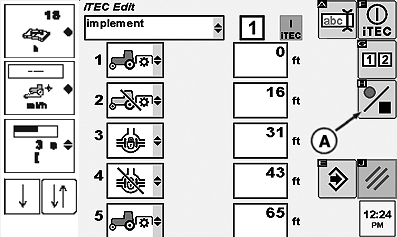
RXA0104370-UN-25AUG09iTEC Edit Page
While on the iTEC ™ Edit page, ensure iTEC is “On.
-
Rotate thumb wheel to Recording On/Off softkey and press Confirm button.
-
Select Confirm button again. Sequence is now cleared.
|
iTEC is a trademark of Deere & Company |
OURX935,0000157-19-20101109 |