Adjusting Set Speeds
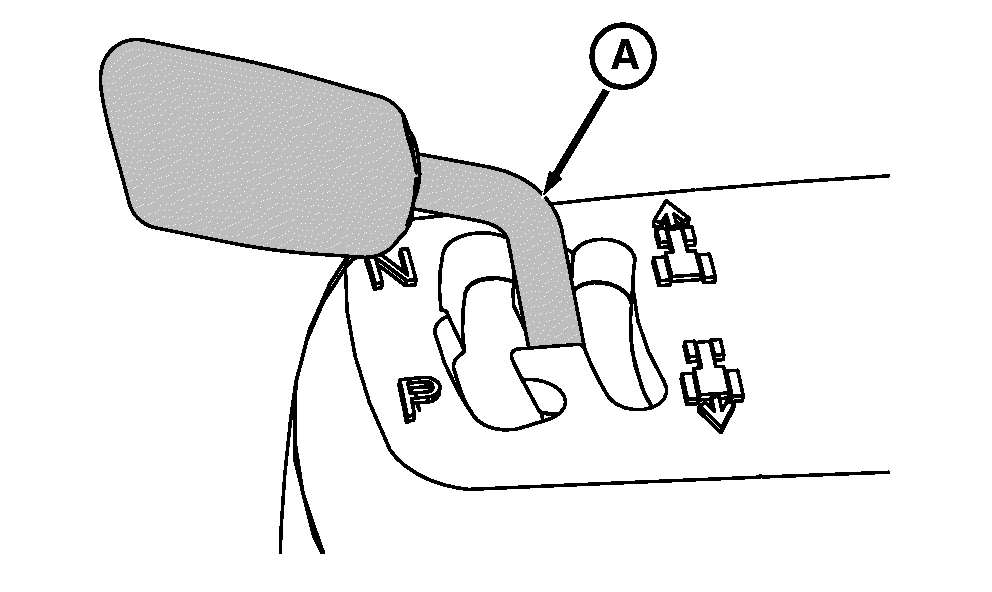
RXA0068281-UN-27AUG03
Left-Hand Reverser Shown
A - Left-Hand Reverser
 CAUTION: Avoid unexpected rapid acceleration. Check and adjust
set speeds before putting tractor in motion.
CAUTION: Avoid unexpected rapid acceleration. Check and adjust
set speeds before putting tractor in motion.
Turn key switch to ”RUN” position. (For tractors with right-hand reverser, engine must be running.)
Move lever (A) to Scroll position. Forward and reverse set speeds will scroll on corner post display pausing at each speed for two seconds. Bar graph indicates approximate set speeds for each forward and reverse speed band.
Adjust each speed when it displays by rotating set speed adjuster on speed control lever forward to increase the set speed value or rearward to decrease it.
NOTE: Set speed adjustments may affect the corresponding set speed of the opposite direction. (See ADJUSTING REVERSE-FORWARD SET SPEED RATIO in this section.)
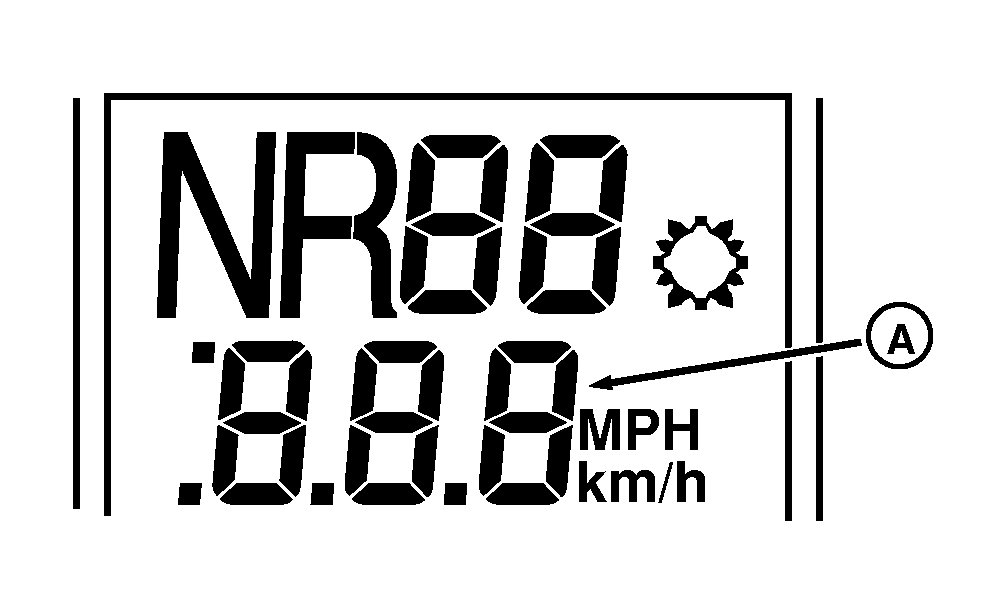
RXA0098901-UN-20AUG08
Corner Post Display
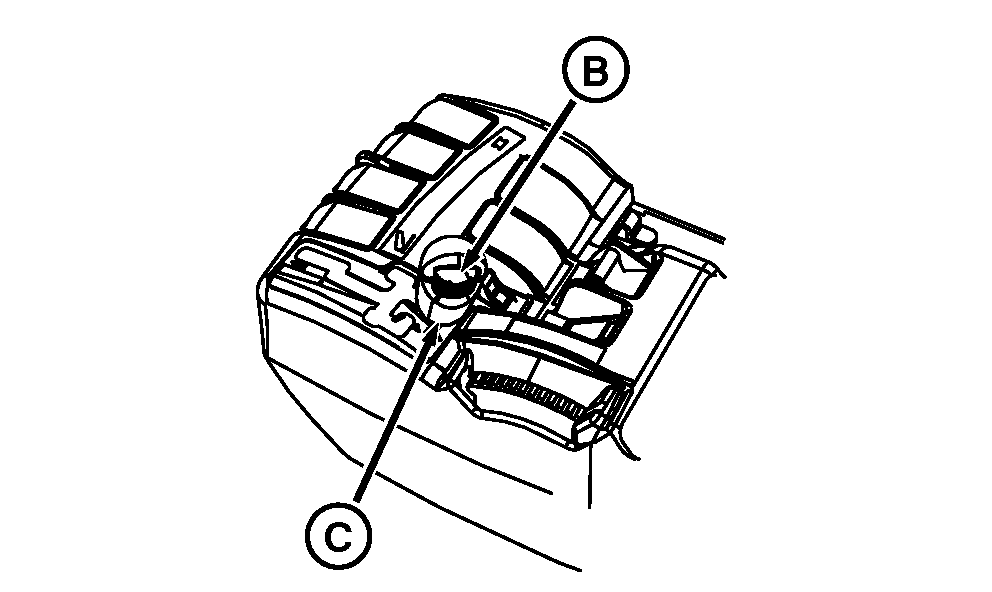
RXA0101043-UN-19MAR09
Right-Hand Reverser Shown
A - Display
B - Set Speed Adjuster
C - Speed Control Lever
Set speed of a selected speed band and the ground speed of the tractor can be adjusted while the tractor is moving by rotating set speed adjuster (B). Increasing set speed value will increase ground speed. Decreasing set speed value will decrease ground speed. New set speed will indicate on display (A).
Maximum ground speed of a selected speed band is attained at full throttle when speed control lever (C) is pushed all the way forward to end of slot of the respective speed band.
|
OURX935,00009C1-19-20090602 |