Set Speeds—Guidelines And Examples
RXA0053043-UN-26APR01
Example 1
RXA0053045-UN-26APR01
Example 2
RXA0053049-UN-26APR01
Example 3
RXA0053047-UN-26APR01
Example 4
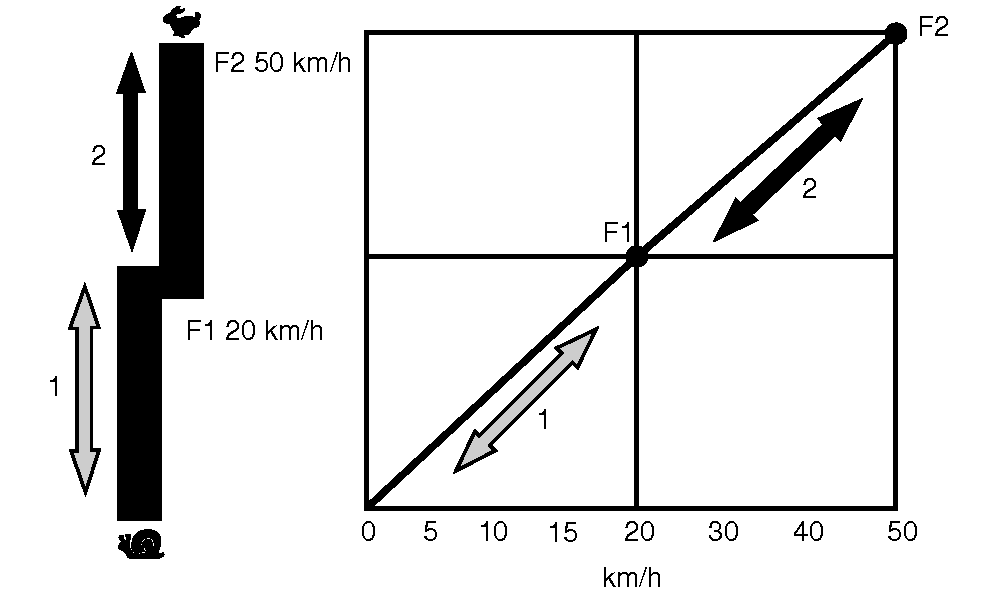
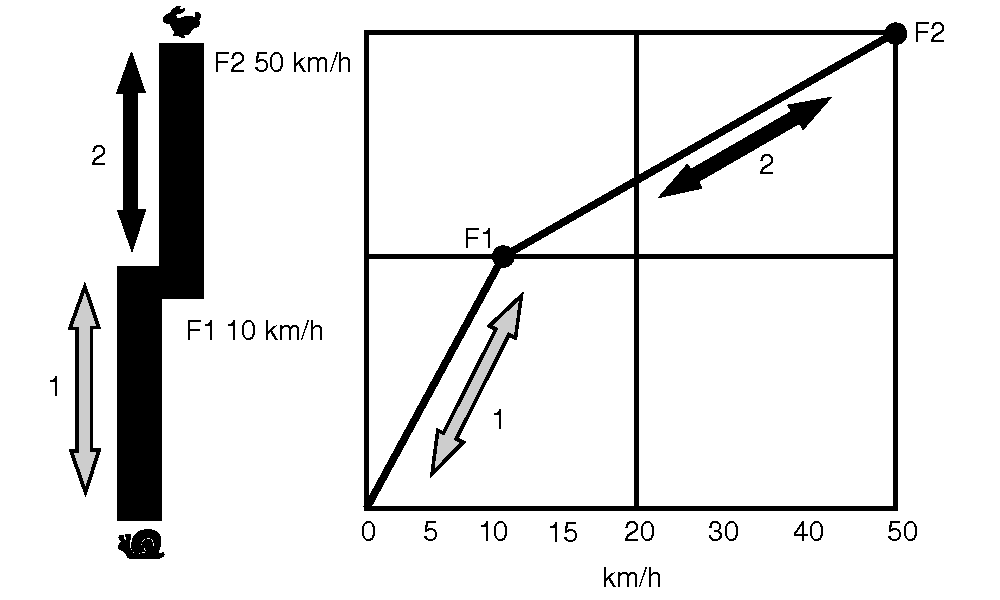
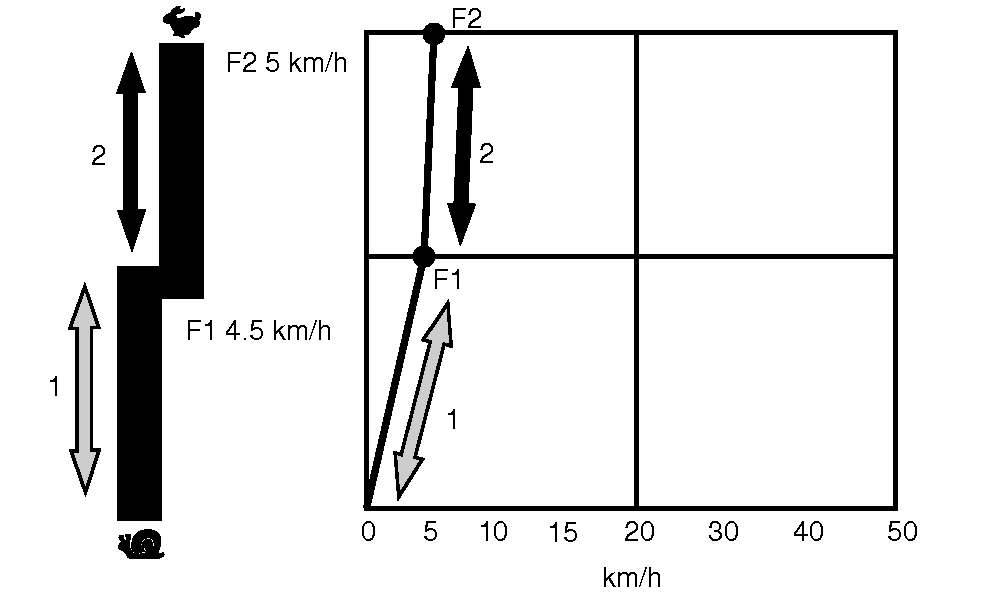
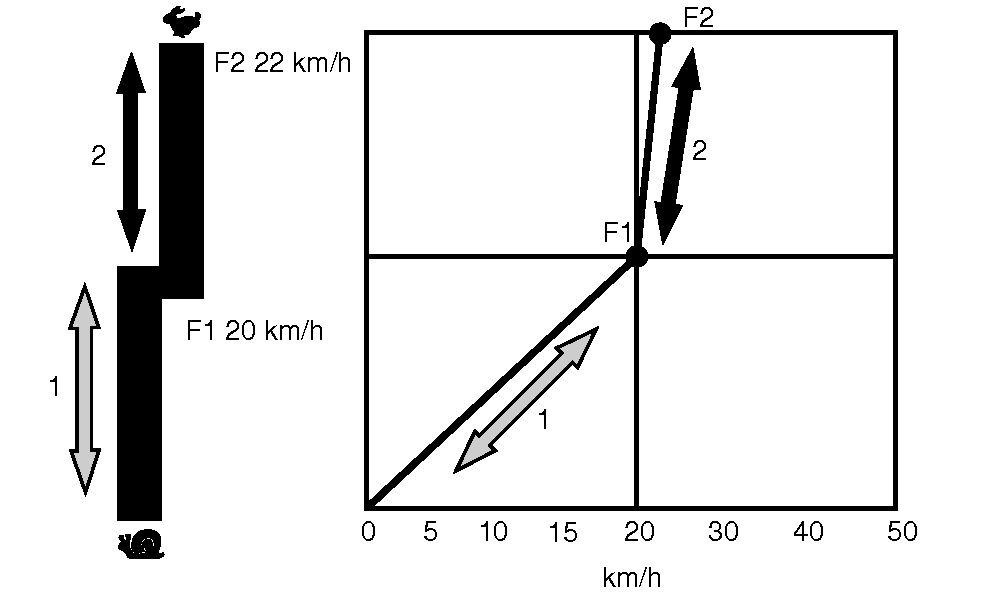
The value of Set Speed 1 will always be at least 10% less than the value of Set Speed 2. This ensures a smooth transition between speed bands and is illustrated in the following examples.
NOTE: F1 refers to Forward mode, Set Speed 1 in speed band 1. F2 refers to Forward mode, Set Speed 2 in speed band 2.
Example 1: Maximum Forward Set Speeds are selected for each speed band.
Example 2: Value of Set Speed 1 has been reduced to 10 km/h (6 mph). Set Speed 2 value has not been changed, but the lower portion of speed band 2 has automatically decreased to meet the top end of speed band 1.
NOTE: Actual set speed increase or decrease will be at least 10% of the adjusted speed band, and can range up to 12.5%. Ten percent is used in illustrations of Examples 3 and 4, and can actually differ by as much as 2.5% of the speeds shown.
Example 3: Set Speed 2 has been reduced to 5 km/h (3 mph). Set Speed 1 automatically decreases to 4.5—4.3 km/h (2.8—2.7 mph), 10—12.5% below the new value of Set Speed 2.
Example 4: Set Speed 1 has been increased to 20 km/h (12.4 mph), which is higher than the value of Set Speed 2. Set Speed 2 will automatically increase to 22—22.5 km/h (13.7—14.0 mph), 10—12.5% above the new value of Set Speed 1.
|
OURX935,00009C2-19-20090602 |