Setting PTO Engagement Acceleration
|
|
|
|
|
|
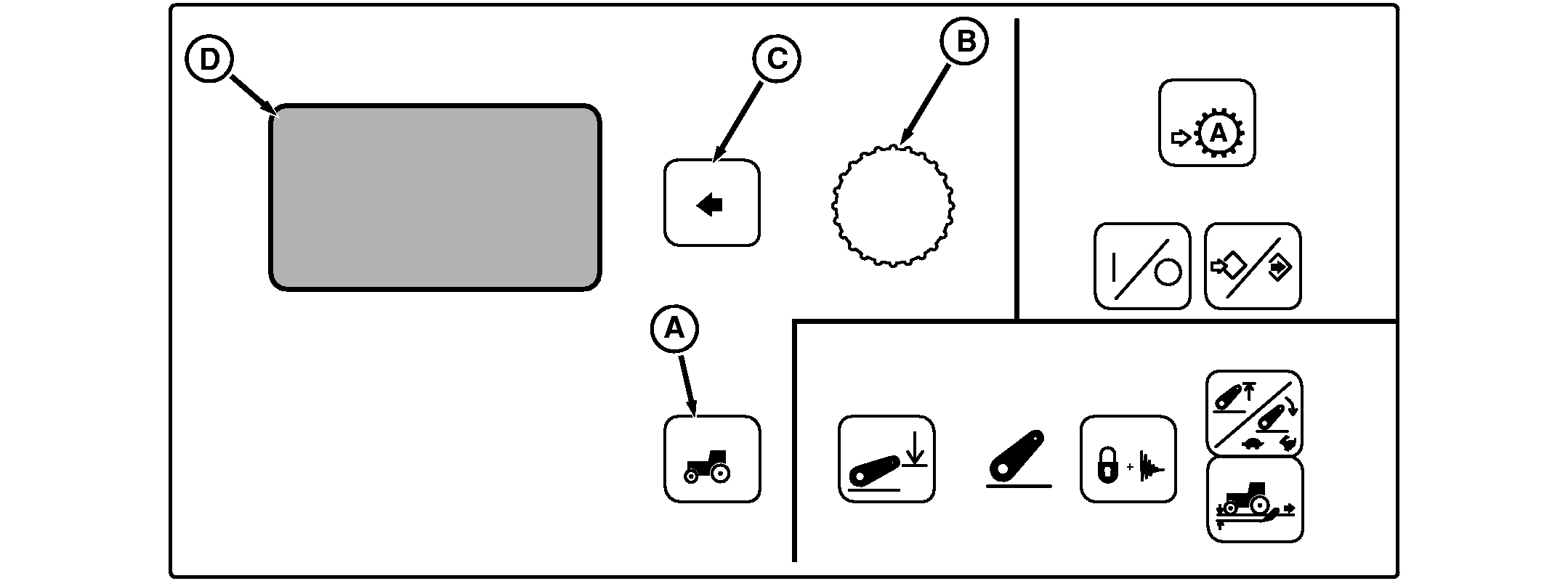
NOTE: PTO Engage will appear on tractors with PTO. Press Settings Switch (A) to view menu items on Display (D). Rotate Command Dial (B) to highlight PTO Engage and press Select Switch (C). Menu Items on Display (D) Using Command Dial, select Auto, Low Rate or High Rate engagement acceleration and press Select Switch. Auto setting is used for most implements, and is the factory setting in the CommandCenter. This setting provides software logic to determine the engagement rate for the PTO clutch, based on PTO speed sensor |
feedback. If the PTO does not turn fast enough during initial PTO clutch engagement, the engagement rate is automatically increased to avoid clutch slip and PTO shutdown.
IMPORTANT: If operator is experiencing problems with PTO clutch engagement in Auto setting, and Code CCU 001883.01 (PTO Underspeed) is displayed, change PTO engagement setting in CommandCenter from Auto to High Rate to prevent drive train damage. Low Rate can be used where gradual PTO startup is required, or if Auto engagement is too aggressive or inconsistent. High Rate can be used for applications where PTO clutch engagement needs to be unusually aggressive. |
RW29387,0000053 -19-23OCT06-1/1 |