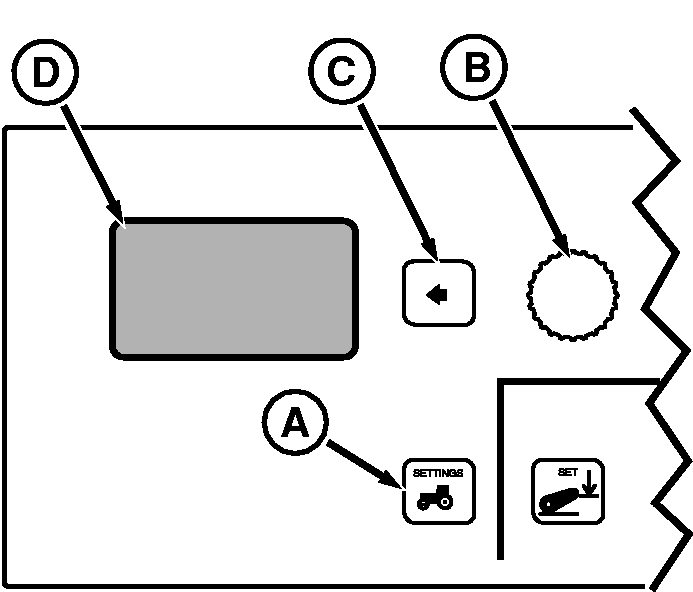
Vehicle Speed Calibration (Automatic)NOTE: Automatic calibration is used with John Deere Dual Beam radar. This procedure will enter a value in the radar sensor speed configuration address for the John Deere Dual Beam radar or GPS signal device requiring a configuration factor of 57.42. Do not use Manual (400ft/122m) calibration for Dual Beam Radar. Tractors not equipped with radar, but wanting to use a GPS signal require two controller addresses to be changed. Contact you John Deere dealer for assistance. 1. Press vehicle Settings Switch (A) to view menu items on Display (D). Rotate Command Dial (B) to highlight Speed Cal and press Select Switch (C).2. Display will read:
3. Highlight Automatic , then press Select Switch.
NOTE:
|
|
||||||||||||||||||||||||||||

RW29387,000005C -19-20AUG08-1/1 |