Using Float Operation

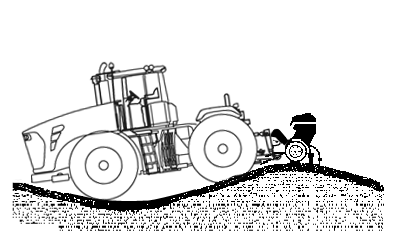
Implements equipped with depth-gauging wheels may require float operation to follow ground contour.

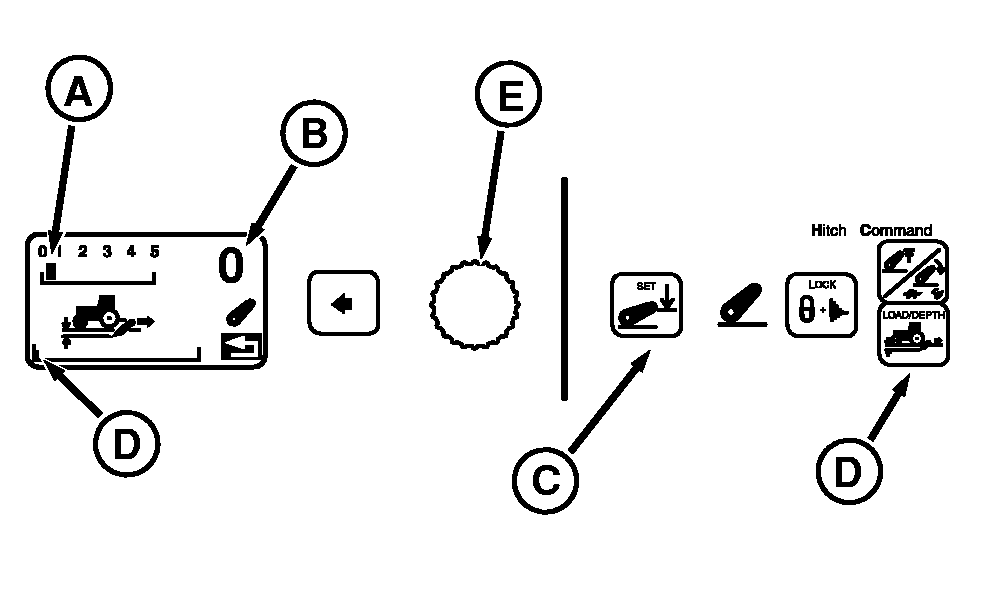
Press Load/Depth Switch (D) and observe display.

  • Turn Command Dial (E) counterclockwise (CCW) to set load/depth to "Position" Control (A).
  • Hold hitch lever forward until Commanded Depth shows zero (B), full down.
  • Press Depth SET Switch (C) to save full down as stored depth setting.

NOTE: Lift links can be adjusted for lateral float. (See Changing Lateral Float in this section.)


A-Position Control
B-Full Down Depth Setting
C-Depth SET Switch
D-Load/Depth Switch
E-Command Dial

RXA0092878

Using Float Position

RXA0090001

Float Operation

RW29387,00004DF -19-10MAR07-1/1