Programming Field Lights and Egress Lighting
|
|
|
|
|
|
|
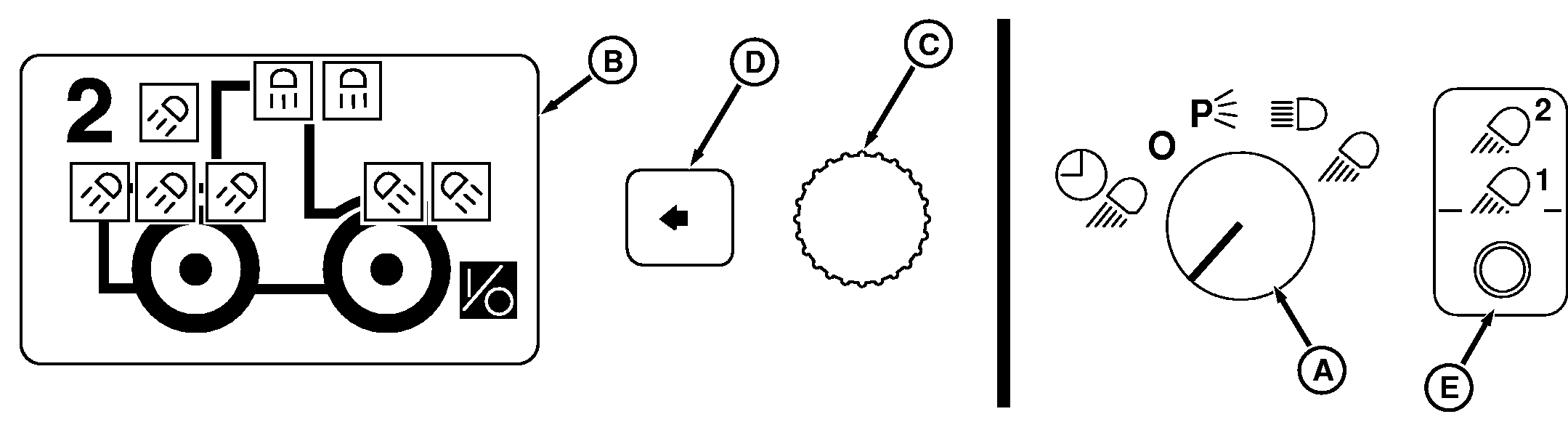
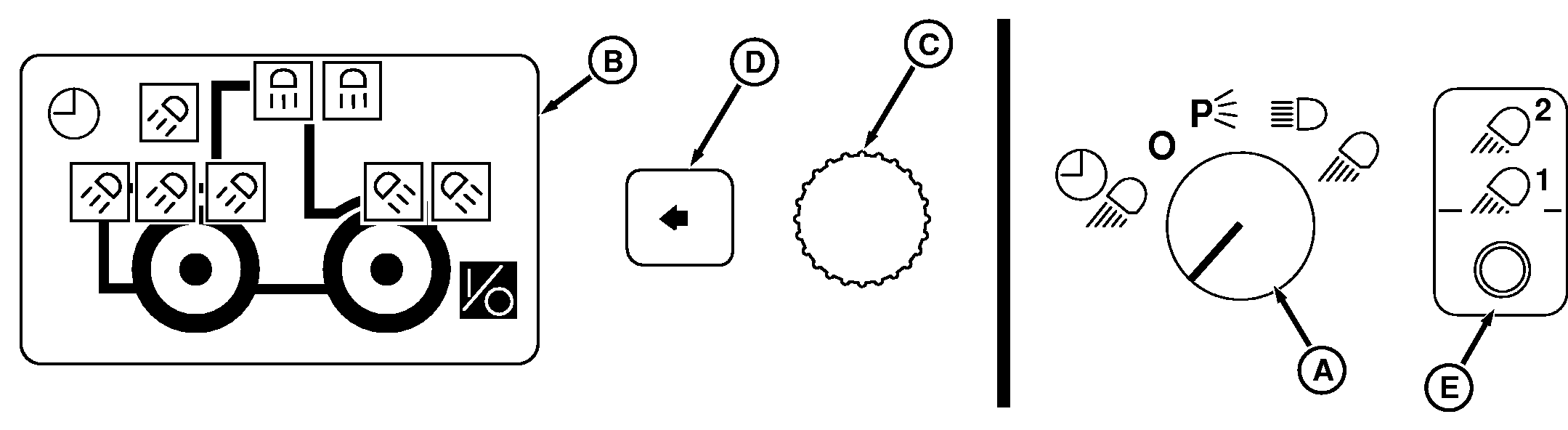
Operation of all clear-lens lighting (road lights, field lights and floodlights) is programmable using the Light Switch knob (A), Floodlight Switch (E) and CommandCenter display (B). See Headlight/Floodlight Identification And CommandCenter Indicators in this section for further information on lights and display indicators. Light display shows for 10 seconds whenever Light Switch and Floodlight Switch position is changed to a programmable setting. If no changes are made, display returns to last screen shown. Light indicators change from black to white when programmed ON. OFF Position:In the OFF position, all clear-lens lighting is programmed OFF (all black indicators). |
P (Park), Road and Field Positions:
Turn Light Switch Knob (A) to desired position and observe CommandCenter display (B); black indicators are OFF, white indicators are ON. NOTE: P (Park) and Road positions are not programmable. To program field lights, rotate Light Switch to field position, depress Floodlight Switch, and observe CommandCenter display. All clear-lens lights are selectable when programming Field 1 or 2 positions. Rotate Command dial (C) to highlight desired light, then press Select Switch (D) to turn light ON (white indicator) or OFF (black indicator). Changes to ON/OFF settings take place immediately. |
RW29387,00005C5 -19-25APR07-1/2 |
|
Normally one field light position is programmed to operate only certain lights, such as rear facing field lights. Moving dimmer switch to high beam will give a second option to program lights such as all rear facing lights and side mounted roof lights. The other position is used to operate all clear-lens lighting and again moving the dimmer switch will allow a fourth option for programmable lighting. Egress (Delayed Shutdown) Position (If Equipped):Turn light switch knob to Egress (clock) position and observe CommandCenter display. |
Programming Egress lighting is the same as Field lighting with all selectable clear-lens lights. Only operator selected clear-lens lights will come ON when switch knob is moved to Egress (Delayed Shutdown) position. Moving dimmer switch to high beam will give a second option to program lights. |
RW29387,00005C5 -19-25APR07-2/2 |