Setting Scraper Model |
|
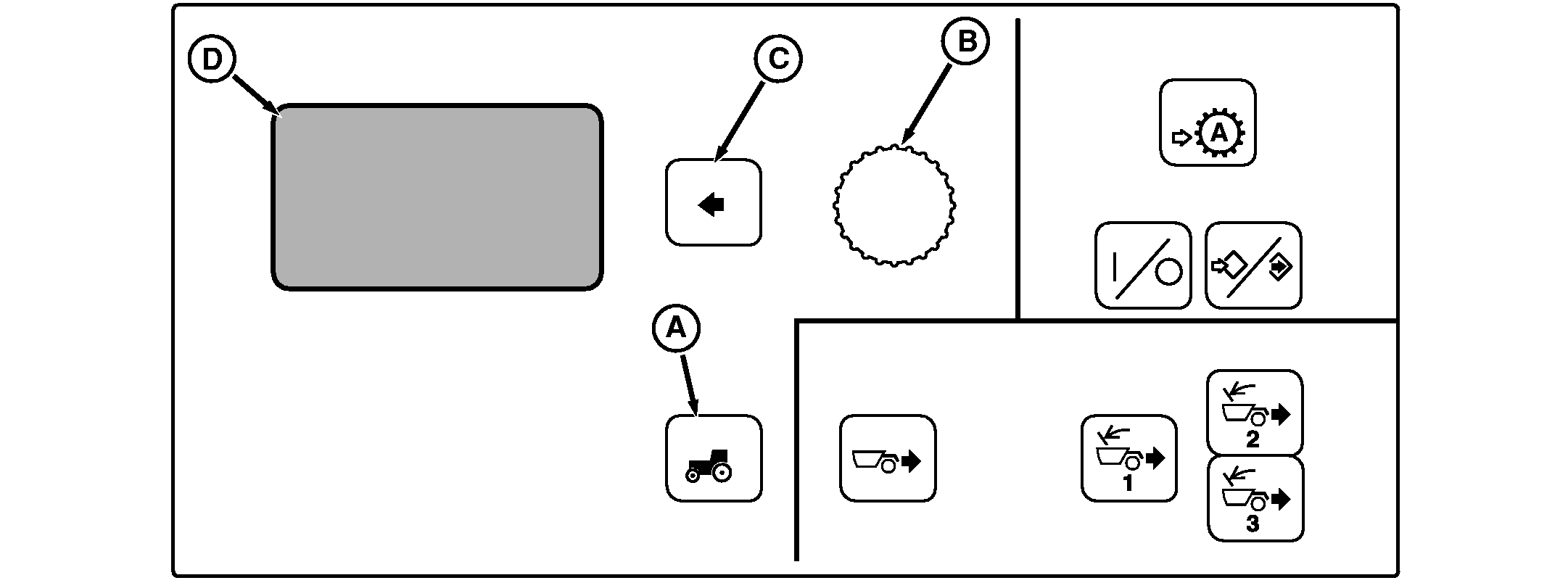
A-Vehicle Settings Switch
B-Command Dial
C-Select Switch
D-Display
|
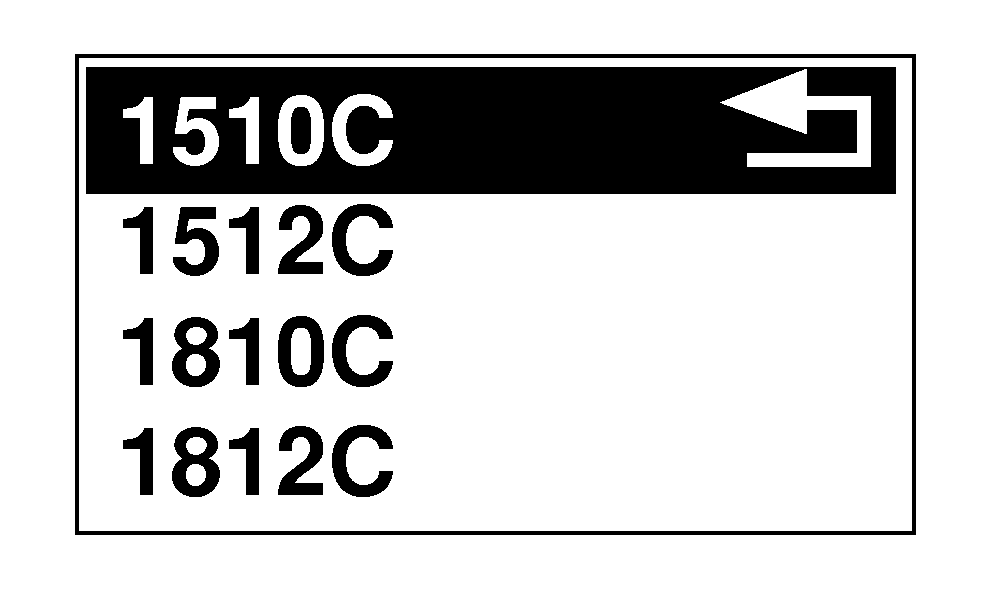
Press vehicle Settings Switch (A) to view menu items on Display (D). Rotate Command Dial (B) to highlight scraper model and press Select Switch (C). Rotate Command Dial to highlight Scraper Model used and press Select Switch to apply. NOTE: If not selected, the Scraper Model factory default is 1810E.
NOTE: Refer to Scraper Tractor Operator's Manual for setting ground level set points and AutoLoad operation. |
|
OU1092A,00000EB -19-05NOV07-1/1 |