CommandCenter-Settings
|
|
|
|
|
|
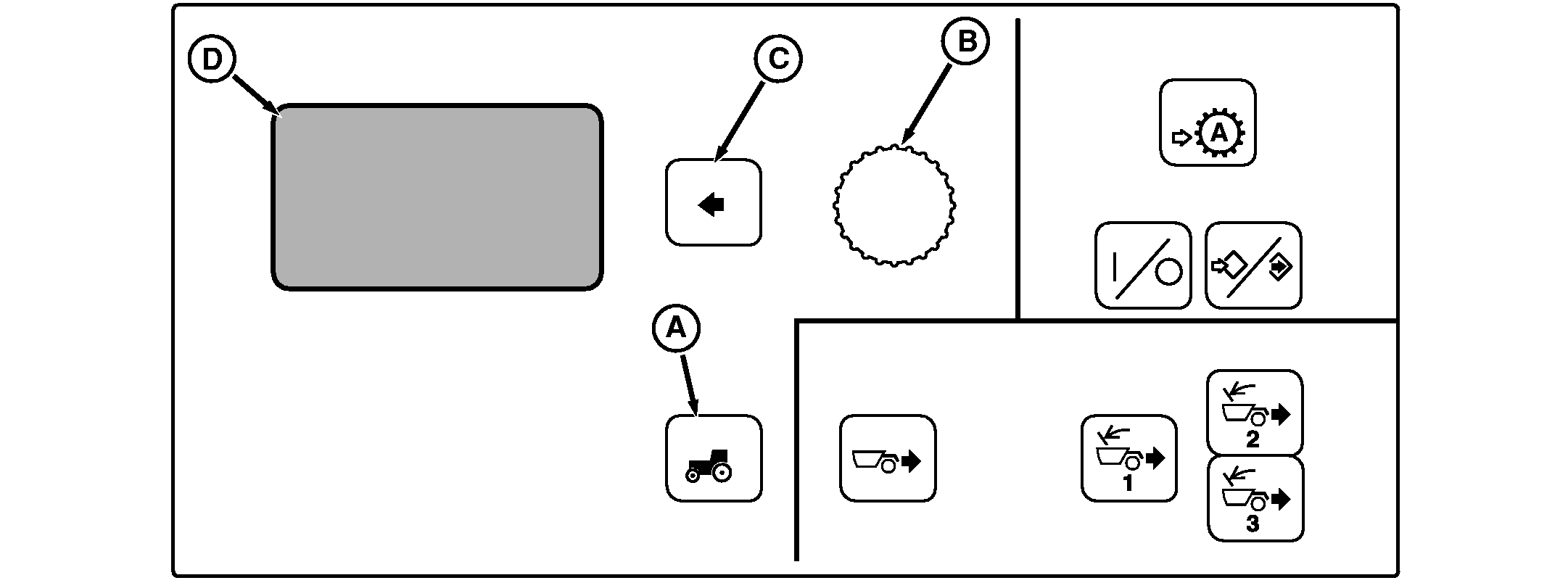
Not all languages are displayed on CommandCenter. See "Selecting Units and Language" in this section for more information on languages that can be displayed The Tractor Settings Switch will allow the operator to modify various tractor settings listed below. Not all of the menu setting options are available on every tractor. If an option is not installed on the tractor, then no configuration will be available in tractor settings. Press Vehicle Settings Switch (A) to view menu. Rotate Command Dial (B) to scroll through menu items. Press Select Switch (C) when desired item is highlighted in Display (D). To return to a previous screen, rotate the Command Dial (B) to highlight BACK, and press Select Switch (C). Menu items on Display (D) |
Transmission - For detailed information on transmission settings, see Setting Powershift Options Section For Shift Set Speeds, and Forward and Reverse Start Gears. Decel Switch - For information on setting Decel Switch, see Setting Decelerator in Operating The Tractor Section. Scraper Model - For information on setting Scraper Model, see Setting Scraper Model in AutoLoad Section. |
OU1092A,00001BC -19-21JUN07-1/1 |