SCV Flow Time and Flow Rate Settings
|
|
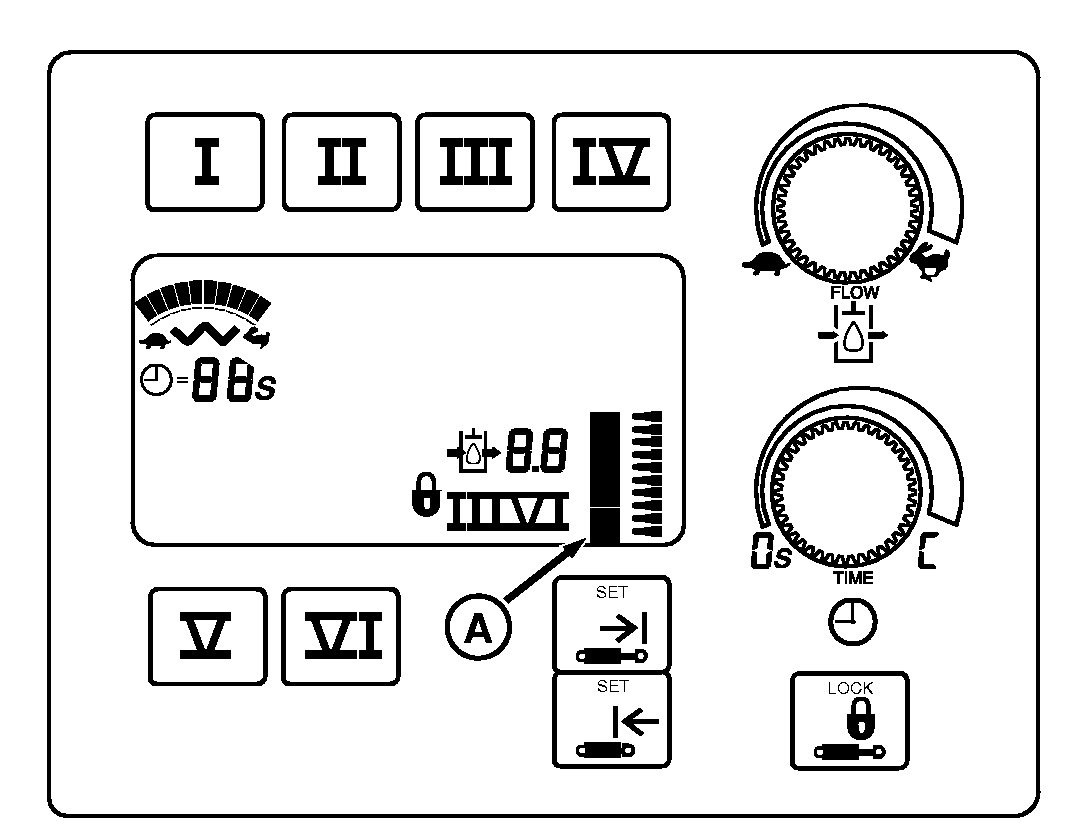
The flow rate and flow times are set using the setup panel located to the right of the operator. With AutoLoad active, flow time adjustments are disabled for SCV I, SCV III and SCV V. Flow rates for SCV I, III and V are enabled, but are only effective when in manual operation or when moving between set points. |
Flow time and flow rates for SCV II, SCV IV and SCV VI function as described in HYDRAULICS AND SELECTIVE CONTROL VALVES Section.
|
OU1092A,00001DF -19-17SEP08-1/3 |
|
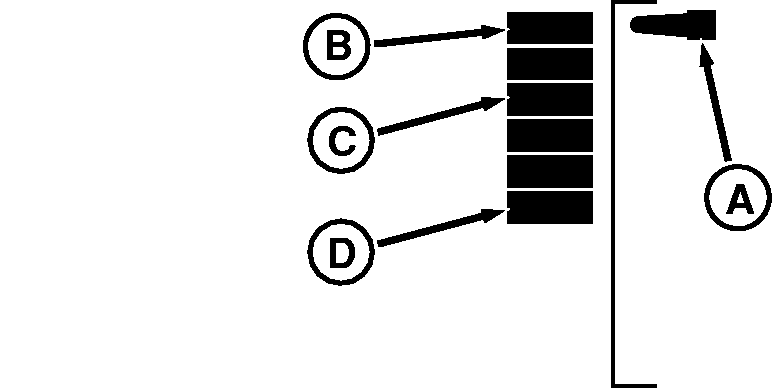
Position Display Graph The position indicator (A) shows the current scraper position in relation to upper (B) and lower (D) set points. In this case, the scraper is at the upper set point. The squares show the range (C) between the set points. When at the lower set point, the marker will point to the bottom most square.
SCV I, III and V Flow Time Indicator
For SCV I, III and V, the flow time indicator has been modified from its normal display.
Flow times are replaced with letters "P", "A" and "L".
IMPORTANT: Do not unplug implement connector while power or key switch is "ON". NOTE: If SCV display panel shows "C" (continuous flow) for SCV I, III and V, AutoLoad will not function on that SCV. If this occurs, it is important to perform steps below in exact sequence: 1.
Turn key "OFF".
NOTE: Leave power on for several seconds. Note: Diagnostic codes might have been stored if information light and hydraulic lights are flashing. Contact your John Deere dealer to resolve. 4. Turn key "OFF". 5. Turn key "ON" and start engine to verify SCV operation without scraper connector plugged into tractor. 6. Turn key "OFF". |
|
OU1092A,00001DF -19-17SEP08-2/3 |
|
7. Plug in harness for scraper into Implement Connector, on top of SCV stack. NOTE: Check wiring harness for any broken or damaged wires. Repair if necessary. Verify harness connectors are properly mated. 8. Turn key "ON" and start tractor to verify SCV operation. 9. If "C" reappears on display panel or AutoLoad does not function, contact your John Deere dealer to resolve codes or repair.
Position mode "P" is an AutoLoad state which SCV lever detent will position the scraper at their respective upper or lower set point. NOTE: If scraper position is at or below the lower set point, a forward detent will engage the automated dig. Armed mode "A" is an AutoLoad state when the respective SCV lever is detented forward, AutoLoad will start the automated dig.
Load control mode "L" indicates an AutoLoad state when the system is presently in the automated dig routine. |
OU1092A,00001DF -19-17SEP08-3/3 |