Ground Level Set Point
|
|
|
|
|
|
Ground level is a stored location used by AutoLoad to determine where the blade fully contacts the ground. The following is the recommended method for setting ground level. This procedure should be done on flat ground that can be disturbed by the blade.
High Flow Scraper Tractor
-Single Scraper Configuration
|
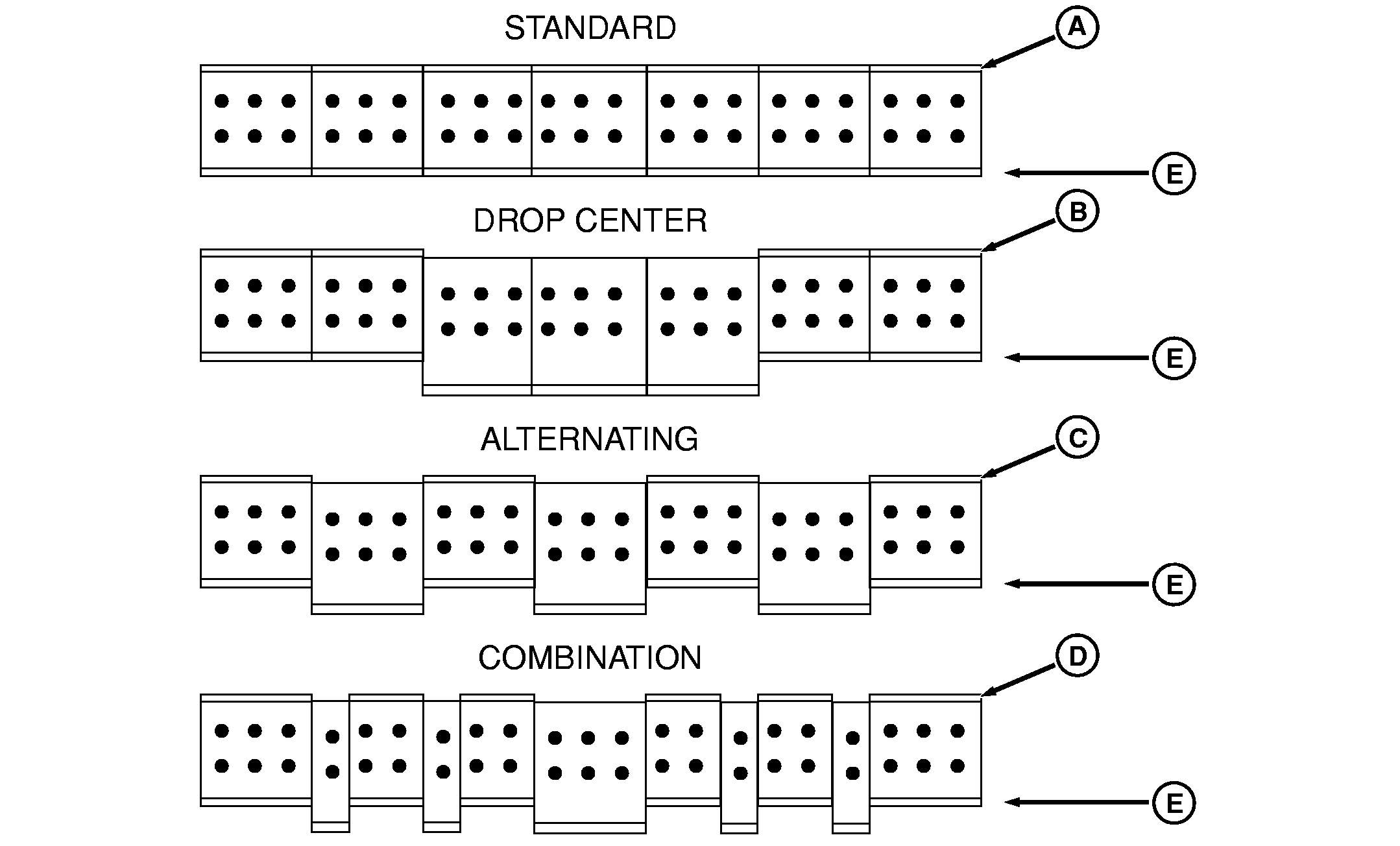
scraper has a protruding edge(s) such as the drop center (B), alternating (C), or combination (D) blade configuration, slowly move the tractor forward while lowering blade to allow the protruding edge(s) to dig into the surface. This will allow for better judgment as to when the outboard cutting edges (E) contact the ground.
Place SCV I control lever into the "Float" position. |
RW29387,000041E -19-17SEP08-1/3 |
|
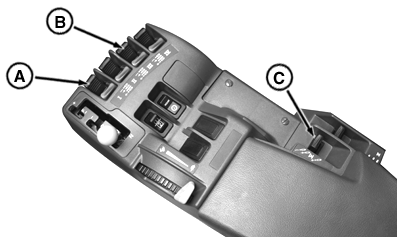
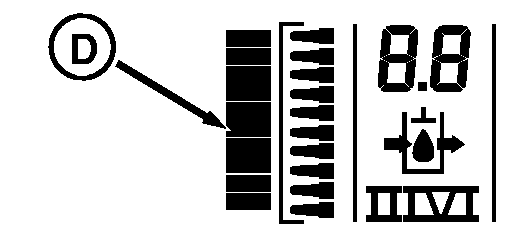
IMPORTANT: High Flow scraper tractor hydraulics do not have float capability. However, this switch position is used for setting the ground level set point. Store ground level position by selecting SCV I (A), then press the lower set point button. Refer to Lower Set Point Section. If performed correctly, a single dash will display on the left hand side position display graph (D) for approximately 2 seconds, then it will change back to the normal display.
High Flow Scraper Tractor
-Tandem or Triple Scraper Configuration
First, place all scrapers at their lower set point. Set the front scraper ground level using the High Flow Scraper Tractor - Single Scraper Configuration procedure. When complete, raise the front scraper to the upper set point with a detent rearward (Extend) with SCV I (A). To set the second scraper ground level position. Follow the single scraper configuration procedure selecting SCV III (B) in place of SCV I (A). To set the third scraper ground level position. Follow the single scraper configuration procedure selecting SCV V (C) in place of SCV I (A).
Standard Flow Scraper Tractor
-Single, Tandem and Triple Scraper Configuration
|
|
RW29387,000041E -19-17SEP08-2/3 |
|
IMPORTANT: The accumulator only for Standard Flow Scraper Tractors needs to be discharged before starting. Do not activate SCV I, III or V causing scraper to move until the accumulator is discharged. If SCV's are activated, this will result in having the procedure to be repeated again. For Standard Flow Scraper Tractors only, perform following accumulator bleed procedure: 1.
Turn key switch to RUN position.
DO NOT
start engine.
NOTE: Bleed down time is approximately 60 seconds when oil temperature is 20 °C (68 °F). Cooler oil will take longer.
This will eliminate the potential of scraper blade moving up or down when float is engaged. This movement may affect the stored ground level. Blade should remain set so that the shallowest cutting edges of the blade are just scratching the ground.
|
RW29387,000041E -19-17SEP08-3/3 |