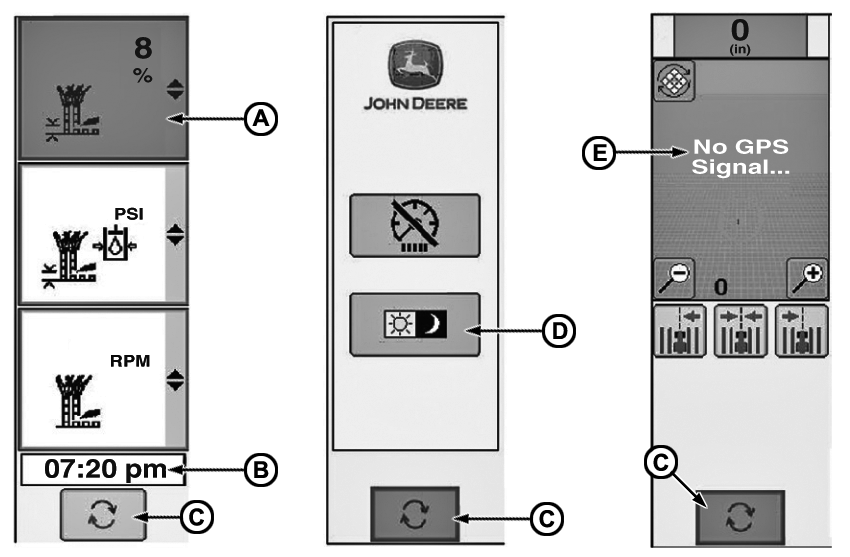
Home Page Left Hand Screen
CQ284965-UN-27JAN12
A:Gauge Display Region. Operator can choose to monitor 3 more parameters not shown on Primary or Secondary display. The parameters are chosen by the operator and over 60 are available.
B: Clock.
C: Left Hand Screen Toggle. Press icon to toggle between three different left hand screens.
D: Day/Night Toggle Icon. Operator can select Day or Night mode in order to easily dim the display for night operation or brighten it up for day operation.
E: Guidance. Operator can control Auto Trac Green Star Application while monitoring harvesting function home page. If this option is not on the machine the screen will be gray.
|
AS60558,0002794-19-20120123 |