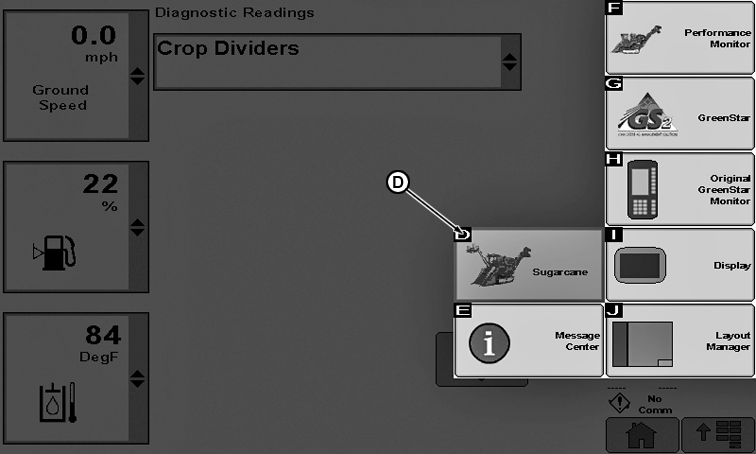
Sugarcane Icon on Main Menu
CQ293101-19-14FEB12
D: Icon to launch sugarcane applications.
The SDU-A software is already configured to auto detect based on the 17 digit serial number of the machine. If the SDU-A was successfully programmed and unit code is detected, it will configure itself as a sugarcane harvester.
If the lengthy update process is not followed implicitly you will get an error message: SDU-A not programmed successfully. But if you check the software version number on the display you will see it did update.
In this event you will need to manually select the machine type to 3520 cane harvester under the GS3 screen and the display will configure itself.
In this configuration you will see the blinking StarFire icon in the bottom right of the screen even if the machine was never setup with an autotrac license because the user completed the setup to change the machine type because of a failed programming attempt but has no license entered.
If the display updated successfully and you get the green checkmark at the Conclusion of the update process the manual configuration is not needed.
|
BL04947,00000C9-19-20111210 |