Primary Extractor Setup Page
CQ293105-19-13FEB12
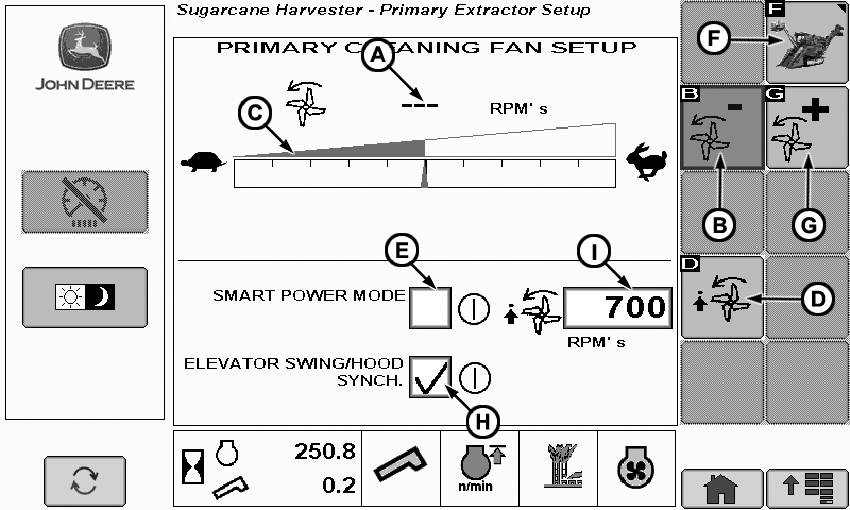
A: Primary extractor fan speed. Indicates the the RPM of the primary extractor fan.
B: Primary extractor fan speed decrease elevator on. Decrease the primary extractor fan speed when the extractor and the elevator are ON.
C: Desired primary extractor fan speed when elevator is on. Displays the desired primary extractor fan speed when the elevator is ON.
D: Primary extractor minimum fan speed adjust window elev off. Set the minimum primary extractor fan speed when the elevator is OFF.
E: Smart power mode On/Off. This mode automatically lowers the RPM of the extractor when the elevator is OFF.
F: Back to home page.
G: Primary extractor fan speed increase elevator on
H: Elevator/Primary Hood synchronization. When on elevator and primary hood will rotate the same direction.
I: Maximum primary extractor fan speed when using smart mode elevator is off.
Day/Night Mode Setup
CQ293114-19-14FEB12
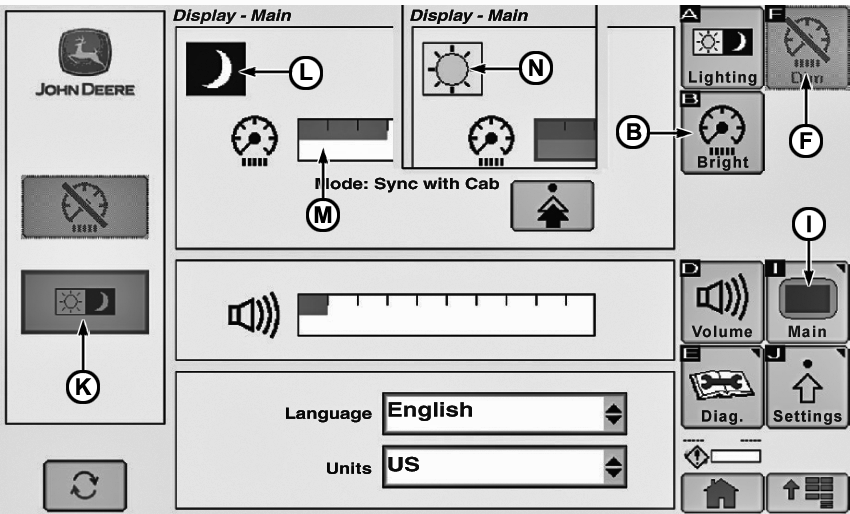
B: Brightens the display.
F: Dims the display.
I: Main Display.
K: Toggle button to change between Day and Night mode.
L: Indicates the screen is in the night mode and the illumination of the display will be dimmer for night harvesting. The intensity can be changed with icons (B and F).
M: Displays the light intensity.
N: Indicates the screen is in the day mode and the illumination of the display will be brighter for night harvesting. The intensity can be changed with icons (B and F).
Select the Day/Night button form the Main Display (I).
Language and Measure Unit Setup
CQ293104-19-13FEB12
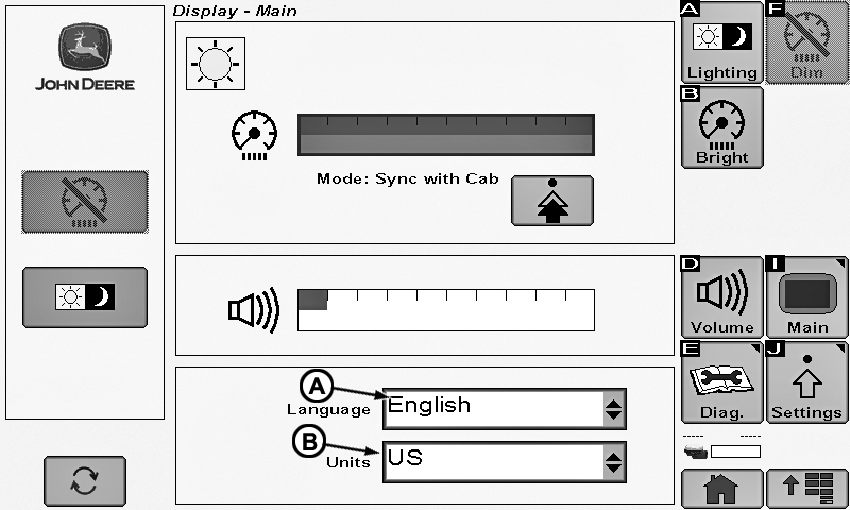
Procedure to change the language and to change from US to Metric and vice versa.
A: Use the arrow key to select the support language in the display.
B: Use the arrow key to toggle between US units and Metric units that will be shown on the display.
|
BL04947,00000CE-19-20120213 |