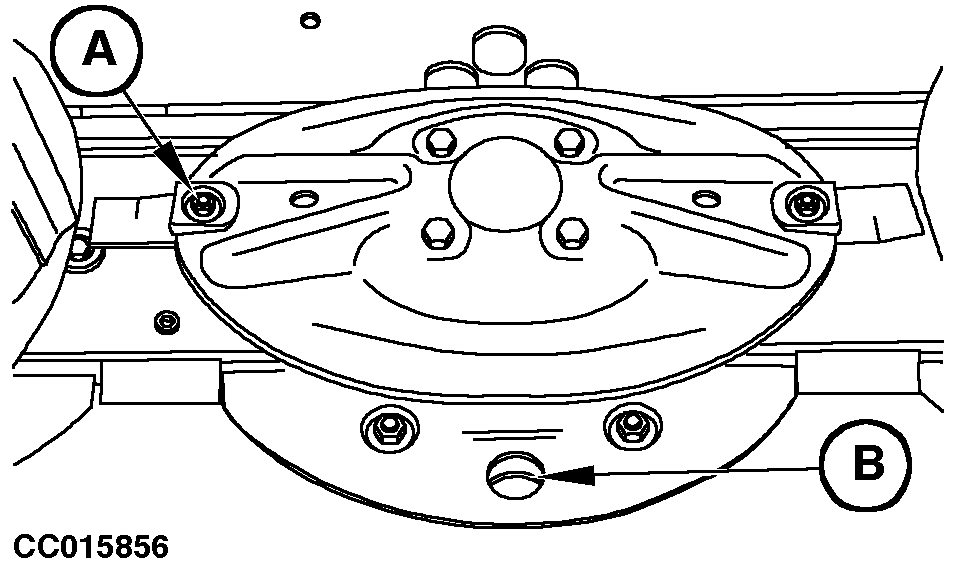
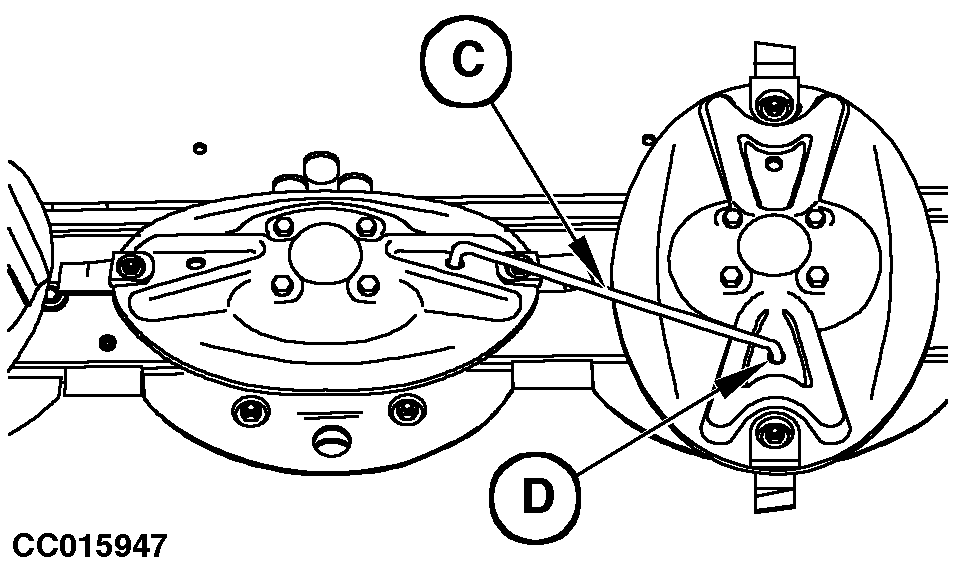
Removing and Servicing Knives (With Disk Immobilizing Device Only)Knives are attached to disks by special knife bolts. Clean area around special nut (A). Turn disks to align knife bolt with hole (B). Insert the disk immobilizing device (C) in holes of disks (D) as shown. IMPORTANT: Only apply tractive efforts on the disk immobilizing device. Remove knife bolt nut using a socket wrench then remove knife screw through hole (B). Refer to "Checking Knives" and "Checking Knife Bolts" in this Section before reinstalling knives.
|
|
 CAUTION:
Remove the disk immobilizing device after intervention on knives.
CAUTION:
Remove the disk immobilizing device after intervention on knives.
AG,OUCC006,347 -19-04MAY00-1/1 |