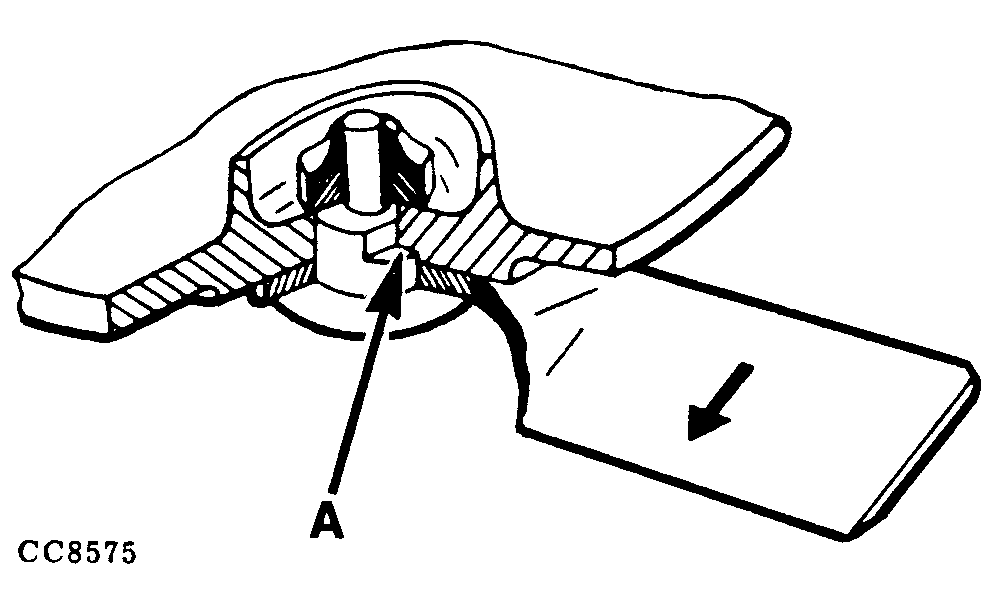
Installing KnivesIMPORTANT: Always replace or turn over both knives on a disk to avoid creating an out of balance force which causes vibration and damage to the machine. Refer to "Checking The Knives" and "Checking Knives Hardware" in this Section before reinstalling knives. Ensure securing elements are in good condition. Clean bearing area and reinstall knife with their special bolts. Fit knives so that the arrow on their upper face is pointing in the direction of rotation of the disk it is fitted to. Ensure that special knife bolt is correctly seated in groove (A).
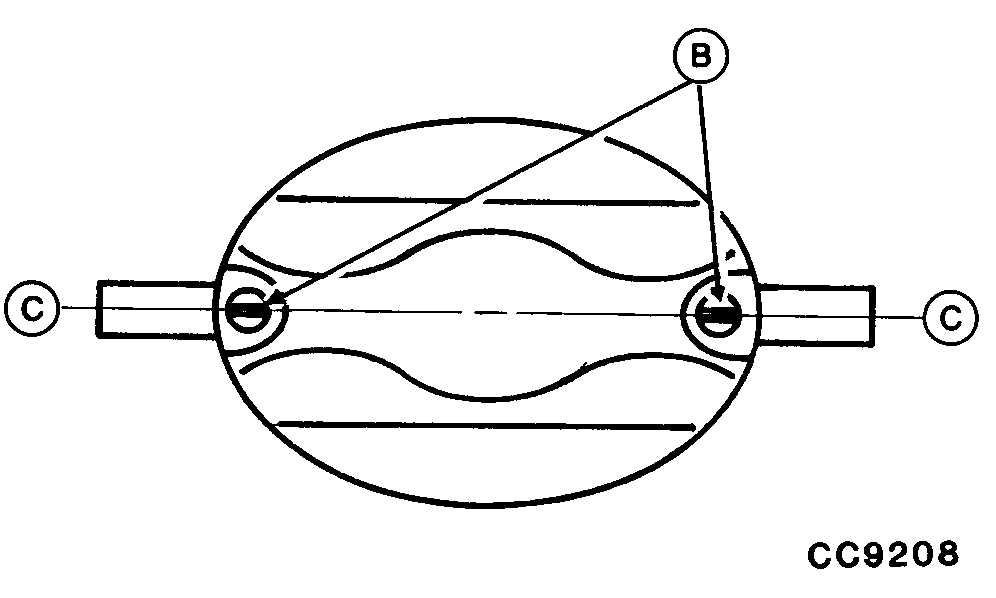
IMPORTANT: To correctly engage the bolt in the disk hole, the bolt flats must align with the hole flats and each bolt mark (B) must be aligned with disk center line (C-C). Top of bolt will be flush with top of nut when properly installed and tightened. Tighten knife locknut to 120 N·m (90 lb-ft). Whenever knives are checked or installed, ensure that they rotate freely on their bolts. IMPORTANT: Always use genuine John Deere knives and special knife hardware. Replace each special knife bolt when it has been removed and reinstalled five times. |
|
 CAUTION:
If bolt is not installed correctly, locknut cannot be tightened sufficiently which may lead to loss of knife and bolt during operation.
CAUTION:
If bolt is not installed correctly, locknut cannot be tightened sufficiently which may lead to loss of knife and bolt during operation.
CC,228FM003352 -19-23JUL96-1/1 |