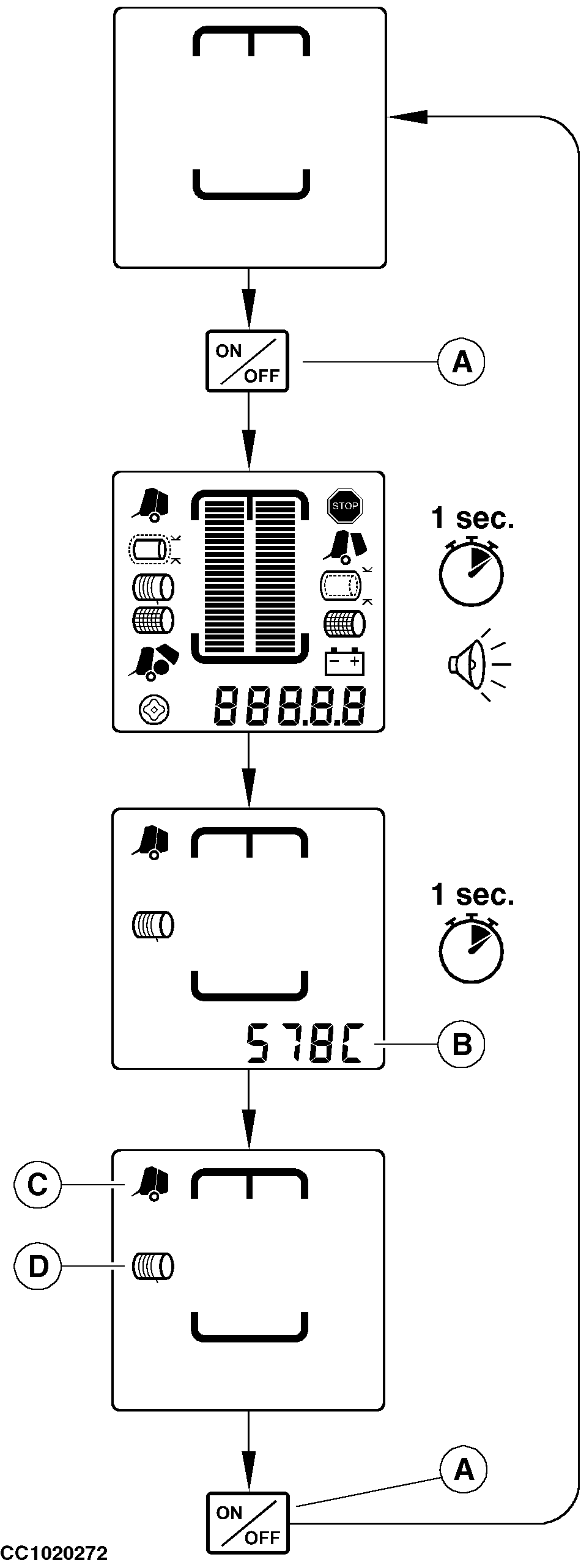
Switching On or Off the MonitorPress "ON/OFF" key (A) to switch on the monitor. During the power-up:
NOTE: The baler model is followed by a "C" if the baler is equipped with a precutter device. After the power-up sequence, the monitor enters in normal display mode and the closed gate pictogram (C) and the net or twine tying pictogram (D) are displayed. To switch off the monitor, press and release "ON/OFF" key (A), OFF is displayed for one second then the monitor is off. NOTE: After 30 minutes without any operation, the monitor will power off by itself. If the voltage is higher than 16 V during 5 seconds, the monitor will automatically power off.
|
|
OUCC006,0000740 -19-01AUG02-1/1 |