Manual Start of an Automatic Tying Cycle
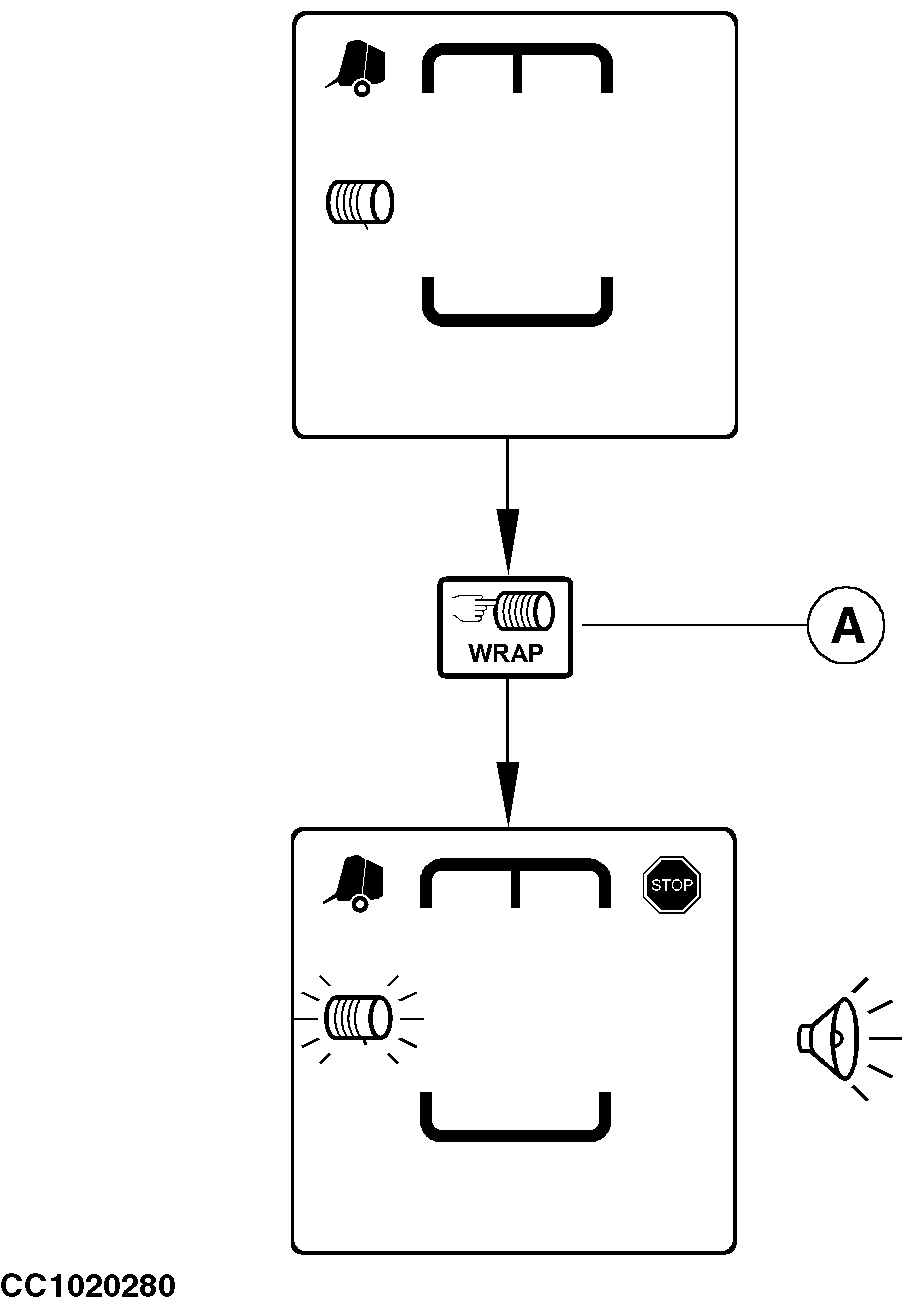
An automatic net or twine tying cycle can be manually started at any time. Once started, the bale tying cycle uses the settings used to tie the previous bale (tying density, number of twine turns on bale ends, and distance of tying ends). To start an automatic tying cycle, press "MANUAL START OF TYING CYCLE" key (A). The monitor beeps, the tying system pictogram flashes and the stop pictogram is displayed. The tying cycle begins (see "Automatic Start of Tying Cycle" in this section). NOTE: If channel 032 is "ON", the tying cycle starts automatically when the adjusted bale diameter is reached. See "Channel 032: Automatic Start of Tying Cycle" in "BaleTrak Monitor Service" Section.
|
|
OUCC006,00009F0 -19-15SEP03-1/1 |