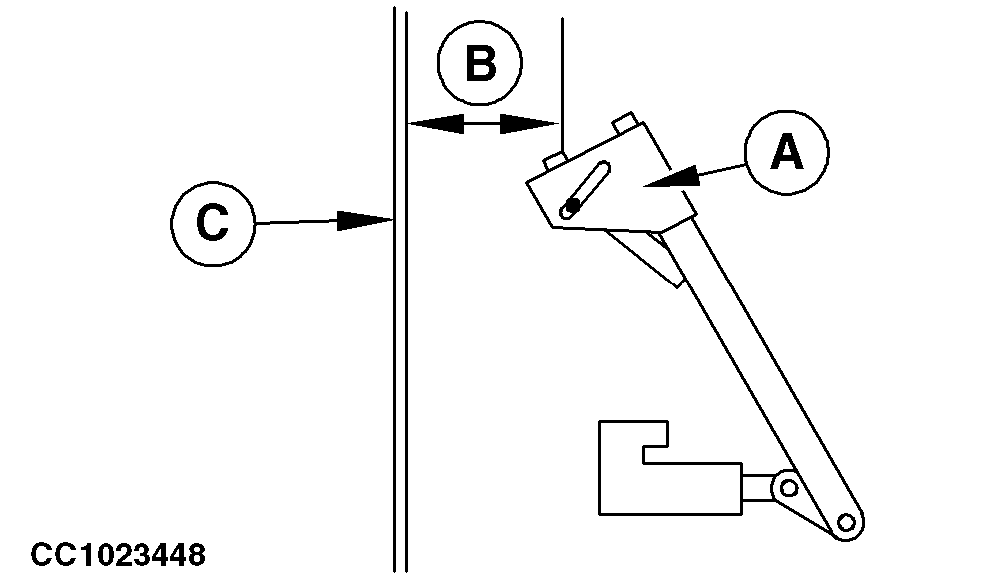
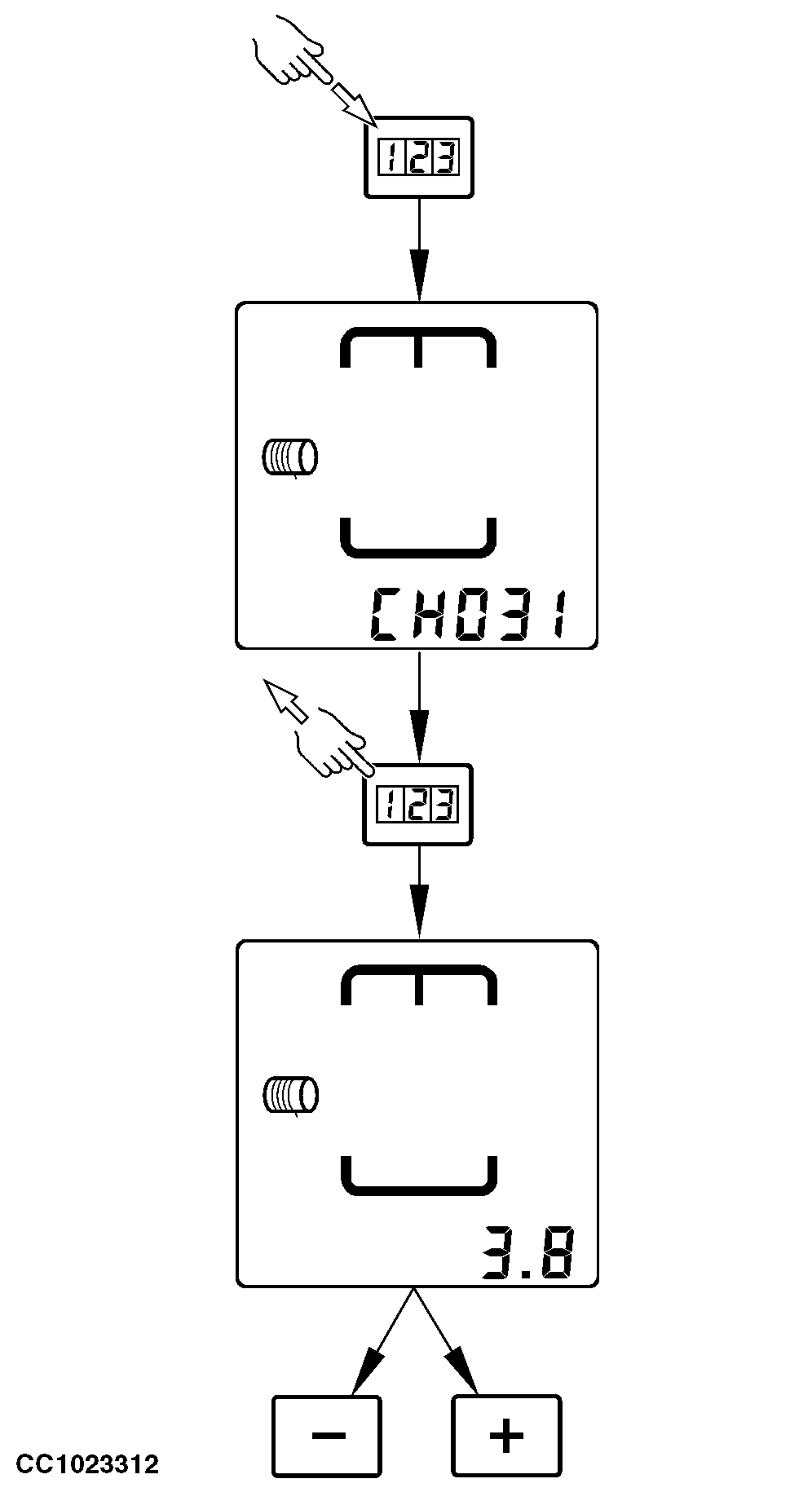
Channel 031: Adjusting Tying End Distance (Single Arm Tying)"CH031" allows to adjust the tying end distance (B). IMPORTANT: The twine actuator must be calibrated before the right-hand distance between tying end and edge of bale is adjusted. See "Channel 029: Calibration of Twine Actuator" in this Section. 1. Calibrate twine actuator.2. Press "MANUAL START OF TYING CYCLE" key to start a tying cycle. 3. Switch off the monitor when the twine arm is in tying end position. 4. Check that the actual distance (B) between the twine arm (A) and the right-hand panel (C) of bale chamber is the same as the distance adjusted with monitor. If the twine arm (A) is too close to the right-hand panel (C), press "MINUS" key to decrease the value stored in Channel 031. If the twine arm (A) is too far away from the right-hand panel (C), press "PLUS" key to increase the value stored in Channel 031.
|
|
OUCC006,00009F9 -19-22SEP03-1/1 |