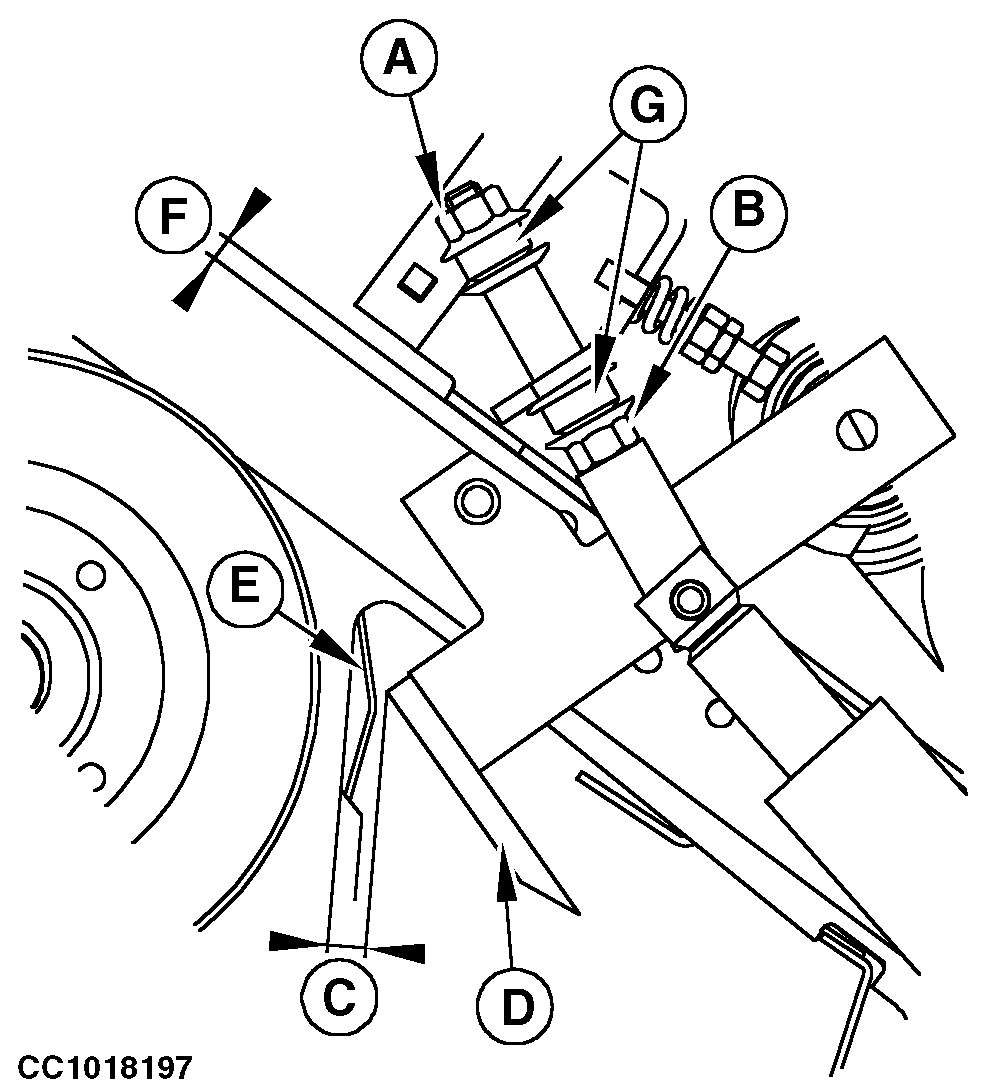
Adjusting Net Knife Arm Stop (Baler with Standard Net Tying Device)Remove the net feed roll drive belt. See "Removing and Installing Net Feed Roll Drive Belt" in this section. Adjust upper knife position: 1. Extend actuator.2. Loosen stop nut (A). 3. Adjust stop nut (B) to obtain a distance (C) between 2-15 mm (0.08-0.6 in.). 4. Check for no interference between knife (D) and roll shield (E). If there is interference, adjust the shield and restart with step 3. 5. Check that distance (F) is above 1 mm (0.04 in.). If necessary readjust stop nut (B). 6. Tighten stop nut (A). NOTE: For baler with the rubber shock absorbers (G), tighten the stop nut (A) manually, then tighten additional 1.5 turns with a wrench. The rubber shock absorbers should not be pressed too much. |
|
OUCC006,0000BC1 -19-12JAN07-1/2 |
|
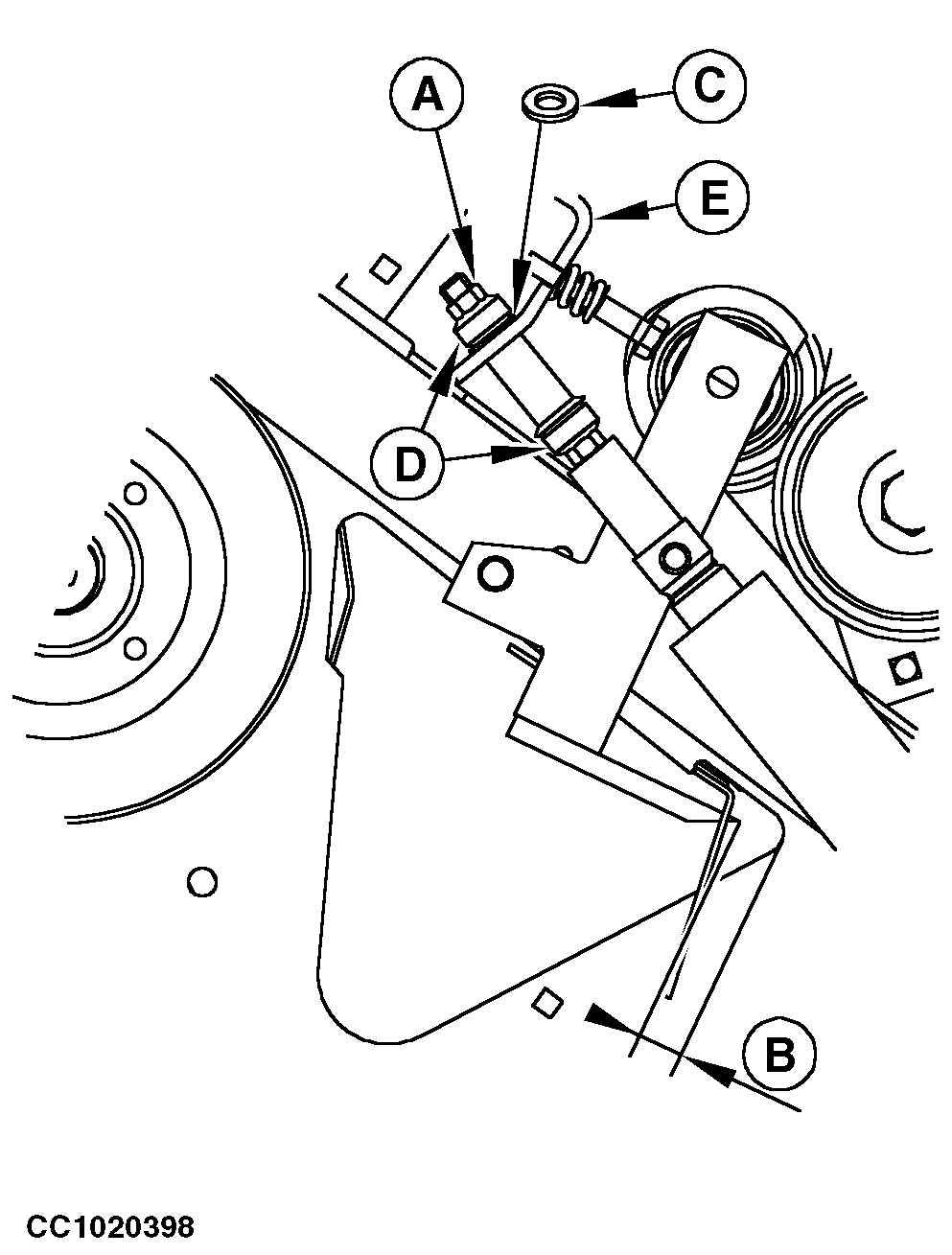
Adjust lower knife position: 1. Retract actuator.2. Check that distance (B) between edge of the knife and side sheet is 1-5 mm (0.04-0.2 in.). If necessary, adjust stop nut (A) and add or remove shim (C) between conic washer and bracket (E). 3. Tighten stop nut (A). NOTE: For baler with the rubber shock absorbers (D), tighten the stop nut (A) manually, then tighten additional 1.5 turns with a wrench. The rubber shock absorbers should not be pressed too much. IMPORTANT: To avoid net tying erratic functions, always check that actuator rod is slightly extended once adjustment is done.
|
|
OUCC006,0000BC1 -19-12JAN07-2/2 |