Adjusting Chain Oiling System (from S.N. 50000)
|
|
|
|
|
|
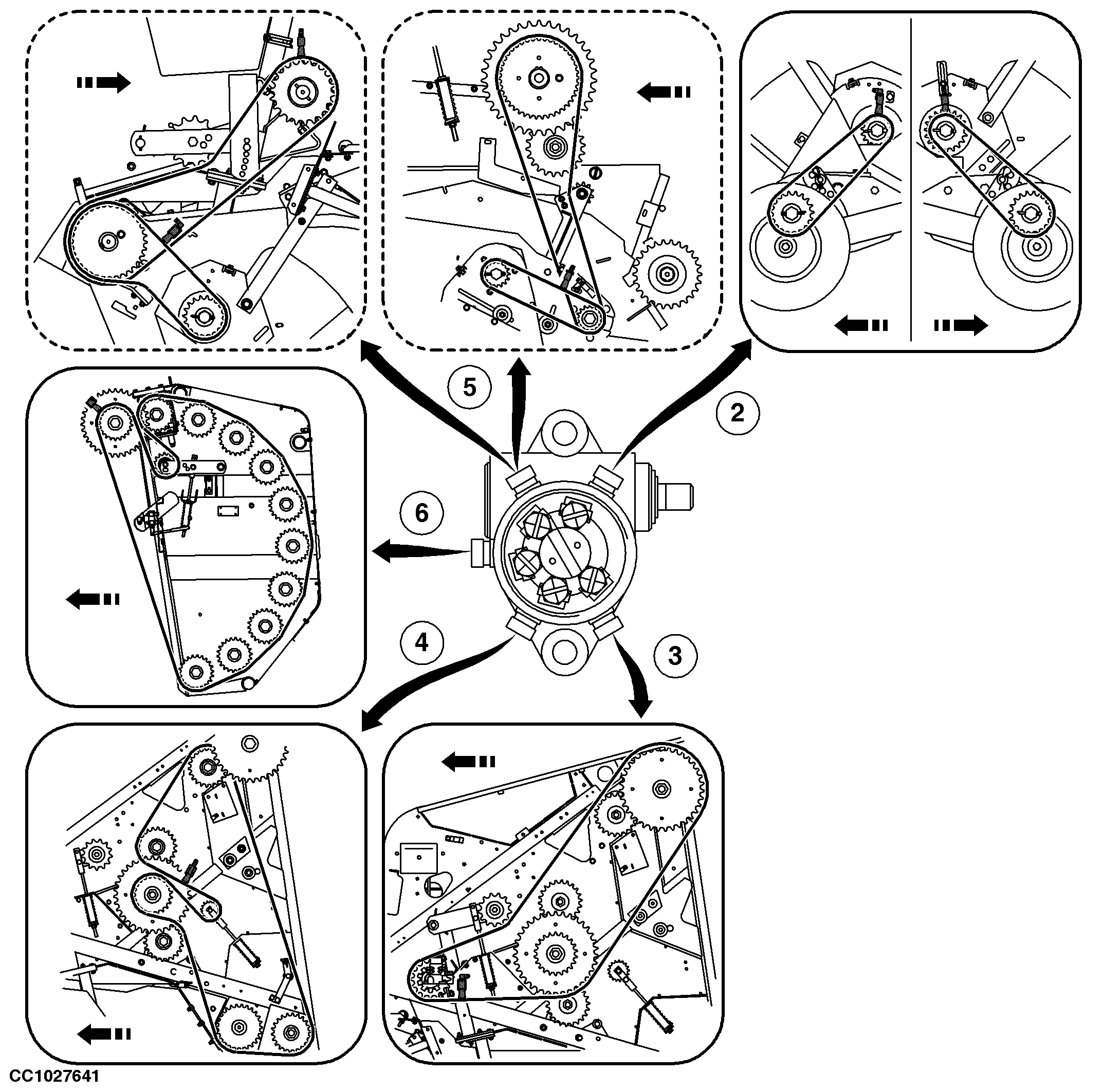
NOTE: Each hose is identified to pump and brush side with a number on a color ring. |
OUCC006,00010EC -19-10JAN07-1/3 |
|
|
|
|
|
|
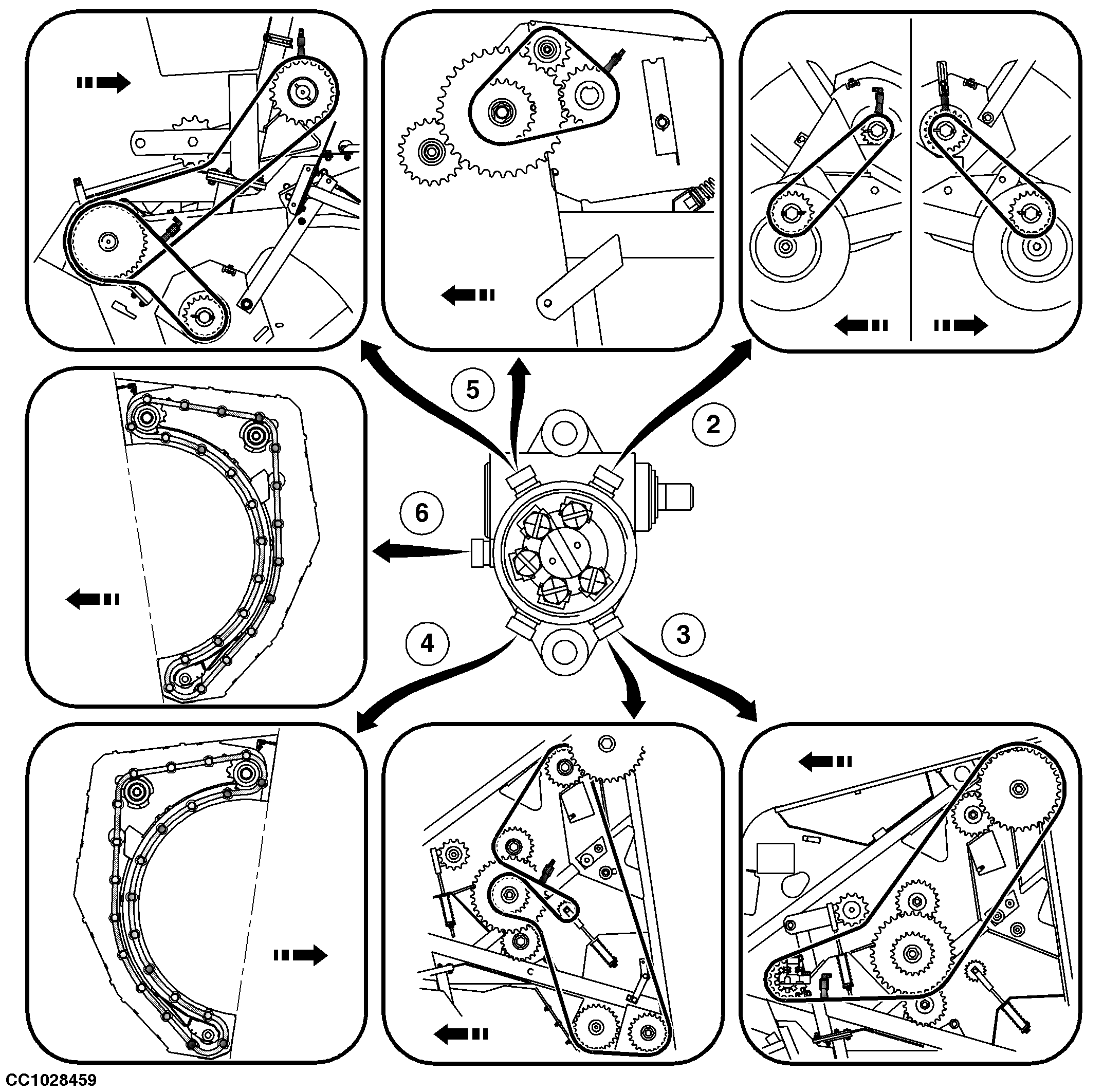
NOTE: Each hose is identified to pump and brush side with a number on a color ring. |
OUCC006,00010EC -19-10JAN07-2/3 |
|
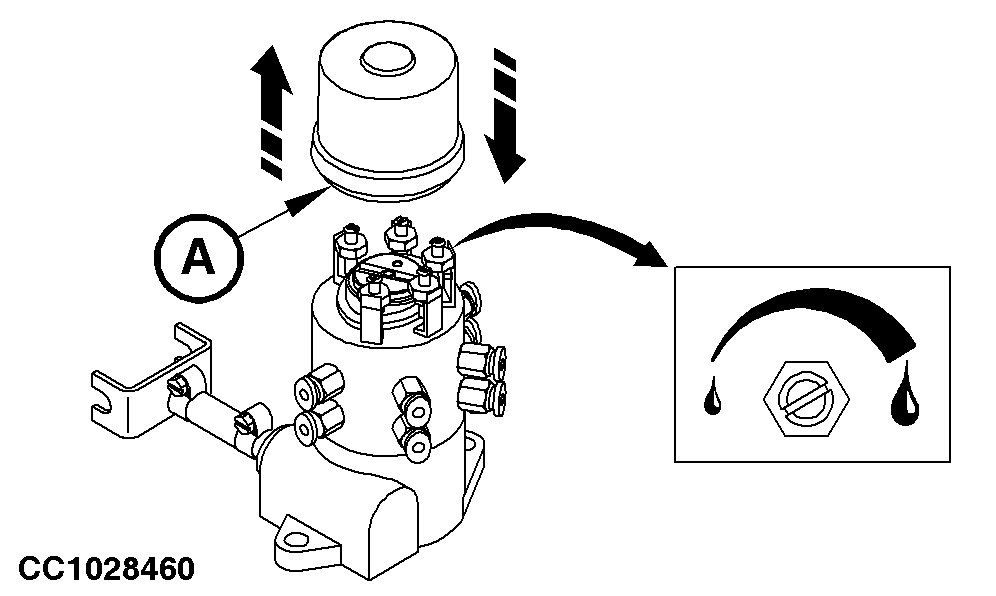
Adjusting Oil Flow The oil flow at each chain can be adjusted. 1. Remove cover (A).2. Identify the screw allowing to adjust the oil flow of the relevant brush(es). 3. Turn the screw clockwise to increase oil flow and counterclockwise to decrease oil flow. NOTE: The pump is very precise. Turn screw 1/4 turn by 1/4 turn to adjust oil flow. When the screw is totally screwed in (maximum flow), unscrewing four turns allows to obtain the minimum flow. 4. Install cover (A). |
|
OUCC006,00010EC -19-10JAN07-3/3 |