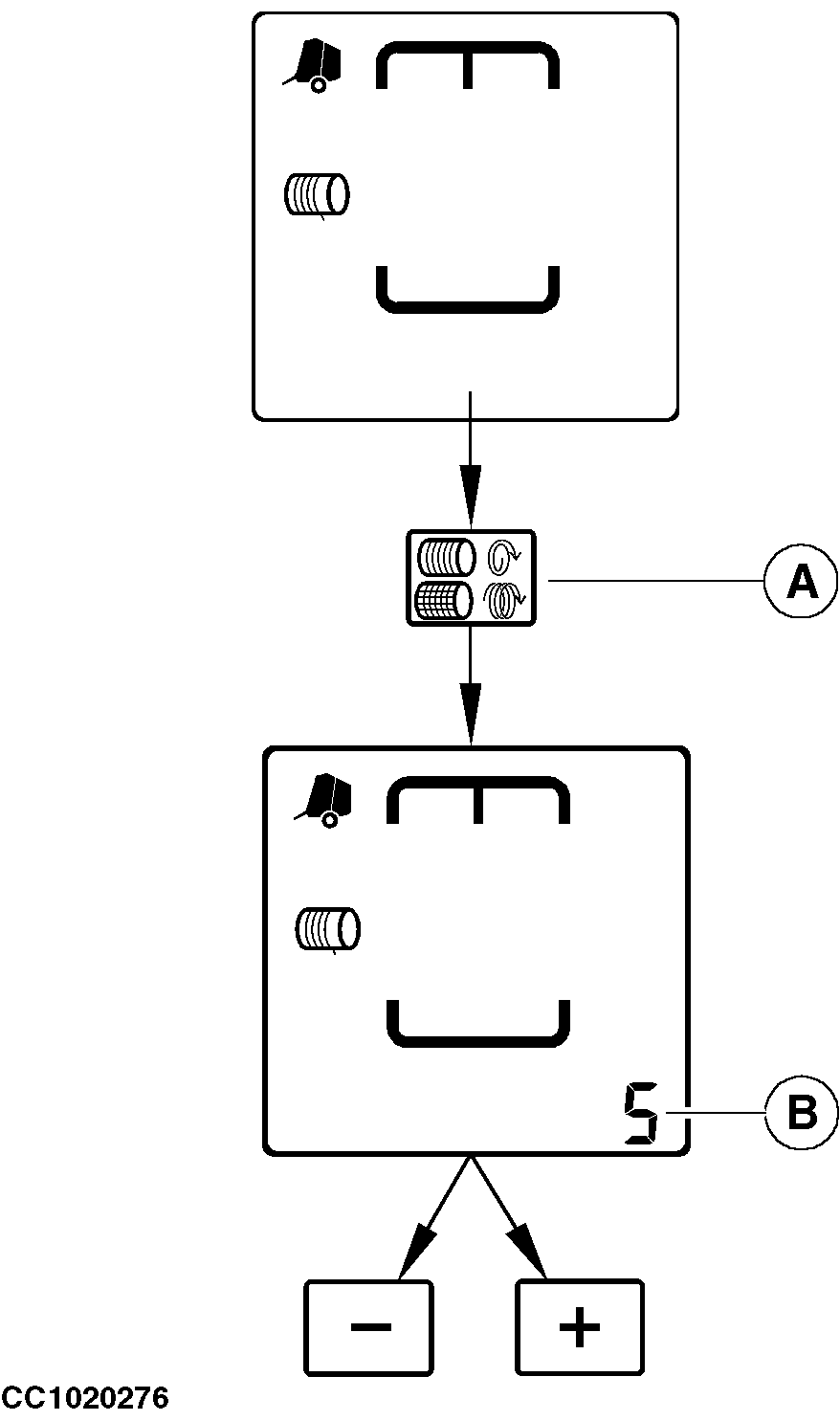
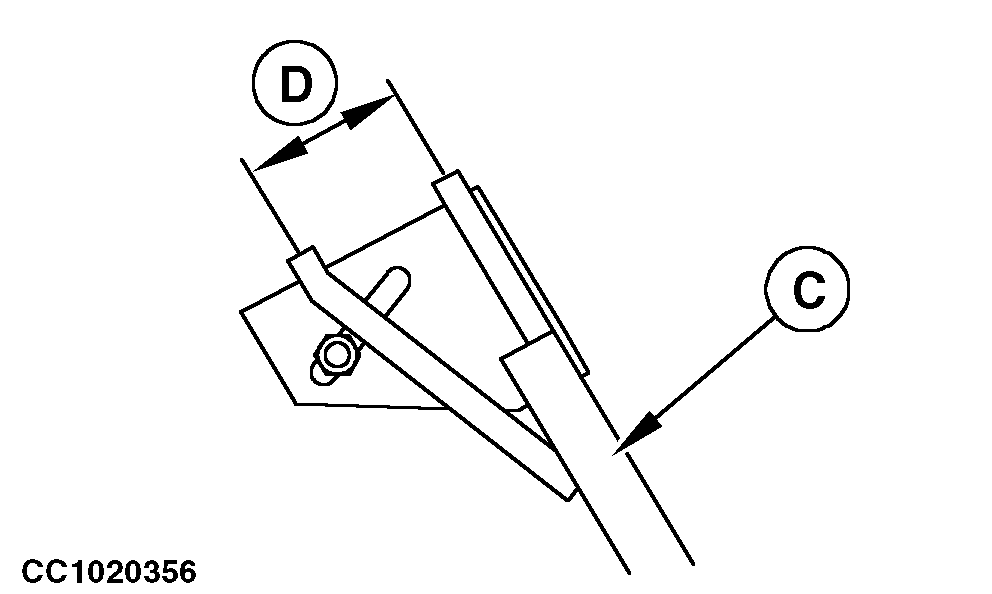
Setting Twine TyingSetting Twine spacingPress "TWINE SPACING/NUMBER OF NET TURNS" key (A). The space between coils (B) is displayed for five seconds. While the space between coils is displayed, press "PLUS" or "MINUS" key to increase or decrease the space from 1 to 15 cm (0.5 to 6 in.). The twine spacing displayed is stored after five seconds. 1. With double arm twine tyingThe twine spacing displayed on the monitor corresponds to the space between coils on the bale. 2. With single arm and two twines The twine spacing displayed on the monitor must be the same as the space (D) between the two tubes of the twine arm (C) (see "Adjusting Twine Arm Tube Spacing" in "Operating the Baler - General Purposes" Section). 3. With single arm and one twine The twine spacing displayed on the monitor is given for tying with two twines. When using only one twine, real twine spacing will be the double of the value displayed.
|
|
OUCC006,00010F3 -19-28JUL06-1/7 |
|
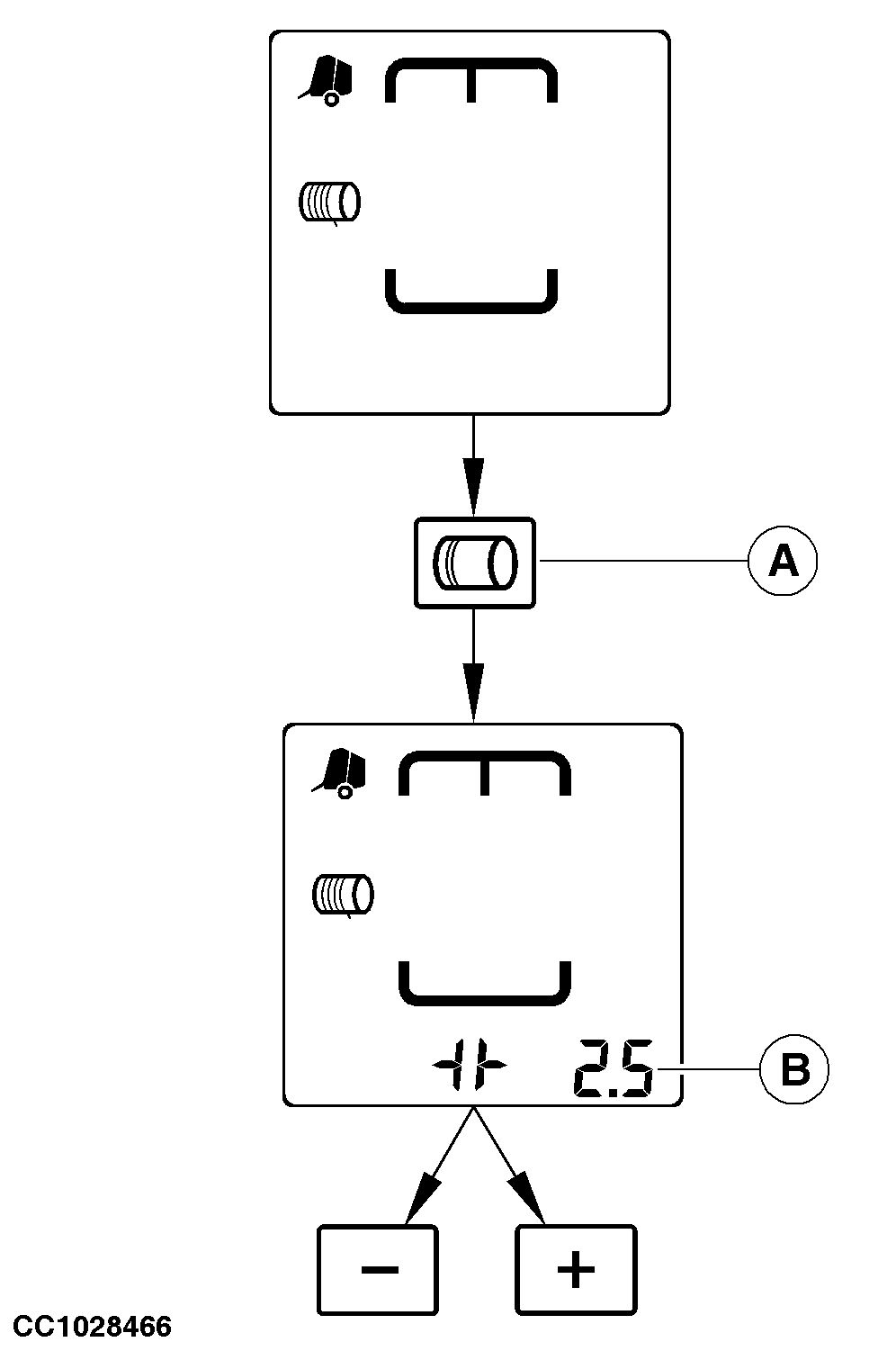
Setting Number of Twine Coils at Tying Start with Double Arm Twine Tying
Press "NUMBER OF COILS AT TYING START" key (A). The number of twine coils at tying start (B) is displayed for five seconds. While the number of twine coils at tying start is displayed, press "PLUS" or "MINUS" key to increase or decrease the number of coils from 0 to 5. The number of twine coils at tying start displayed is stored after five seconds.
|
|
OUCC006,00010F3 -19-28JUL06-2/7 |
|
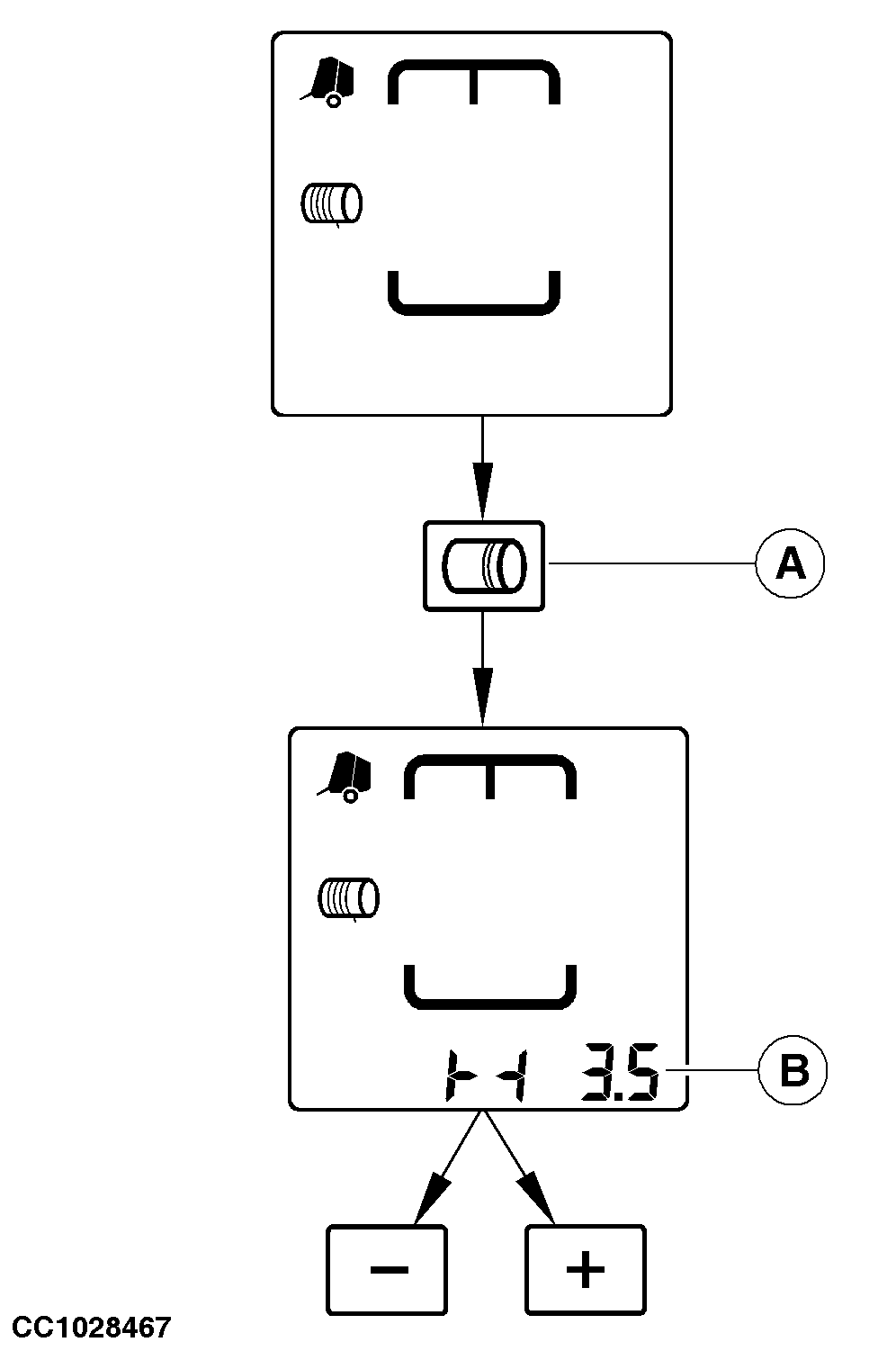
Setting Number of Twine Coils at Tying End with Double Arm Twine Tying
Press "NUMBER OF COILS AT TYING END" key (A). The number of twine coils at tying end (B) is displayed for five seconds. While the number of twine coils at tying end is displayed, press "PLUS" or "MINUS" key to increase or decrease the number of coils from 0.5 to 5. The number of twine coils at tying end displayed is stored after five seconds.
|
|
OUCC006,00010F3 -19-28JUL06-3/7 |
|
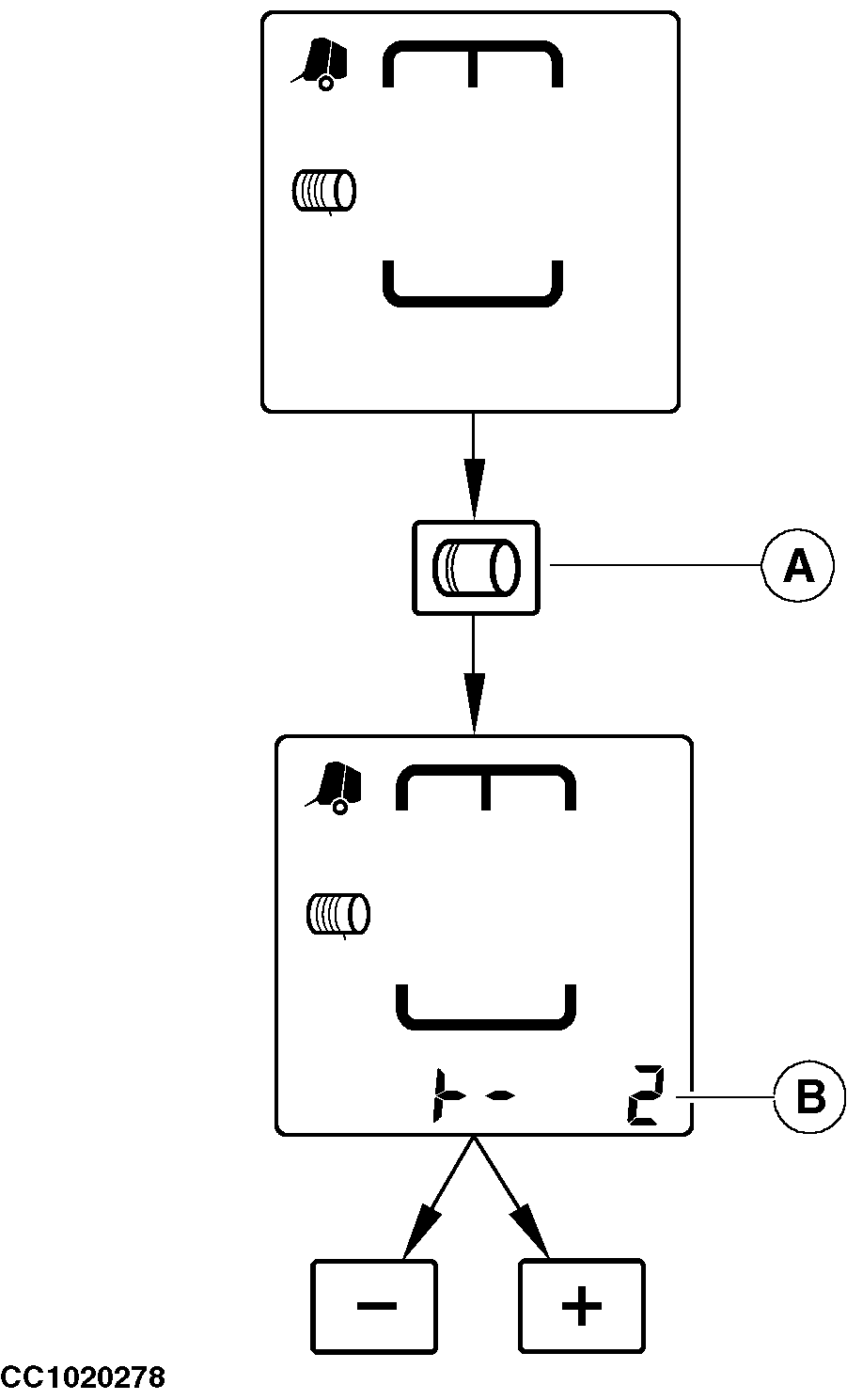
Setting Number of Twine Coils at Tying Start with Single Arm Twine Tying
Press "NUMBER OF COILS AT TYING START" key (A). The number of twine coils at tying start (B) is displayed for five seconds. While the number of twine coils at tying start is displayed, press "PLUS" or "MINUS" key to increase or decrease the number of coils from 0 to 5. The number of twine coils at tying start displayed is stored after five seconds.
|
|
OUCC006,00010F3 -19-28JUL06-4/7 |
|
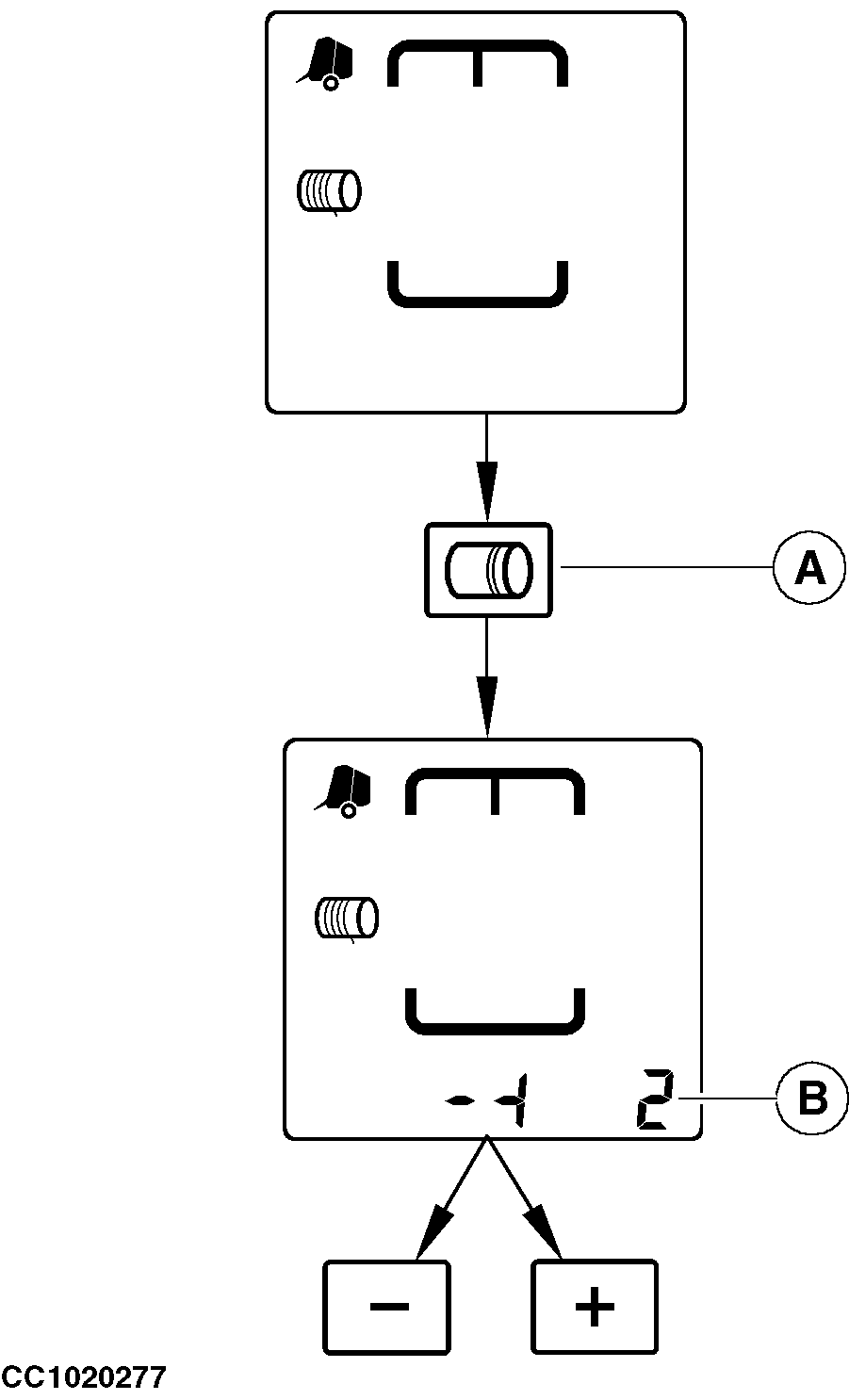
Setting Number of Twine Coils at Tying End with Single Arm Twine Tying
Press "NUMBER OF COILS AT TYING END" key (A). The number of twine coils at tying end (B) is displayed for five seconds. While the number of twine coils at tying end is displayed, press "PLUS" or "MINUS" key to increase or decrease the number of coils from 0.5 to 5. The number of twine coils at tying end displayed is stored after five seconds.
|
|
OUCC006,00010F3 -19-28JUL06-5/7 |
|
Setting Distance of Tying Ends with Double Arm Twine Tying
The distance from tying ends to the edges of bale can be adjusted from 8 to 25 cm (3 to 10 in.). Press "TYING END DISTANCE" key (A). The distance (B) from tying ends to the edges of bale is displayed for five seconds. While the distance is displayed, press "PLUS" or "MINUS" key to increase or decrease the distance. The distance displayed is stored after five seconds.
|
|

OUCC006,00010F3 -19-28JUL06-6/7 |
|
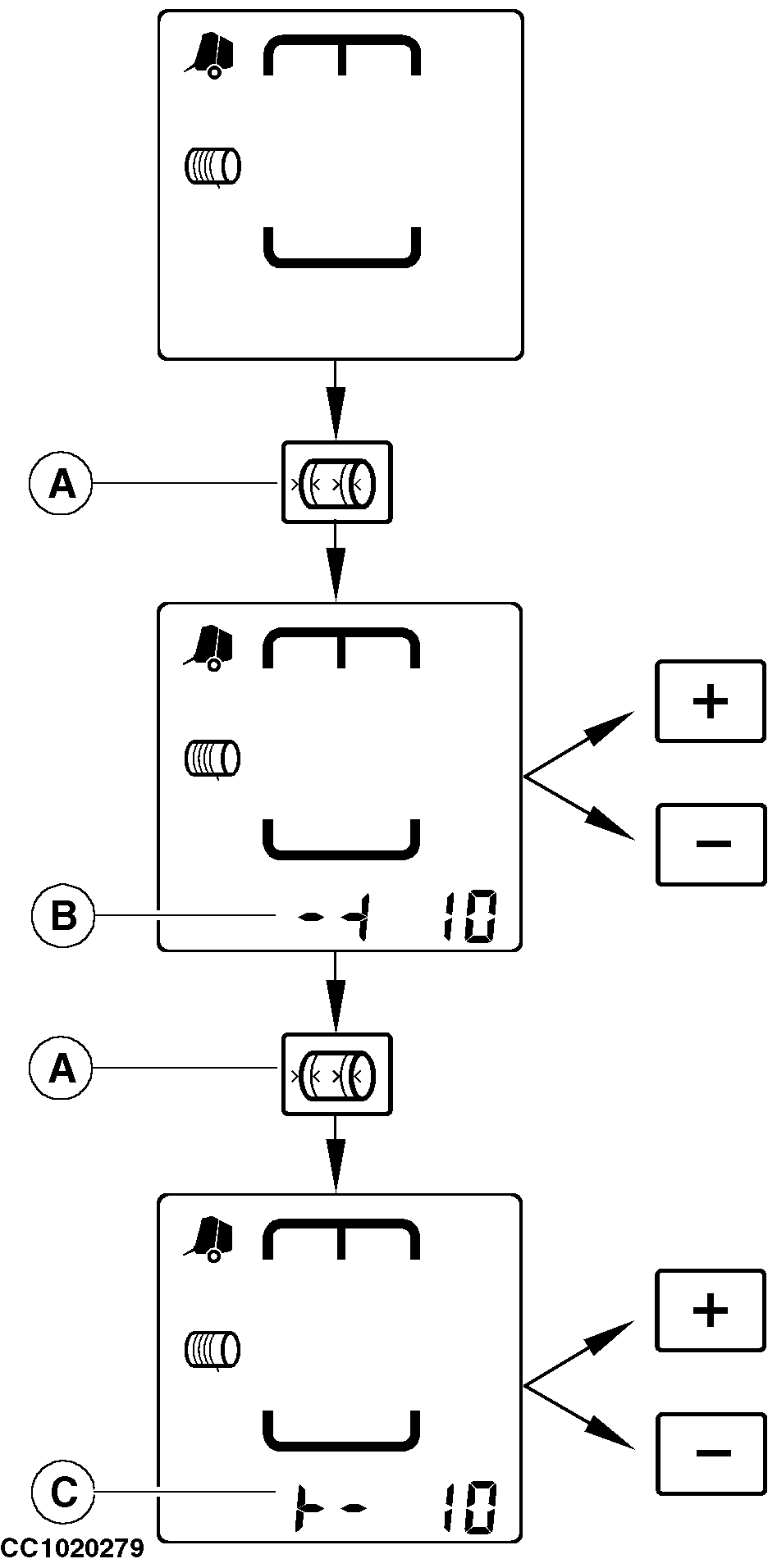
Setting Distance of Tying Ends with Single Arm Twine Tying
The distance from tying ends to the edges of bale can be adjusted from 8 to 25 cm (3 to 10 in.). Press "TYING END DISTANCE" key (A). The right-hand distance (B) from tying end to the edge of bale is displayed for five seconds. Press "PLUS" or "MINUS" key to increase or decrease this distance. While right-hand distance (B) is displayed, press "TYING END DISTANCE" key (A) a second time to display the left-hand distance (C) from tying end to the edge of bale. Press "PLUS" or "MINUS" key to increase or decrease this distance. The distances displayed are stored after five seconds.
Twine guide adjustment must match desired left-hand distance. See "Adjusting Twine Guide" in "Operating the Baler-General Purposes" Section.
|
|
 CAUTION:
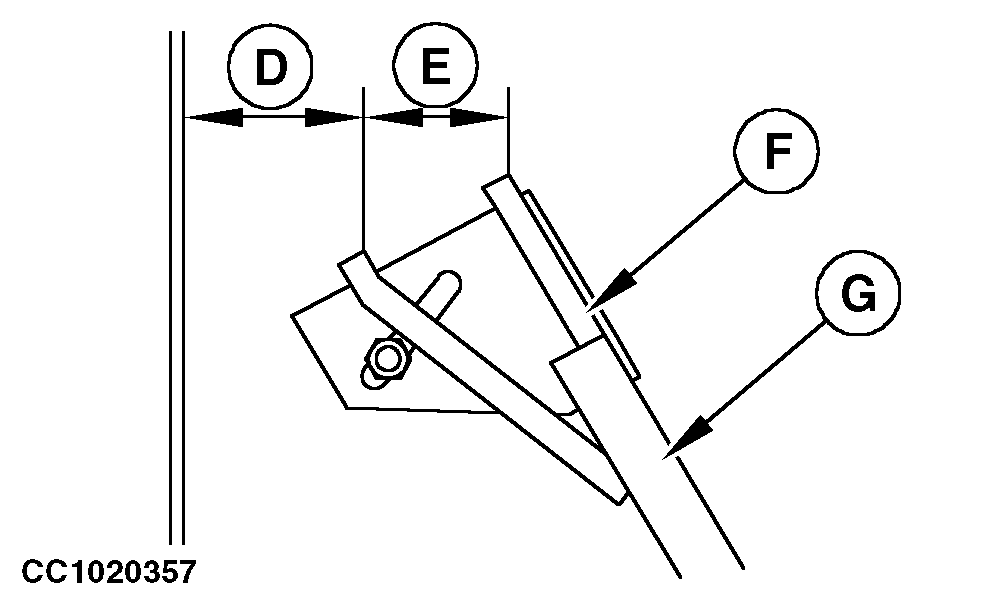
The adjustment of right-hand distance displayed is given for the fixed twine tube (F). To obtain the actual right-hand distance, subtract space (E) from the distance (B) displayed on the monitor.
CAUTION:
The adjustment of right-hand distance displayed is given for the fixed twine tube (F). To obtain the actual right-hand distance, subtract space (E) from the distance (B) displayed on the monitor.
OUCC006,00010F3 -19-28JUL06-7/7 |