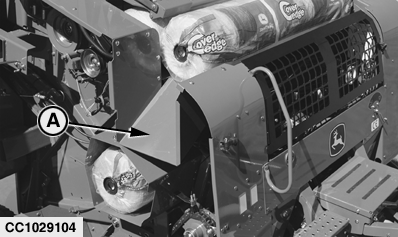
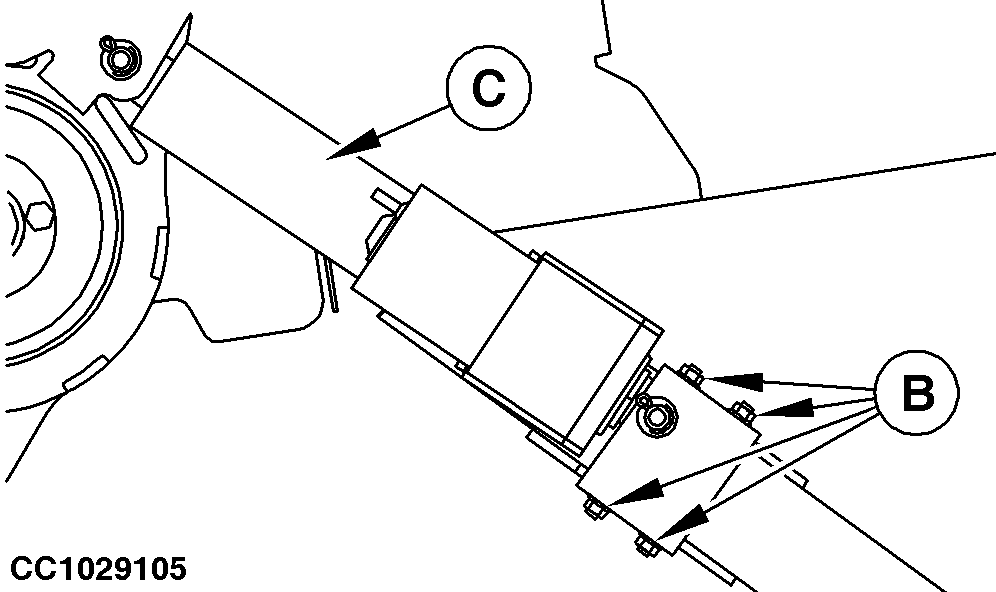
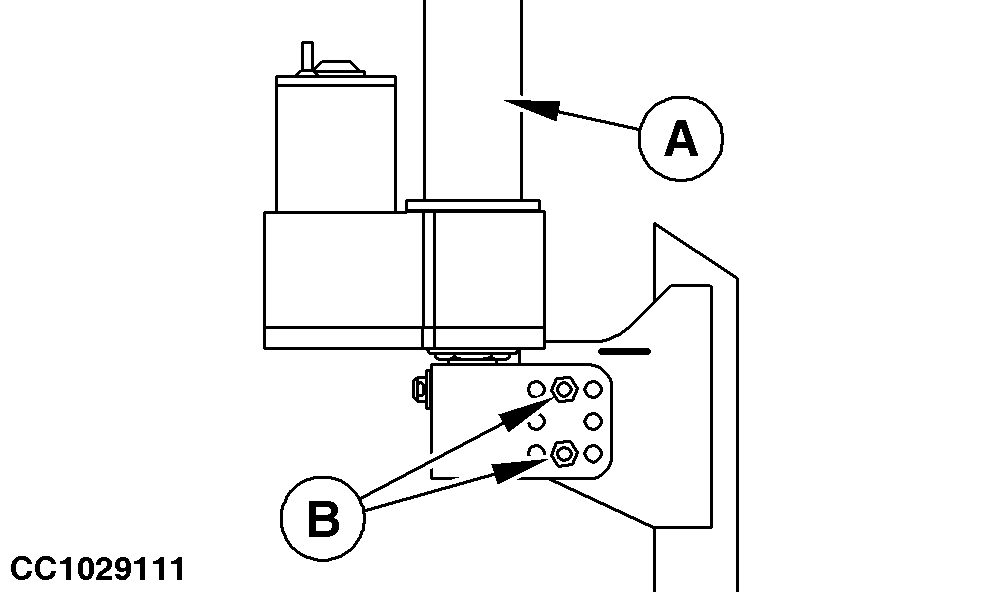
Adjusting Net Actuator Position (Baler with CoverEdge Net Tying Device)IMPORTANT: Before adjusting net actuator position, be sure that counter-knife position is correctly adjusted. See "Adjusting Counter-Knife Position" in this section. 1. Remove spout (A).2. Slightly extend net actuator (C). 3. Remove fixing screws (B). 4. Fully retract net actuator (C).
|
|
OUCC006,0001250 -19-02FEB07-1/4 |
|
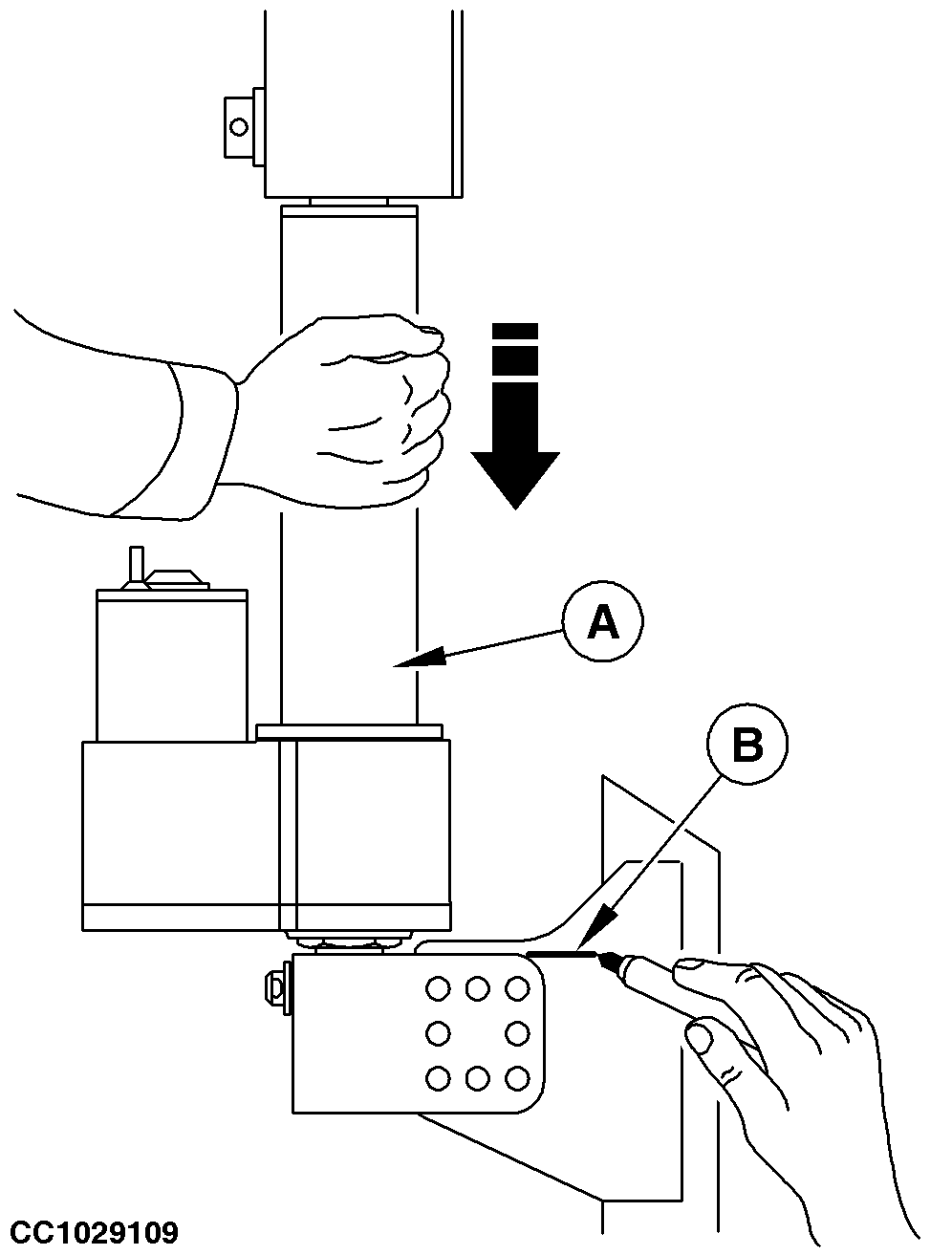
5.
Manually pull net actuator (A) forward to position knife in contact with counter-knife.
6. Make a mark (B) as shown.
|
|
OUCC006,0001250 -19-02FEB07-2/4 |
|
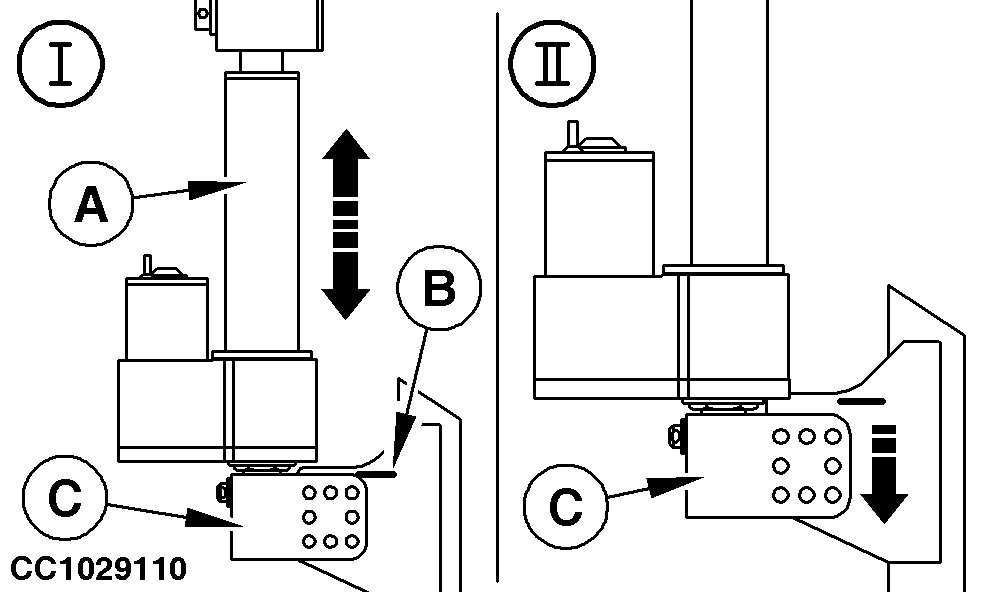
7.
Slightly extend net actuator (A).
8. Align actuator bracket (C) with mark (B) as shown in step (I). 9. Slide actuator bracket (C) forward, so that two holes are aligned as close as possible to the mark (B). See step (II).
|
|
OUCC006,0001250 -19-02FEB07-3/4 |
|
10.
Reinstall and tighten fixing screws (B).
11. Fully retract net actuator (A). 12. Reinstall spout. IMPORTANT: After adjusting net actuator position, always adjust belt tension. See "Adjusting Net Tying Drive Belt Tension" in this section.
|
|
OUCC006,0001250 -19-02FEB07-4/4 |