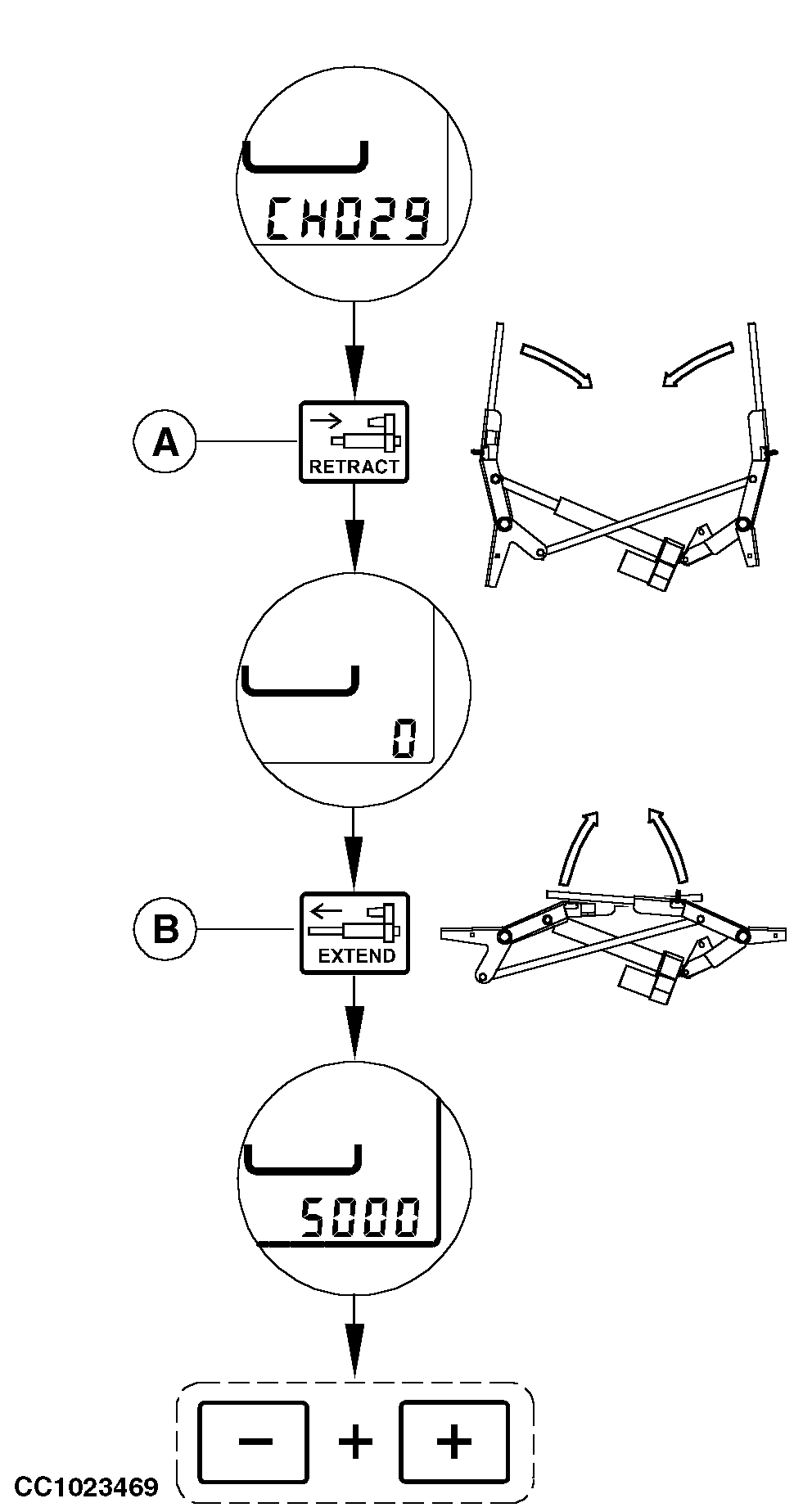
Channel 029: Calibration of Twine Actuator"CH029" allows to calibrate the twine actuator. 1. Open the baler gate with tractor selective control valve lever and secure its position.2. Press "EXTEND" key (B) until the twine actuator is fully extended. 3. Adjust twine arm starting point. See "Adjusting Single Arm Twine Tying Starting Point" and "Adjusting Tying Starting Point (for double arm twine tying)" in "Service" section. 4. Select channel 29. 5. Press "RETRACT" key (A) until the actuator is fully retracted and the monitor displays "0". 6. Press "EXTEND" key (B) until the twine actuator is fully extended. Press "EXTEND" key a second time to make sure the actuator is fully extended. The value corresponding to the twine arm position is displayed. 7. Press simultaneously "PLUS" and "MINUS" keys to record the value of twine arm position. 8. Switch OFF monitor.
|
|
OUCC006,000130F -19-04OCT07-1/2 |
|
9.
Switch ON monitor in normal operating mode.
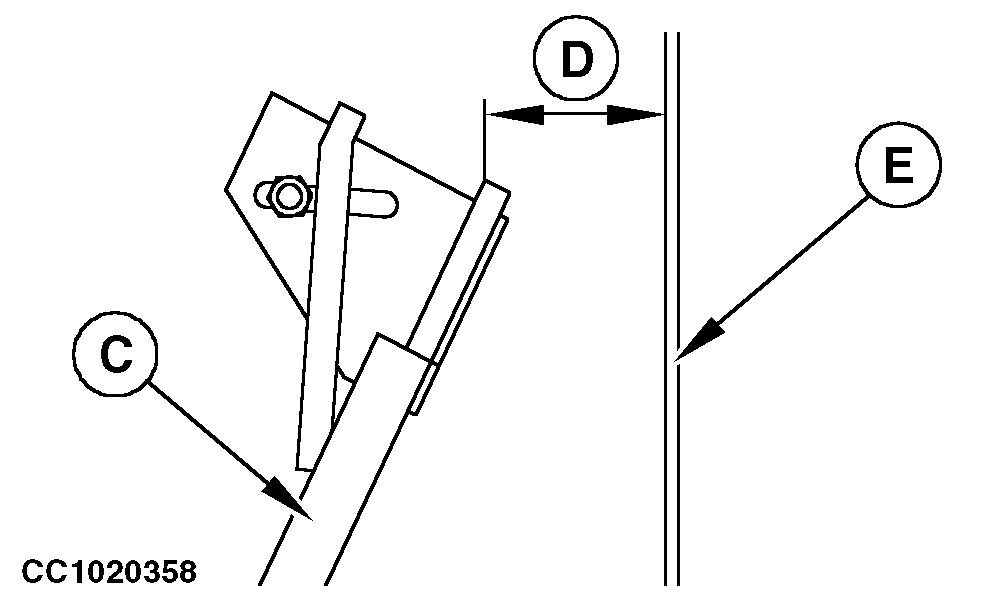
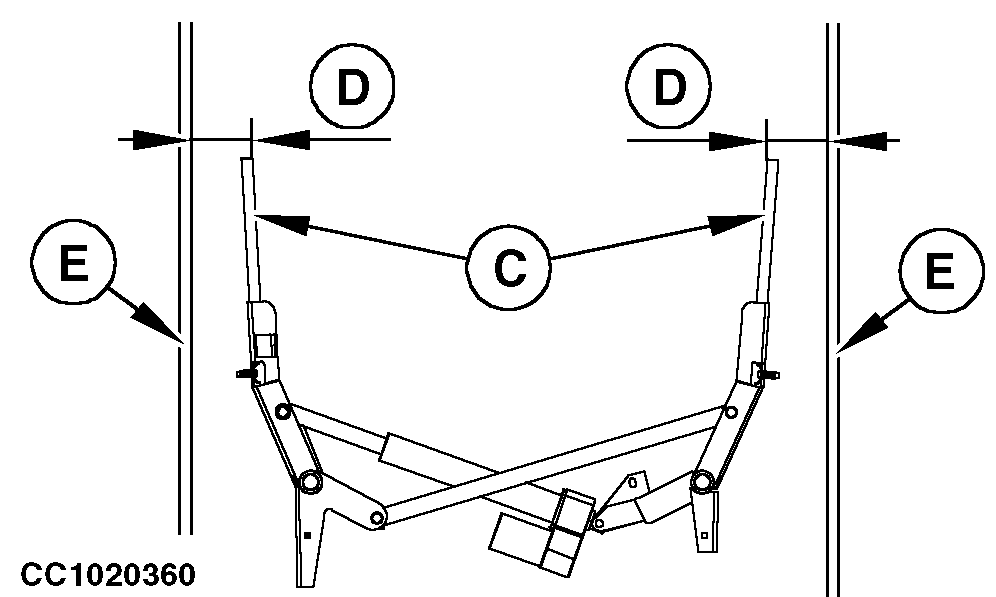
10. Adjust the desired distance from tying end to the edge of bale with the monitor. 11. Press "MANUAL START OF TYING CYCLE" key. The tying cycle starts. Switch off the monitor when the actuator is fully extended. 12. Check that distance (D) between the twine arm (C) and the panel of bale chamber (E) is the same as the distance adjusted with monitor. If the twine arm (C) is too close to baler panel (E), decrease the value stored in Channel 29 with two pulses on "MINUS" key. If the twine arm (C) is too far away from baler panel (E), increase the value stored in Channel 29 with two pulses on "PLUS" key. Repeat adjustment if necessary, until the distance (D) between the twine arm (C) and the panel of bale chamber (E) is the same as the distance adjusted with monitor (accuracy ± 1 cm (0.4 in.)). |
|
OUCC006,000130F -19-04OCT07-2/2 |