Loader Control Levers
 CAUTION:

T81389-UN-28JUN13
Set tractor SCVs or ICVs to zero detent time or loader position before operating loader. See Adjust Flow Rate and Timed Detent of Tractor SCVs and ICVs in Prepare the Tractor section.
Set hydraulic flow rate for safe and smooth operation of loader. See Adjust Flow Rate and Timed Detent of Tractor SCVs and ICVs in Prepare the Tractor section.
Operate loader from operator’s seat only. Remain at controls until operating cycle is complete.
Use lock function when loader is not in use or when exiting tractor.
NOTE:
CC1036566-UN-27JAN12
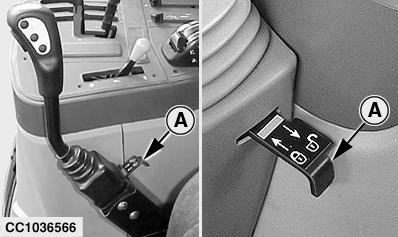
Push and Pull Lock
CC1036565-UN-01FEB12
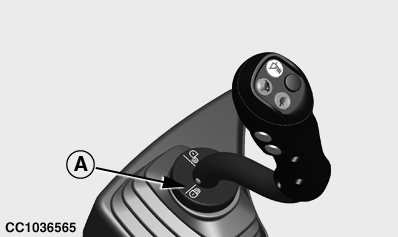
Rotation Lock
CC000595-UN-29MAR95
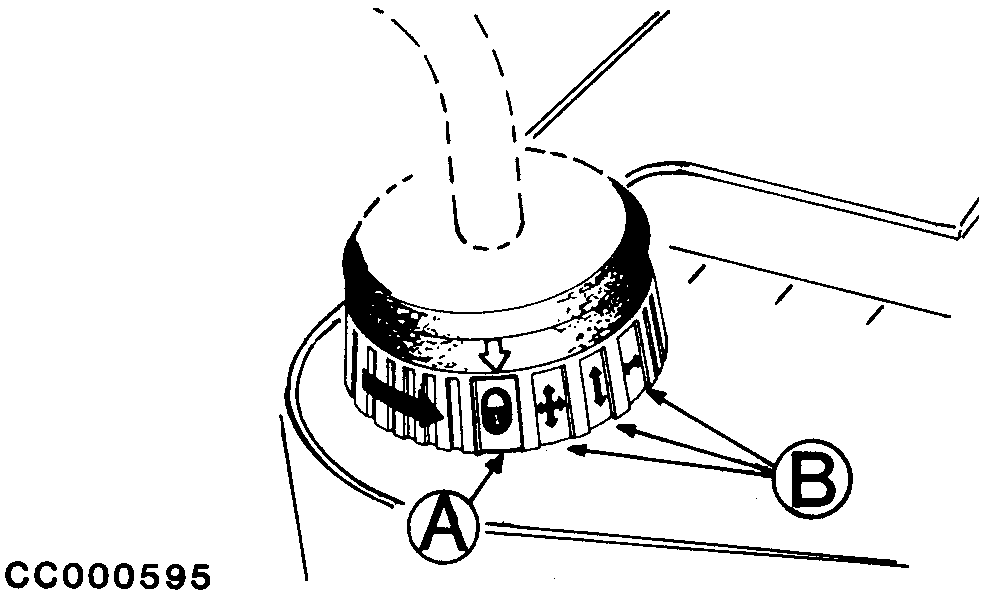
Rotation Lock
W21786-UN-01SEP11
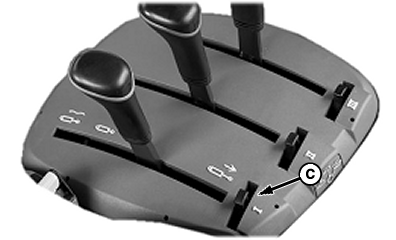
SCV Lever Lock
A - Multi-Function Lever Lock (All Functions)
B - Multi-Function Lever Lock (Individual Function)
C - SCV Lever Lock
Closed padlock image indicates locked. Open padlock image indicates unlocked.Lever design varies depending on the tractor. Levers can be locked to prevent accidental activation.
Mechanical locks (A) and (B) are located near the base of multi-function lever. One type of lock is pushed in to lock and pulled out to unlock. Another type of lock is rotated in different directions to lock or unlock all or individual lever functions.
Mechanical locks (C) are located on SCV lever console. Engage lock when lever is in neutral position to disable function. Engage lock when lever is in float position to hold lever in float.
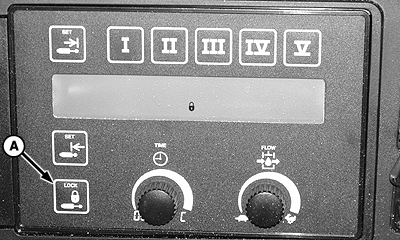
W07641-UN-12NOV05
TouchSet™ Console
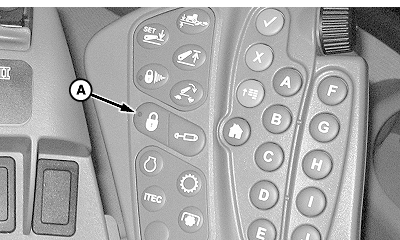
W20496-UN-10AUG09
CommandARM™ Console
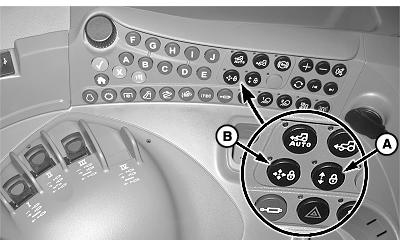
W21618-UN-22JUN11
Control Console
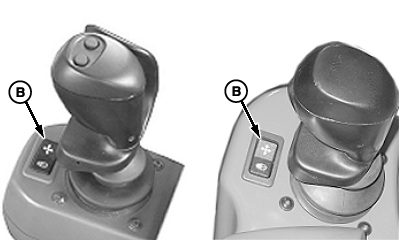
W21619-UN-22JUN11
Lever Console
A - Lock Switch (E-SCV and E-ICV Function)
B - Lock Switch (Multi-Function Lever)
Switches for electronic locks are arranged in different locations in cab. On some tractors, the switches are located near the multi-function lever. On other tractors, the switches are located on the control console. Switch (A) that deactivates all SCV functions is located on control console. Switch (B) that deactivates multi-function lever can be located on the control console or on the lever console. See your tractor Operator’s Manual for switch location and detailed use of locks.NOTE:
W21751-UN-06SEP11
W21761-UN-31AUG11
Lever with Rocker Switch
W21762-UN-31AUG11
Lever with Buttons
W21763-UN-31AUG11
Lever with Rocker Switch
CC1036541-UN-31JAN12
Lever with Rocker Switch
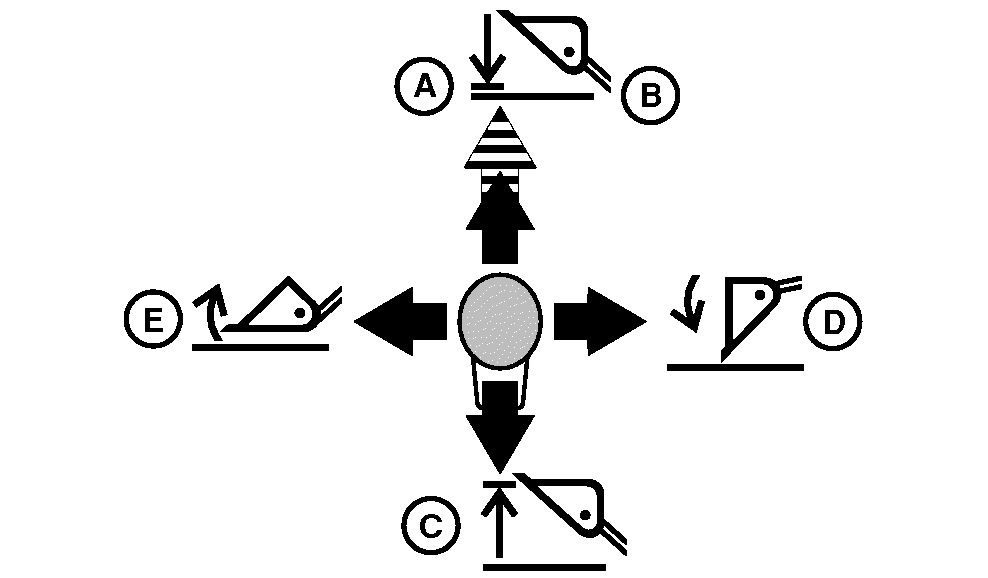
Oil flow limitations can prevent multiple loader operations at same time. The operation that requires the least amount of hydraulic force functions first.Levers vary from tractor to tractor, but lever functions are the same, if the hoses are connected properly. See Identify Hose Connections in Service section for proper hose connections. See tractor Operator’s Manual for detailed setup and control of multi-function lever.
Multi-Function Lever: Lever returns to neutral position by itself from all positions except float. Pull lever back from float position to release into neutral.
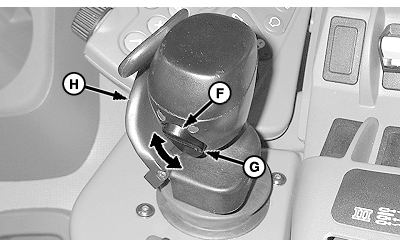
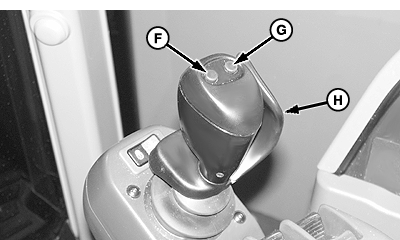
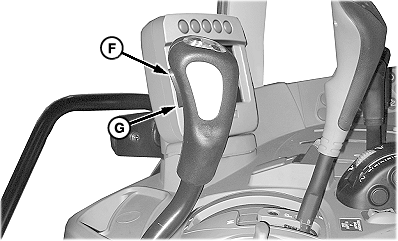
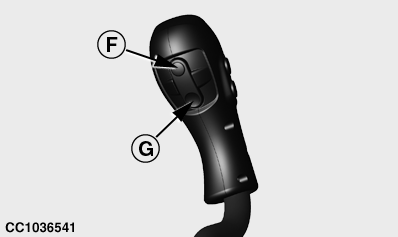
Third function is operated with a rocker switch or button.
Some levers are equipped with an interlock switch actuator (H). The interlock switch actuator prevents loader operation if the operator's hand does not clasp the multi-function lever. If hand holds actuator open for longer than 10 minutes, lever operation is deactivated. Momentarily remove hand to reactivate lever controls. If hand clasps the lever when the tractor is started, lever operation is deactivated. Momentarily remove hand to reactivate lever controls.
|
Key |
Control Position |
Loader Operation |
|---|---|---|
|
A |
Lever Forward |
Boom Lower |
|
B |
Lever Locked Forward |
Boom Float |
|
C |
Lever Back |
Boom Raise |
|
D |
Lever Right |
Bucket or Attachment Dump |
|
E |
Lever Left |
Bucket or Attachment Roll Back |
|
F |
Rocker Switch Up or Button Pressed |
Third Function Cylinder Extend |
|
G |
Rocker Switch Down or Button Pressed |
Third Function Cylinder Retract |
|
H |
Interlock Switch Actuator Held Open |
Lever Functions Active |
|
H |
Interlock Switch Actuator Closed |
Lever Functions Inactive |
W21787-UN-01SEP11
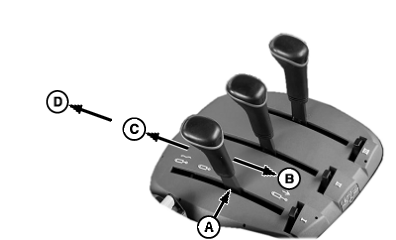
Mechanical SCV and ICV Levers
W21765-UN-31AUG11
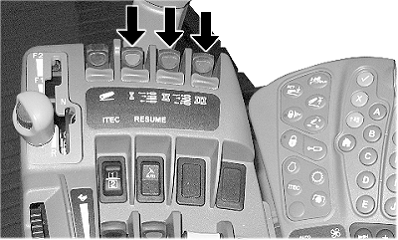
Electronical SCV and ICV Levers
W21797-UN-02SEP11
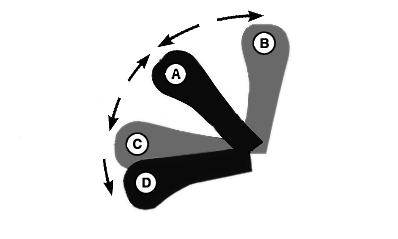
Electronical SCV and ICV Lever Positions
Lever locations vary from tractor to tractor. The SCV or ICV used for a particular loader operation varies based on hydraulic connection, but lever functions are the same, if hoses are connected properly. See Identify Hose Connections in Service section for proper hose connections. See tractor Operator’s Manual for detailed setup and control of SCV lever.SCV Lever: Lever returns to neutral position by itself from all positions except float. Pull lever back from float position to release into neutral.
|
A |
B |
C |
D |
|---|---|---|---|
|
Neutral |
Extend Function |
Retract Function |
Float (Lever Locked Forward) |
|
Cylinders remain in one position. Lever returns to this position when released except when lever is locked in float position. |
Boom Raise Bucket Roll Back Open Grapple |
Boom Lower Bucket Dump Close Grapple |
Cylinder movement is unrestricted. Boom Bucket Third Function Cylinder |
|
JP32224,0000693-19-20120206 |