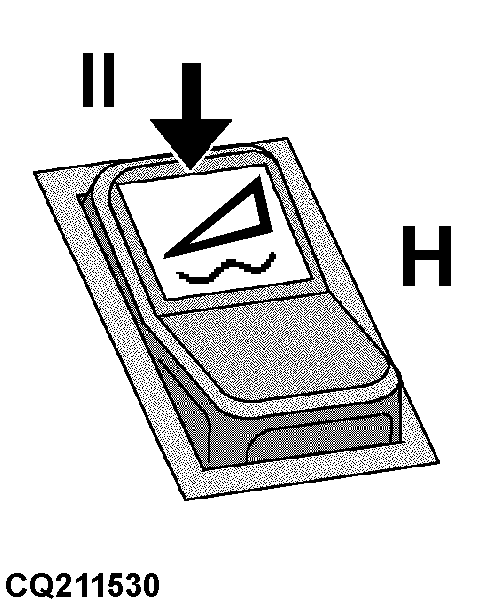
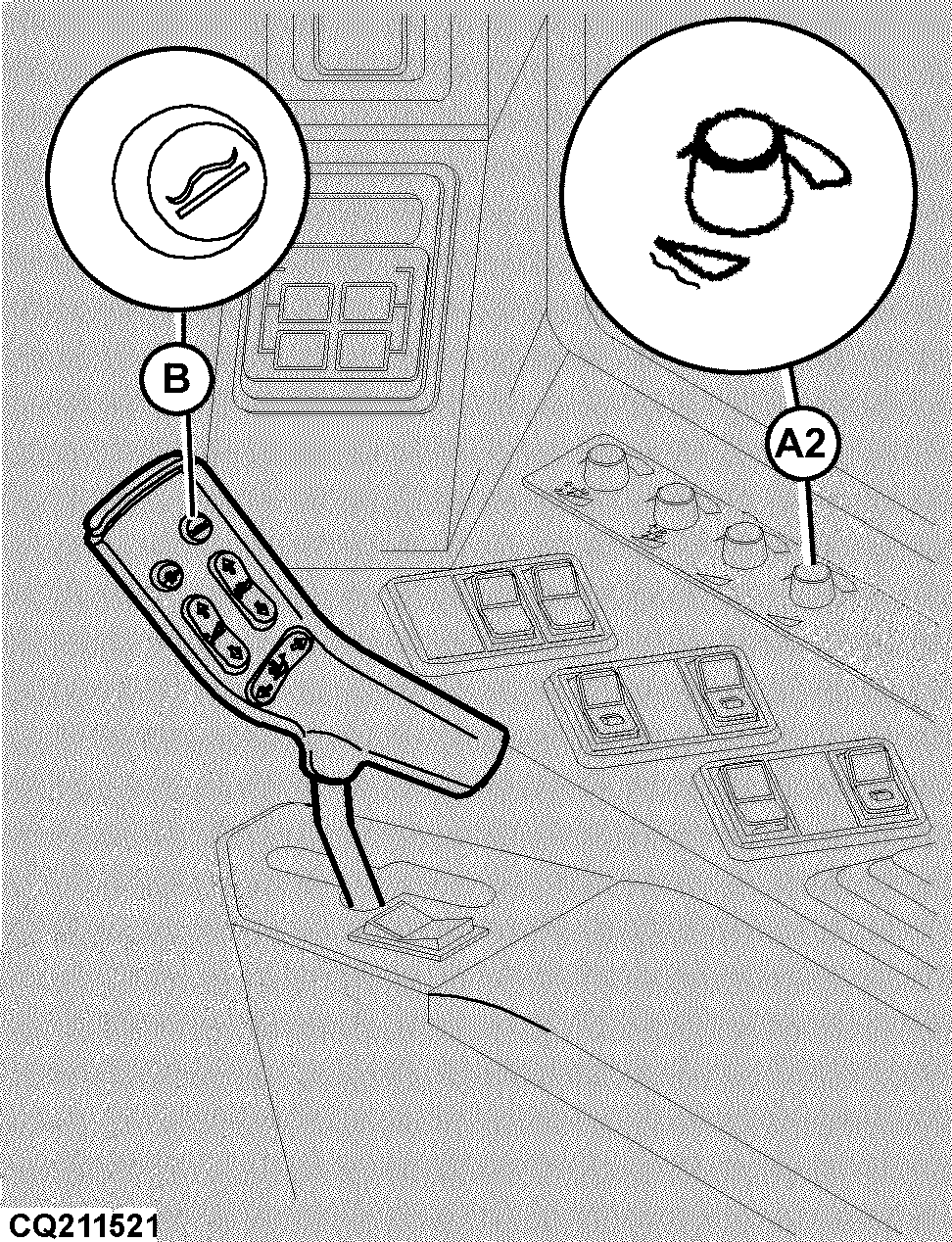
Header Autofloat Control - Rigid Platforms (CWS)IMPORTANT: The autofloat system is adjusted at the factory for a 14', 600 series rigid cutting platform. The system must be readjusted for other models or sizes of cutting platforms. See "Header Calibration Procedure" in section Service - Electrical System. Requirements: · Engine running (high speed) to enable autofloat. · Road safety switch in field position. · Threshing and platform engaged. · Move float enable switch (H) to the position (II). NOTE: Do not adjust header float unless hydraulic oil is at operating temperature. To activate flotation press button (B). The platform pressure against the ground is adjusted by potentiometer (A2). Autofloat Adjustment: Use potentiometer (A2) to adjust desired header float. · Turn clockwise - Increase ground pressure (lower header). · Turn counterclockwise - Reduce ground pressure (raise header). |
|
MB03730,00002BA -19-19NOV02-1/2 |
|
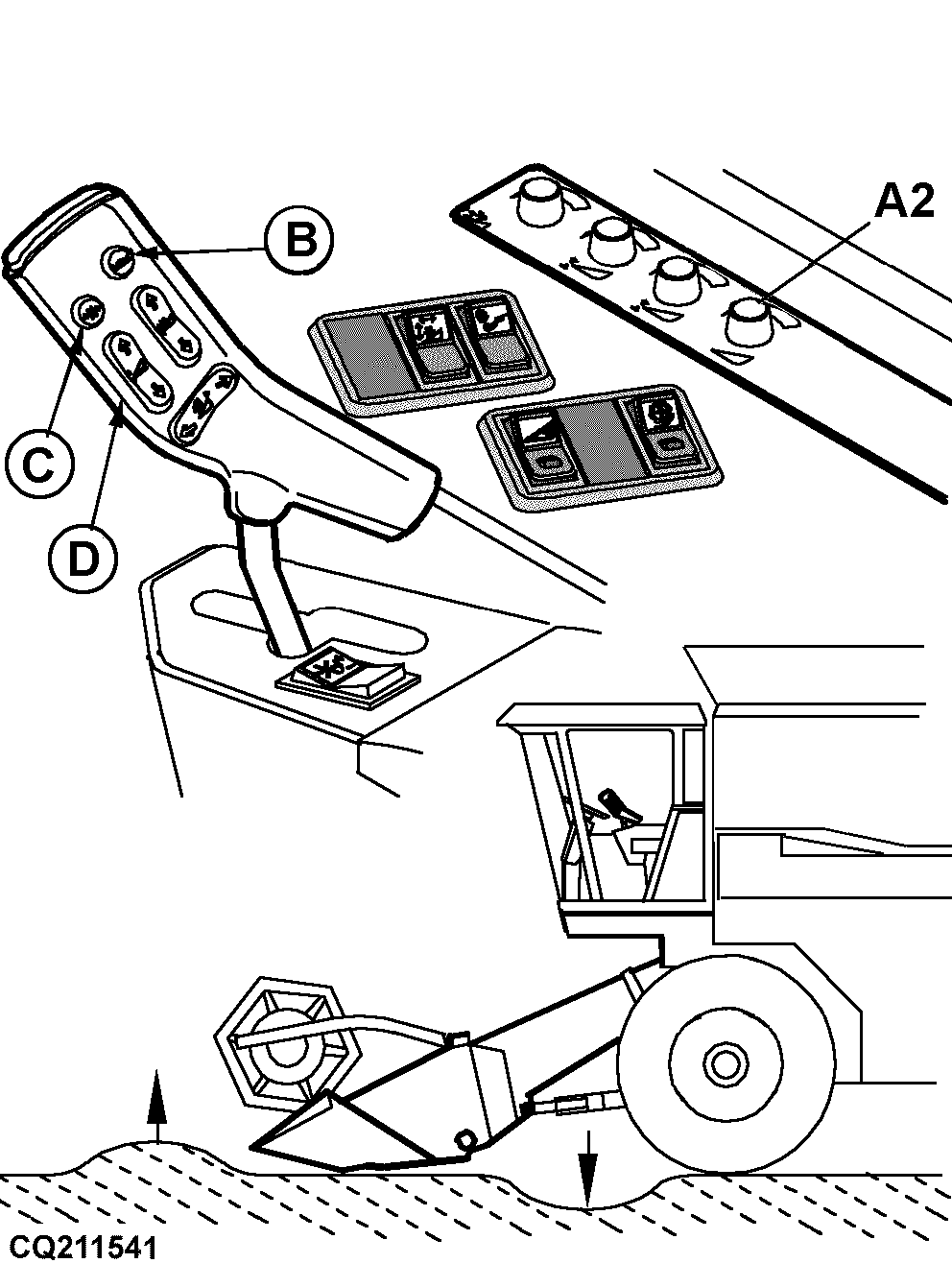
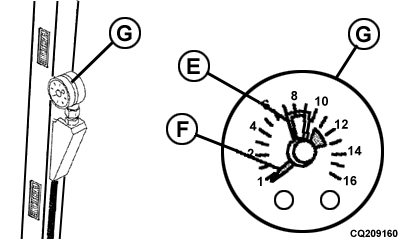
NOTE: When platform autofloat button (B) is activated the header height automatic control is deactivated. Operation: Once the system is calibrated, it can be turned "ON" by pushing the resume-to-float button (B) on the hydro handle. The system should lower the header to the position where the float was calibrated, and then open the accumulator shutoff valve and do closed loop lift cylinder pressure control, turning "ON" and "OFF" the header raise/lower valves to keep the lift cylinder pressure set point. It can be tested by driving around on uneven ground and observing lift cylinder pressure in pressure gauge (G). With the float set point fully Clockwise (A2) the header ground pressure should be almost zero, with the lift cylinder pressure equal to the static weight of the header. With the float set point fully Counterclockwise 40% of the header weight should be on the ground, with lift cylinder pressure equal to 60 % of the static weight of the header. Drive through a ditch an see how well the system can maintain constant lift cylinder pressure. The system should be fairly fast in responding but not unstable. NOTE: Needle (F) moves to the right when ground pressure (float) drops, and to the left when pressure raises. The autofloat control may be deactivated by pressing button (D) or activating automatic header height control button (C).
|
|
MB03730,00002BA -19-19NOV02-2/2 |