Contour-Master System
H52277-UN-04MAR99
H86516-UN-13DEC06
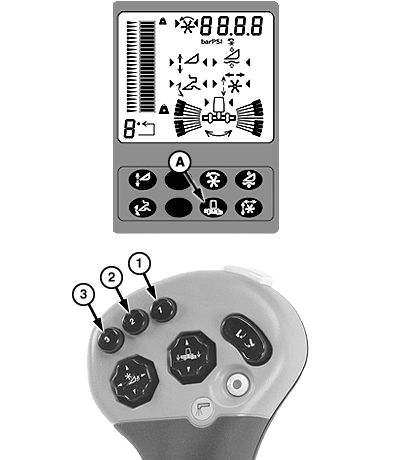
A - Contour-Master Button
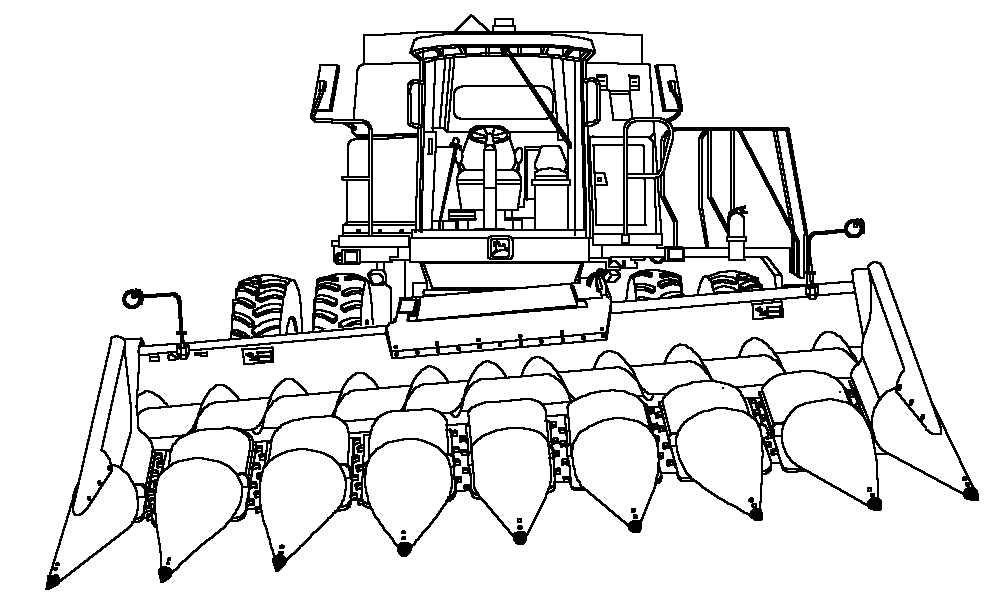
Contour-Master is a system that maintains the header position parallel to the ground. Sensors are used to determine the height at each end of the header. Contour-Master tilts the header to equalize the distances to the ground at each end of the header. Contour-Master uses a special feeder house that allows the header to tilt left and right.System is calibrated from the factory. If further calibration is needed, see Calibration Procedures section.
Activation buttons 1, 2 or 3 located on the multifunction control handle are used to activate the system.
NOTE: When Contour-Master is active, the system works independently from Header Height Resume and Header Height Sensing. For Header Height Resume and Header Height Sensing, (see Calibration Procedures section).
When Contour-Master system is disabled, Header Height Sensing and Header Height Resume will still operate.
Operation:
System is active when:
- Properly equipped header is connected to machine.
- Engine is running.
- Road transport disconnect switch is in field position.
- Header was calibrated
- Header engaged.
- Contour-Master system enabled.
H87053-UN-13DEC06
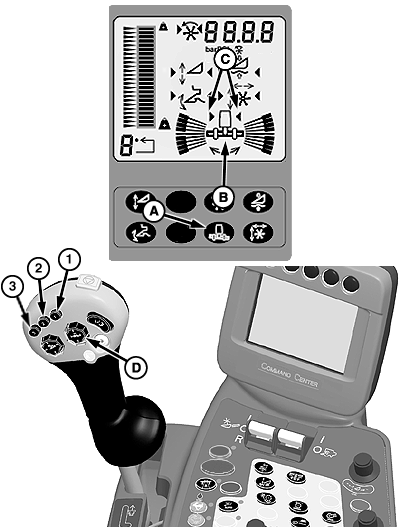
A - Contour-Master Button
B - Contour-Master Tilt Symbol
C - System Activation Arrows
D - Contour-Master Tilt Switch
Press Contour-Master button (A) on display to enable system. Symbol (B) will appear if all above conditions are met.Activate Contour-Master by pressing activation buttons 1, 2 or 3 on multifunction control handle. System activation arrows (C) will appear indicating system is activated.
NOTE: Press Contour-Master tilt switch (D) to override system. When switch is released, system will return to automatic mode.
Press right side of switch to tilt header to the right or press left side of switch to tilt the header to the left.
Press activation buttons 1, 2 or 3 to reactivate system.
System is disabled by pressing button (A).
|
GB52027,0000250-19-20070829 |