Harvest Smart Feed Rate—Initial Calibration
NOTE: Calibration needs to be done when first time harvesting crops, changing crops, or when field conditions change.
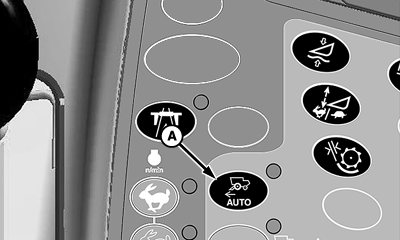
H86967-UN-20NOV06
A - Harvest Smart Feed Rate Enable Switch
Press Harvest Smart feed rate enable switch (A) until OFF is shown on CommandCenter display.
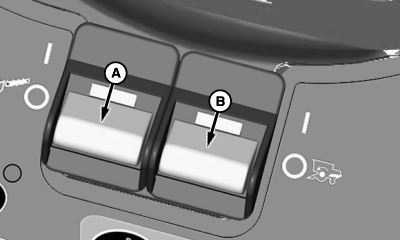
H87102-UN-14DEC06
A - Header Engage Switch
B - Separator Engage Switch
Turn header engage switch (A) and separator engage switch (B) ON and lower header.
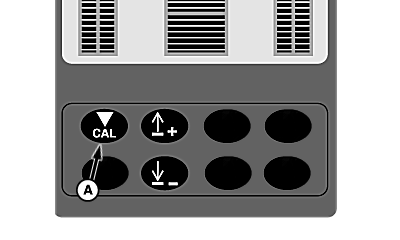
H87103-UN-17DEC07
A - Calibration Button
Operate machine in consistent crop at desired loss levels, maintaining that level for 10 – 15 seconds to allow machine to stabilize.Press calibration button (A) on VisionTrak display. This sets material flow and loss targets for Harvest Smart.
|
OUO6075,0000A7F-19-20070330 |