Harvest Smart Feed Rate—Operation
NOTE:
H86967-UN-20NOV06
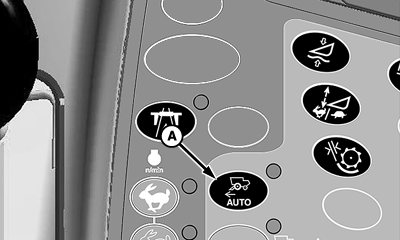
A - Harvest Smart Feed Rate Enable Switch
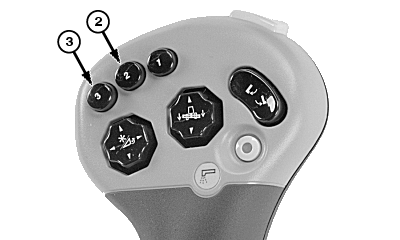
If operator leaves seat while Harvest Smart is activated, system will continue to operate for three seconds before system disengages and machine slows to a stop. To activate system, place multifunction control handle in neutral position and press activation buttons 2 or 3 on multifunction control handle.Press Harvest Smart feed rate enable switch (A) until smart is shown on CommandCenter display.
H87102-UN-14DEC06
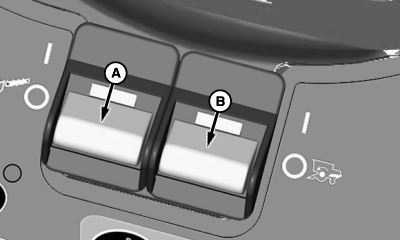
A - Header Engage Switch
B - Separator Engage Switch
Turn header engage switch (A) and separator engage switch (B) ON and lower header.
H87104-UN-14DEC06
NOTE: Multifunction control handle limits maximum ground speed. Move multifunction control handle rearward to slow or stop machine. Move multifunction control handle forward to slowly allow machine to go to operator preset ground speed.
Maximum allowable ground speed is shown on CommandCenter display.
 CAUTION:
H87105-UN-14DEC06
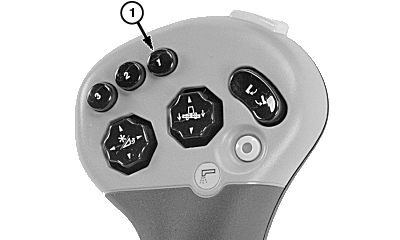
When coming to end of field, press activation button 1 on multifunction control handle. This temporarily deactivates the system, allowing machine to accelerate to multifunction control handle position. When system is temporarily deactivated, operator has full control of machine. Pull multifunction control handle rearward to slow machine.
H87104-UN-14DEC06
|
OUO6075,0000A80-19-20080626 |