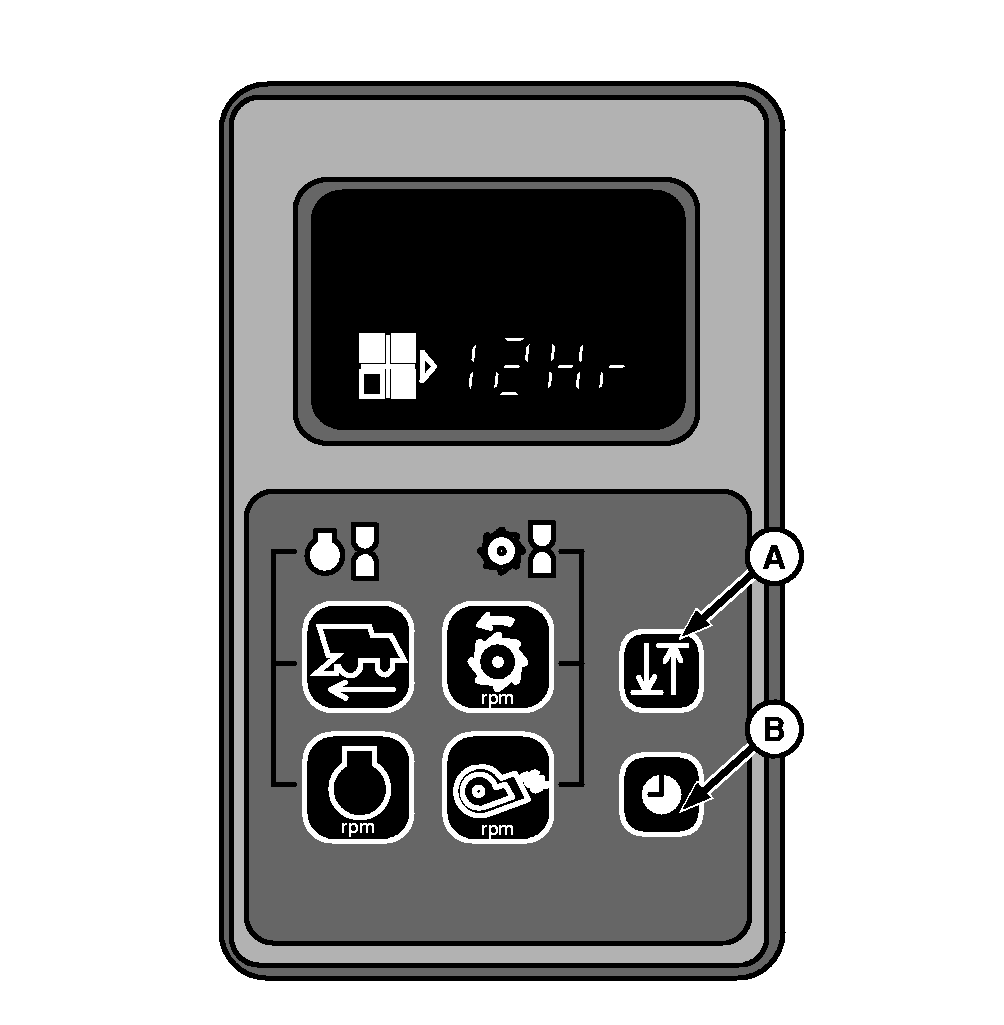
Setting and Displaying TimeMake sure keyswitch is "OFF". Hold down button (B) and, while holding it, turn keyswitch to position (I). In the display will initially appear "12Hr". If you continue to hold the button down, it will alternate every 3 seconds between "12Hr" and "24Hr". Release button when the desired format is displayed. Press button (A) to increase "hours". The longer you hold it switch down, the faster "hours" will increase. Once you have the hours displayed properly, depress and release button (B) and the display should show minutes along with hours. Press button (A) to increase "minutes". When "minutes" is set correctly, depress button (A) one last time and the clock is set. IMPORTANT: Hour and minute values can only be increased. NOTE: Clock must be readjusted whenever battery has been disconnected. |
|
AG,CO03622,1440 -19-24APR08-1/1 |