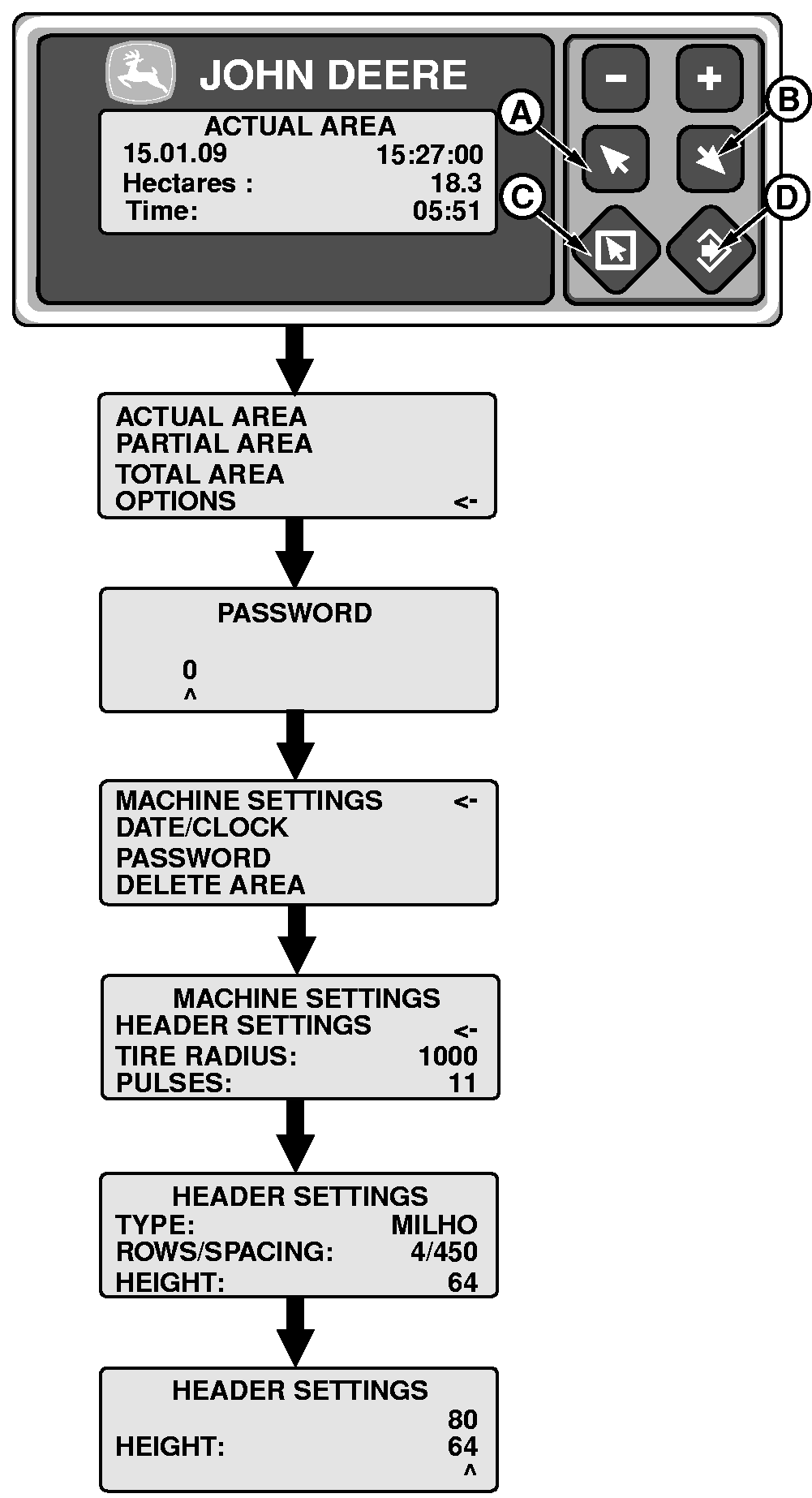
Setting Hectaremeter Enable Height1. Press escape (C).2. Press key (A) or (B) and select "Options". Press ENTER (D). 3. Key in password. Press ENTER (D). NOTE: The default password is 0 (zero). To change password, see "Changing Password". 4. Select "Machine Settings" by pressing key (A) or (B). Press ENTER (D). 5. Select "Header Settings" by pressing key (A) or (B). Press ENTER (D). 6. Select "Height" by pressing key (A) or (B). Press ENTER (D). A new screen with two lines will appear; upper line shows last calibration value and lower line shows actual feeder house position. 7. Position header at requested height for enabling of hectaremeter. 8. Press ENTER (D) to confirm. New value goes to upper line and procedure is finished. |
|
AS60558,000117E -19-15JAN09-1/1 |