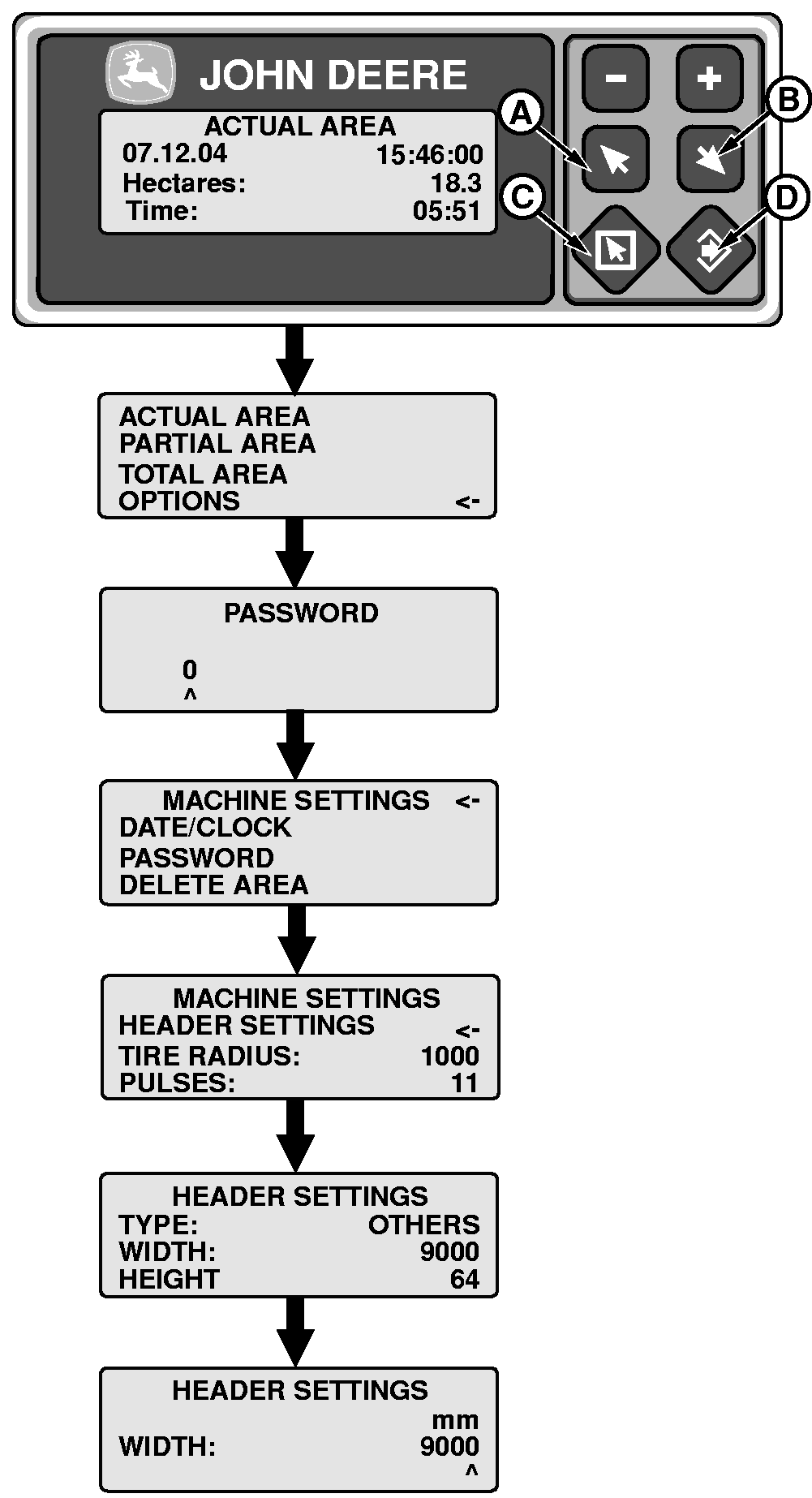
Setting Cutting Platform Width1. Press escape (E).2. Press key (C) or (D) and select "Options". Press ENTER (F). 3. Key in password. Press ENTER (F). NOTE: The default password is 0 (zero). To change password, see "Changing Password". 4. Select "Machine Settings" by pressing key (C) or (D). Press ENTER (F). 5. Select "Header Settings" by pressing key (C) or (D). Press ENTER (F). 6. Select "Width" by pressing key (C) or (D). Press ENTER (F). A new screen to change this value will open. 7. Adjust header width using keys (A), (B), (C) and (D). 8. Press ENTER (F) to confirm. Press escape (E) to cancel. |
|
AS60558,000117F -19-15JAN09-1/1 |