Monitor Controls |
|
AS60558,00011FB -19-26JAN09-1/2 |
|
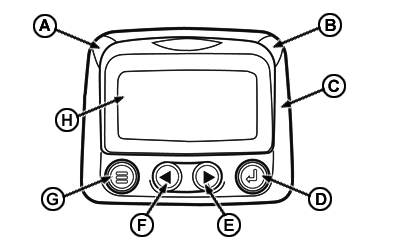
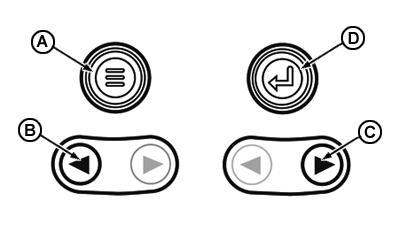
(A) Menu key: Menu key is pressed to access or leave menu screens. (B) Left arrow: Left arrow key is used for browsing a screen and to move selection of parameters to the left or upward. (C) Right arrow: Right arrow key is used for browsing a screen and to move selection of parameters to the right or downward. (D) Enter key: Enter key (also known as Enter button) is pressed to select a highlighted parameter on the screen. |
|
AS60558,00011FB -19-26JAN09-2/2 |