Input of Machine-Specific DataIMPORTANT: Each time different size tires are installed or the tire radius changes due to wear, the INFO-TRAK ™ monitor must be calibrated accordingly.
|
|
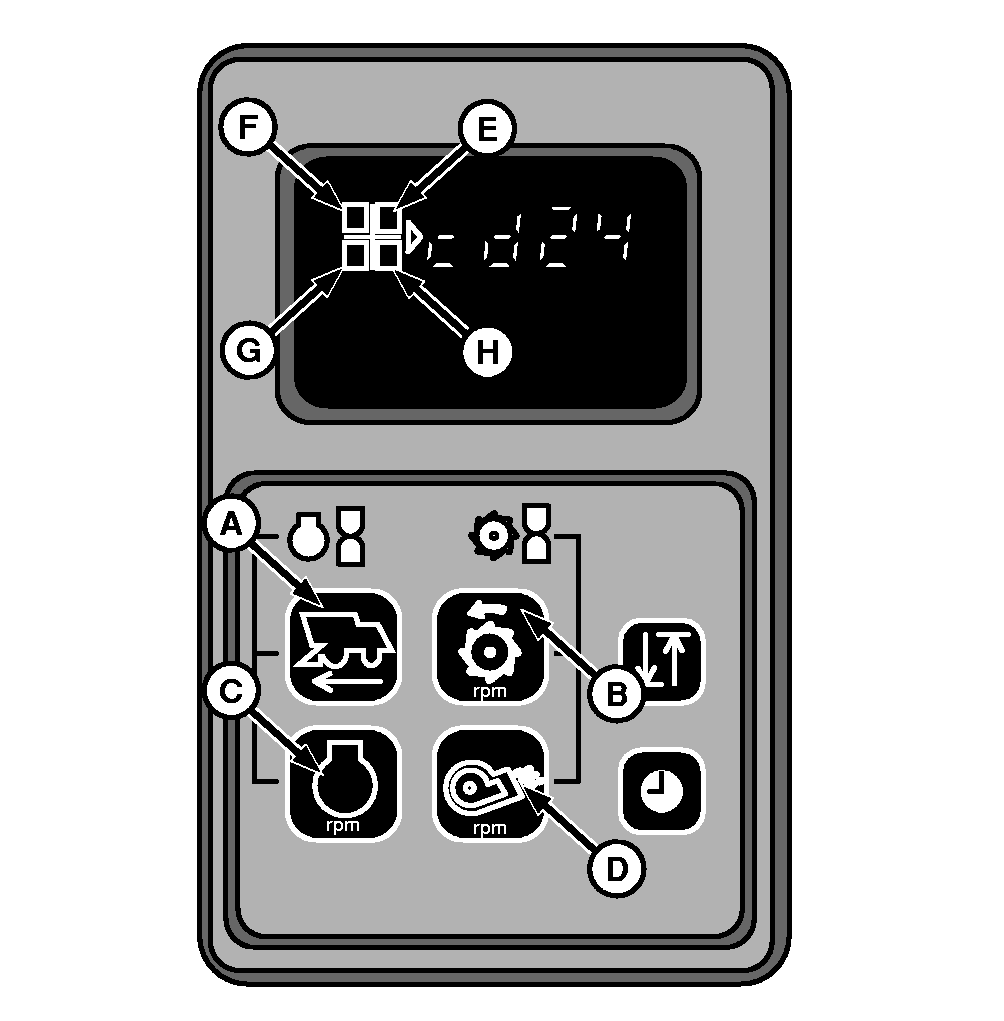
| Software Version | Press keys for ground speed (A) and threshing cylinder speed (B) and at the same time turn starter key from (0) to (I). The version of the software installed on INFO-TRAK™ monitor is displayed, e.g. "cd24". All four display fields light up at the same time. |
| Transmission Speed Ratio Code (E) | 00 - Final drive (85/11) |
| Machine Code (F) | Input code for mph (miles per hour): 83 - Combine Input code for km/h: 103 - Combine |
| Engine Impulse Code (G) | Code 27 |
| Tire Radius Code (H) | See "Tire Radius Code" and use correct tire radius code to include it in INFO-TRAK™ monitor. For machines with machine code 83, the radius must be entered in inches. For machines with machine code 103, the radius must be entered in millimeters. NOTE: Rear tires radius must be entered in INFO-TRAK Monitor to measure the traveled distance. This is because the combine movement sensor is located on rear axle. |
|
INFO-TRAK is a trademark of the Deere & Company | AS60558,0001224 -19-03FEB09-1/1 |