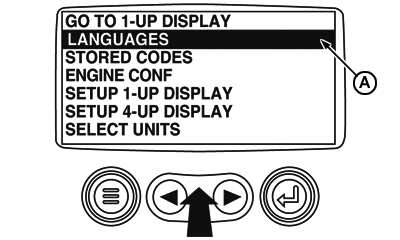
Selecting a Language1. Starting at the main menu display use the "Arrows" to scroll to the "Languages" menu and once highlighted touch the "Enter" button.
|
|
GB52027,0000555 -19-14FEB08-1/2 |
|
2.
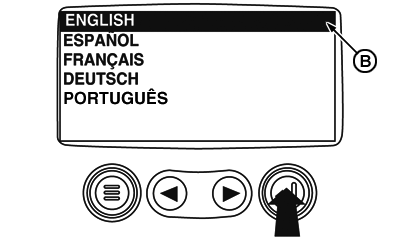
The language choices will be displayed. Use the "Arrow" buttons to scroll through the selections and touch "Enter" to make a selection.
3. Now that you have selected the language, touch the "Menu" button to return to the main menu display.
|
|
GB52027,0000555 -19-14FEB08-2/2 |