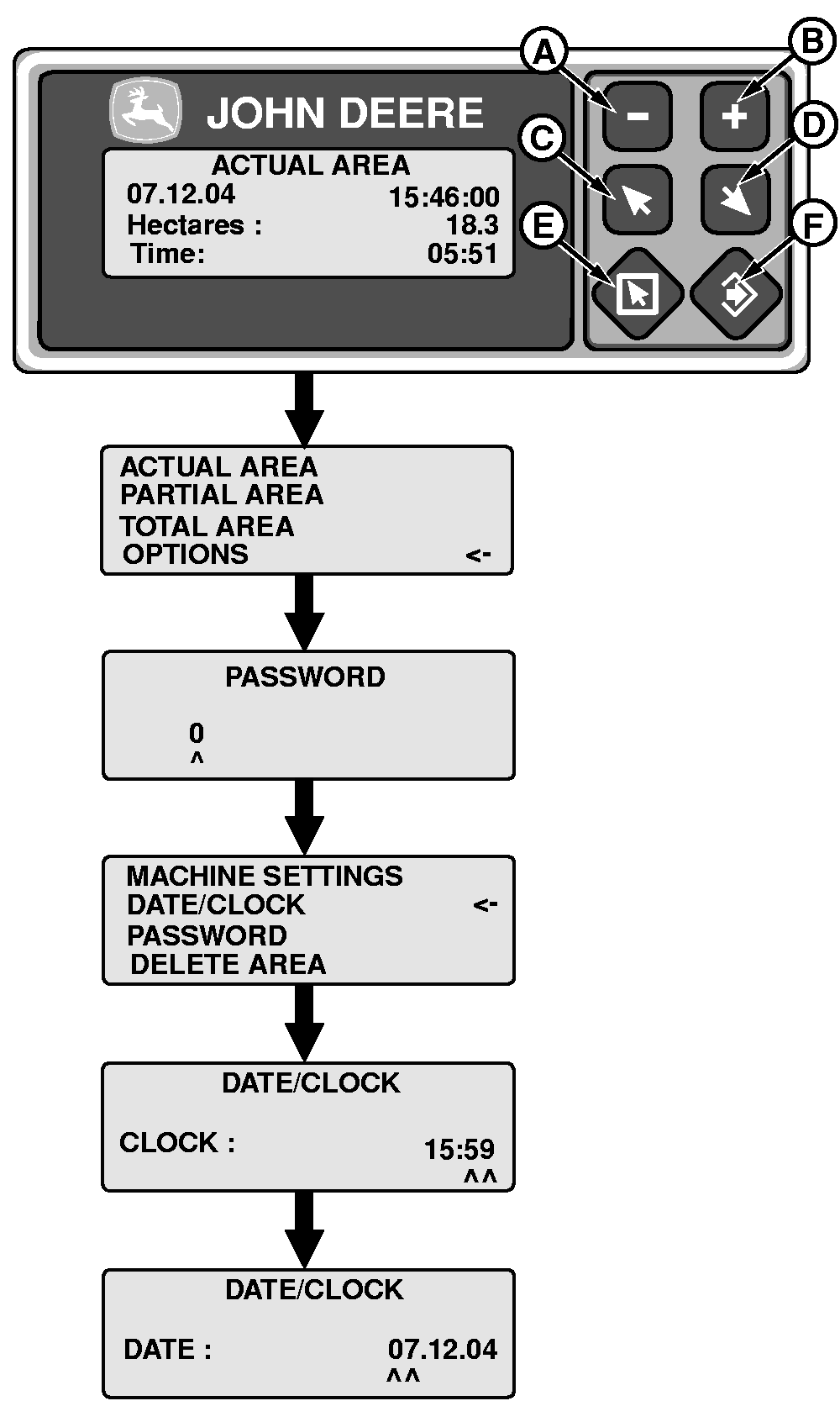
Adjust Date and Time1. Press escape (E).2. Press (C) or (D) key and select "Options". Press enter (F). 3. Enter password. Press enter (F). NOTE: The default password is 0 (zero) To change password see "Changing Password". 4. Select "Date/Clock" by pressing the (C) or (D) key. Press enter (F). 5. Adjust time using the (A), (B), (C) and (D) keys. NOTE: It is not possible to alter the value for seconds. 6. Adjust date using the (A), (B), (C) and (D) keys. 7. Press enter (F) to confirm. Press escape (E) to cancel. |
|
ML70882,000053D -19-01FEB05-1/1 |