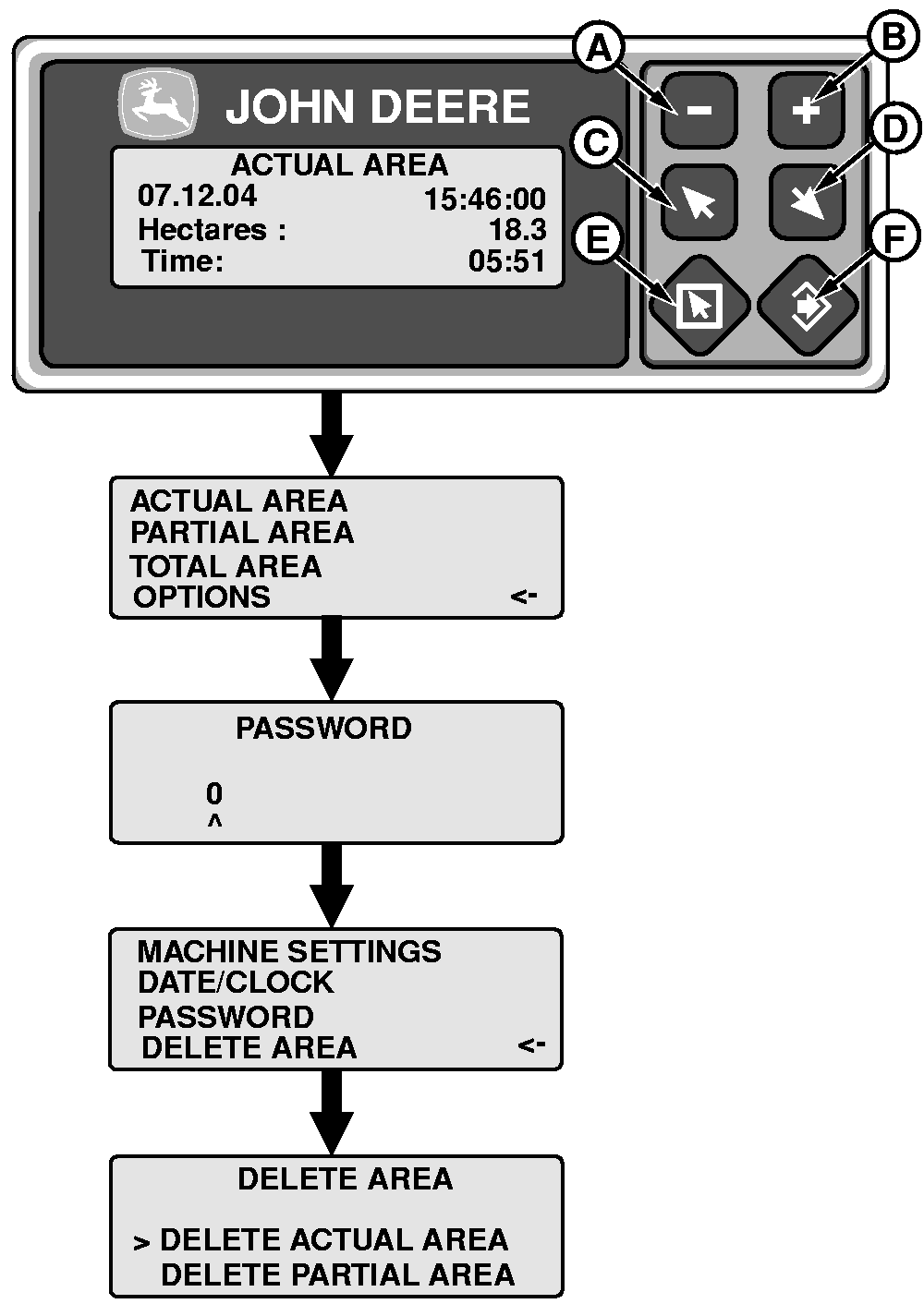
Deleting Harvested Area1. Press escape (E).2. Press (C) or (D) key and select "Options". Press enter (F). 3. Enter password. Press enter (F). NOTE: The default password is 0 (zero) To change password see "Changing Password". 4. Select "Delete Area" by pressing the (C) or (D) key. Press enter (F). 5. Select "Actual Area " or "Partial Area" by pressing the (C) or (D) key. 6. Press enter (F) to delete selected area. Press escape (E) to cancel. NOTE: The "Total Area" cannot be deleted. |
|
ML70882,000053F -19-01FEB05-1/1 |