Calibration Procedures
-
T8T641-UN-19JUN14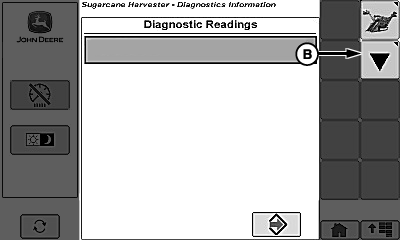
T8130002609-UN-29OCT13Diagnostic Readings Page
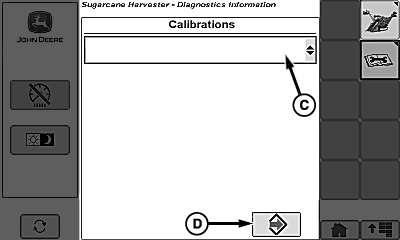
T8130002610-UN-29OCT13Diagnostic Calibrations Page
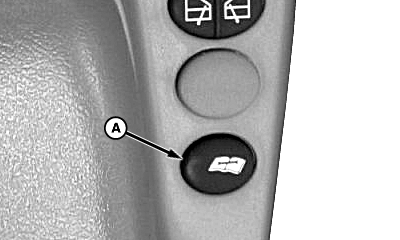
A - Diagnostic Switch
B - Calibration Softkey
C - Calibrations Menu
D - Accept Softkey
Press diagnostic switch (A). -
Select calibration softkey (B).
-
Select calibrations menu (C).
-
Select desired calibration.
-
Select accept softkey (D).
-
Follow instructions shown on display to calibrate.
-
Repeat as needed for other calibrations.
|
WM05597,0000FB4-19-20141114 |