Display Icon Identification
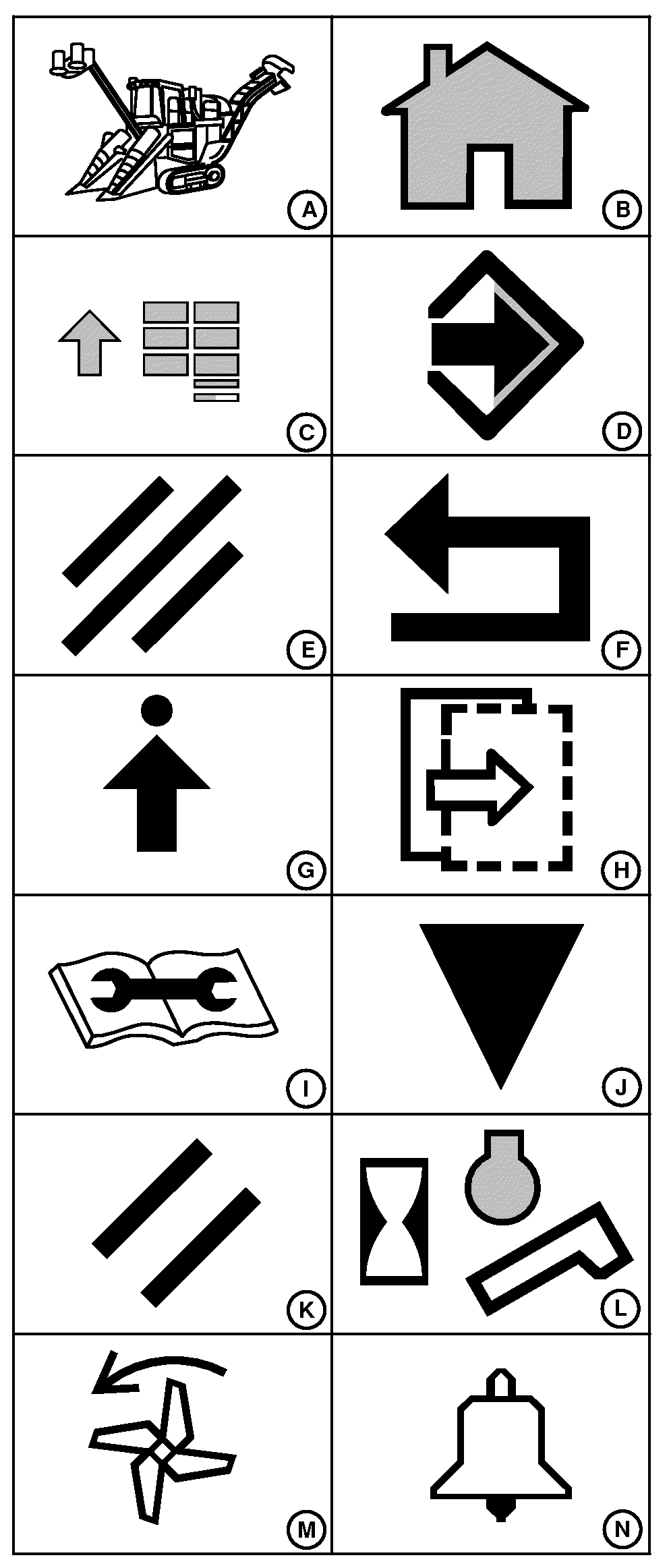
T8120001773-UN-26OCT12
Home (B): displays and cycles between user-defined home screens.
Main Menu (C): displays available applications.
Enter/Accept (D): allows operator to enter/accept desired information or settings.
Cancel (E): allows operator to cancel desired information or settings.
Return/Back (F): allows operator to view previous page.
Settings (G): enters settings menu for current screen.
Next Step (H): allows operator to view next page of information.
Diagnostics and Calibration (I): displays machine calibrations, diagnostic readings templates, and special tests (templates).
Calibrate (J): allows operator to calibrate certain features.
Clear (K): allows operator to clear desired information or settings.
Engine and Elevator Hours (L): displays accumulated engine and elevator hours.
Extractor Fan (M): allows operator to customize extractor fan settings.
Alarms (N): allows operator to customize alarm settings.
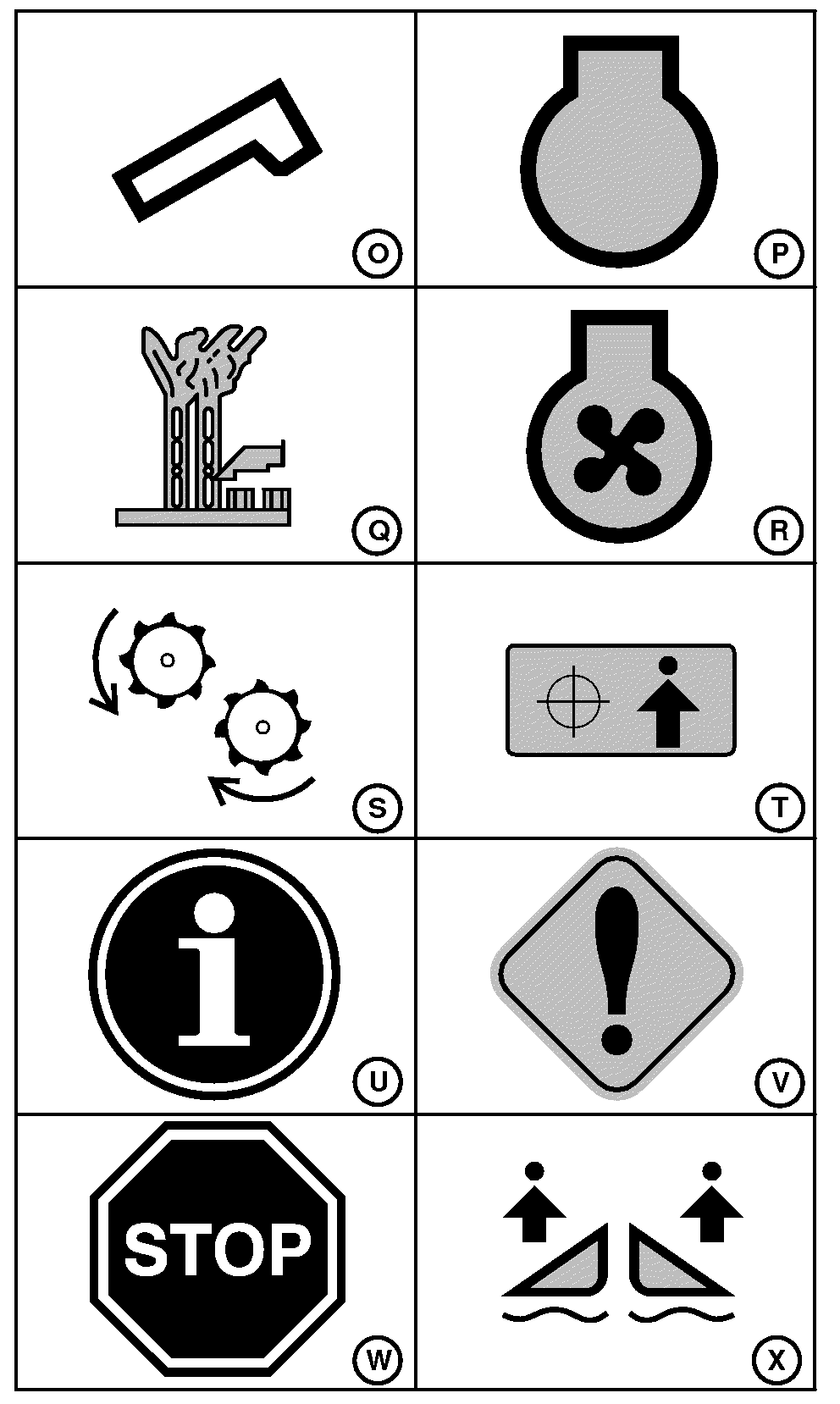
T8130000047-UN-21JAN13
Engine (P): allows operator to customize engine settings.
Base Cutter (Q): shows operator if base cutter is in forward, reverse, or off. Displayed with base cutter information. If equipped with Contour Base Cutter Height Control, icon will be green when system is active and gray when off.
Cooling Fan (R): shows operator if cooling fan is in forward, reverse, or off.
Chopper (S): displayed with chopper information.
Set Point (T): allows operator to set a desired variable.
Information Alert (U): alerts operator to be aware of a condition.
and/or
Harvester Activity Monitor (U): displays the Harvester Activity Monitor page.
Service Alert (V): requires machine be stopped at earliest convenience.
Stop Alarm (W): requires machine be stopped at once and problem corrected.
Floating Crop Dividers and Contour Base Cutter Height Control (X): allows operator to customize Floating Crop Dividers and Contour Base Cutter Height Control settings, if equipped. Icon will be green if Floating Crop Dividers system is active and gray when off. If one side is active and other is not, the corresponding part of the icon will be green.
|
WM05597,0000FC7-19-20140710 |