Rotary Screen, Oil Cooler, Condenser, Radiator, and Charge Air Cooler—Cleaning
-
 CAUTION: Shut OFF engine, set parking brake and remove key.
Pull latches (A) and open rotary screen door (B).
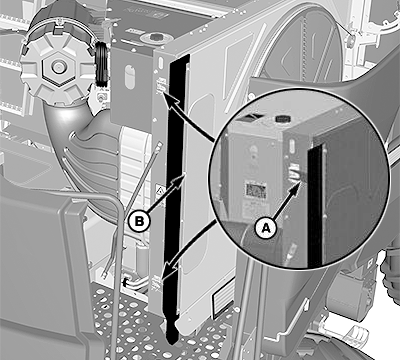
BM004683-UN-29FEB16A - Latches
B - Rotary Screen Door
-
NOTE: Clean areas out with compressed air, blowing from inside out.
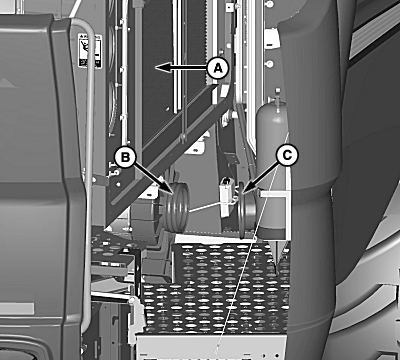
H106852-UN-08FEB13A - Condenser
B - Vacuum Duct
C - Transfer Duct
Check rotary screen daily to be certain it turns freely.
-
Clean rotary fan screen with a brush and compressed air when dirt and chaff buildup on or behind screen.
-
Clean condenser (A), oil cooler, charge air cooler, and radiator.
-
Clean with compressed air, blowing from inside out.
-
Clean out dirt from lower vacuum duct (B) and transfer duct (C).
IMPORTANT: When using high-pressure air or water, be careful of fin damage to coolers. Use a fin comb to straighten bent fins. Bent fins decrease cooler performance.
-
Close and latch rotary screen door.
|
OU90500,000055C-19-20160229 |