Display Left Region Layouts
NOTE:
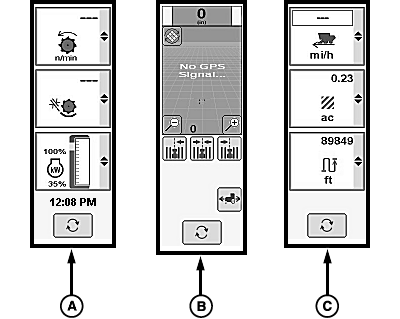
H105837-UN-19SEP12
Display clock only appears on the detail machine settings region when equipped with a GreenStar™ 3 CommandCenter™ Touchscreen or GreenStar™ 3 CommandCenter™ Non-Touchscreen armrest display.
- Detail Machine Settings (A): allows operator to choose and monitor three left region boxes at one time. Each box displays an ongoing function or specific machine status.
- Guidance Information (B): allows operator to view and change guidance settings.
- Performance Monitor Settings (C): allows operator the ability to choose and monitor three left region boxes at one time. Each box displays an ongoing function or specific machine status.
|
OUO6075,00011C2-19-20121205 |