Harvest Smart™ Feed Rate—Smart or Capacity Modes
H95948-UN-06APR10
H106490-UN-16JAN13
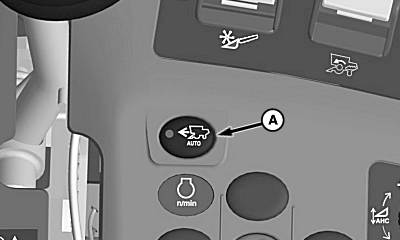
A - Harvest Smart™ Feed Rate Enable Switch
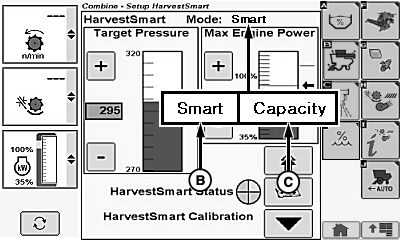
B - Smart Mode
C - Capacity Mode
Press Harvest Smart™ feed rate enable switch (A) until Smart mode (B) or Capacity mode (C) is shown on display.Smart Mode (B):
NOTE: Smart mode is the preferred operating method for controlling the machine.
Monitors loss levels with VisionTrak™ to ensure that system is at operator designated level (loss monitor calibrated). System is set when grain loss calibration icon is selected. When loss monitor levels are consistently above or below operator desired levels, system increases or decreases material flow levels, bringing loss levels back into desired range.
Capacity Mode (C):
Maintains a constant material flow allowing machine to increase ground speed when crop materials are lighter and decrease ground speed when crop materials are heavier. Capacity mode does not adjust VisionTrak™ monitor settings, since mode is only maintaining a constant material flow.
|
OUO6075,0001370-19-20130617 |