Harvest Smart™ Feed Rate Enable Switch (If Equipped)
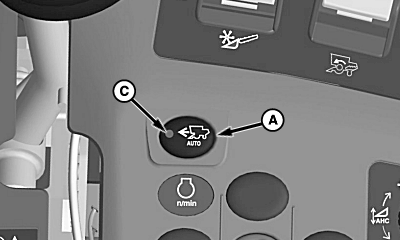
H111263-UN-23MAY14
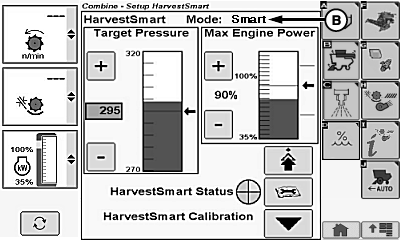
H111264-UN-23MAY14
A - Harvest Smart™ Feed Rate Enable Switch
B - Operating Modes
C - Indicator Light
Harvest Smart™ feed rate enable switch (A) allows machine to enable Harvest Smart™ system and select two operating modes.Pressing Harvest Smart™ feed rate enable switch once causes screen to appear on display. Press switch again to toggle between the different operating modes (B):
- OFF
- Smart
- Capacity
Indicator light (C) turns ON indicating system is active.
H106500-UN-08JAN13
-
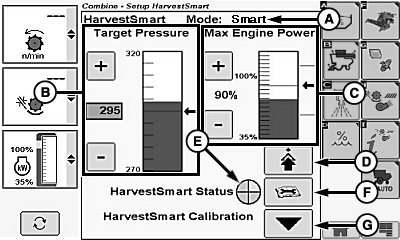
Operating Mode (A)
- OFF
- Smart
- Capacity
- Target Pressure (B)
- Max Engine Power (C)
-
Advanced Setup Icon (D)
- Max Harvest Speed
- Sensitivity
- Harvest Smart™ Status Indicator (E)
- Diagnostic Readings Icon (F)
- Harvest Smart™ Calibration Icon (G)
|
OUO6075,0001808-19-20140523 |