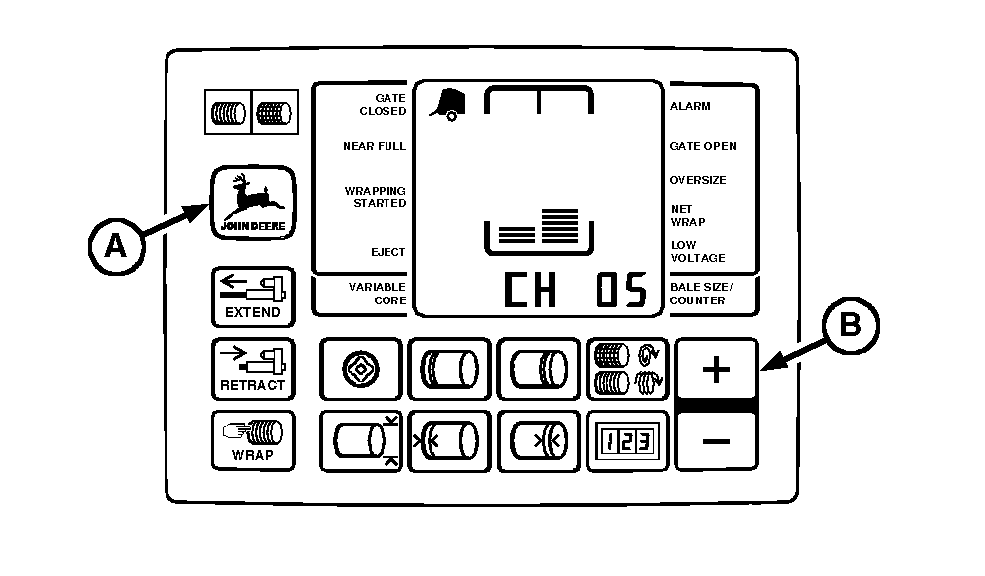
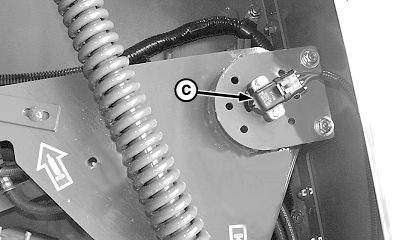
Adjusting Bale Diameter Sensor (Channel 05-With Sound)1. Start tractor engine. 2. Using tractor selector valve, raise gate and belt tension arm all the way to the top. 3. Engage tractor parking brake and/or place transmission in "Park". 4. Lock gate in open position. 5. Shut off tractor engine. 6. Turn tractor key to ON position. Do not start tractor engine. 7. Press and hold DEERE key (B) while setting selector switch toward TWINE or NET symbol to turn monitor-controller ON. 8. Continue to hold DEERE key (B) and press PLUS key (C) until "CH 05" appears in digital display. Release DEERE key (B) and view bale size sensor number. 9. Loosen mounting hardware and rotate sensor (D) fully clockwise. Rotate sensor counterclockwise until "173" is displayed. NOTE: If "173" is exceeded while rotating sensor counterclockwise or while tightening screws, rotate sensor clockwise and repeat Steps 9 and 10 as necessary. 10. Tighten sensor mounting screws. 11. To check adjustment, lower belt tension arm using tractor selector valve. 12. Set monitor-controller selector switch to OFF (centered) position. Turn tractor key to OFF position. 13. Unlock gate. 14. Lower gate and belt tension arm using tractor selector valve. |
|
OUMX005,0000091 -19-02OCT00-1/1 |