Adjusting Twine Arm-to-Starter Roll, Cutter Link Support, and Twine Arm Stop
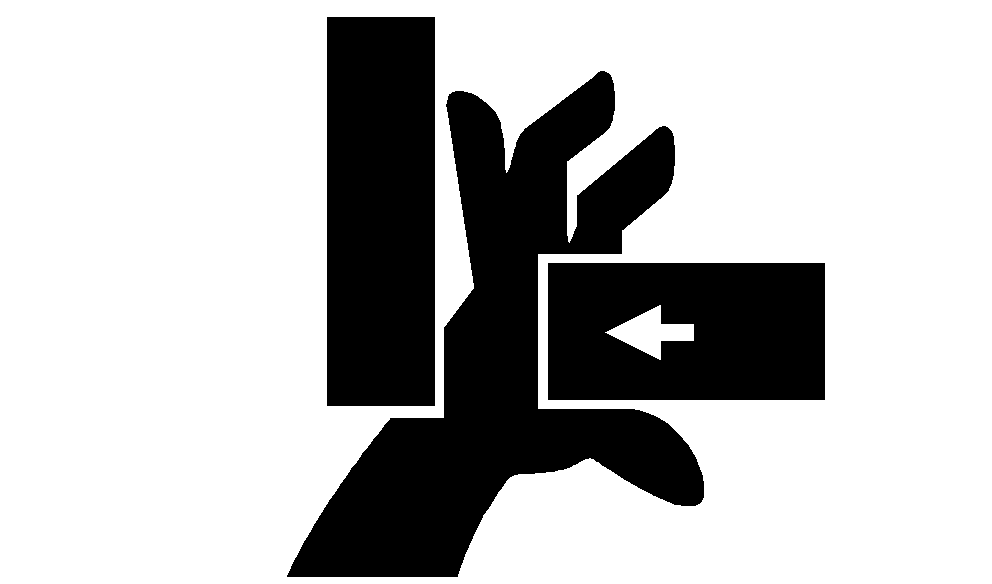
Twine arms can move unexpectedly when twine arm power is on. Stay out of the path of twine arms at all times when twine arm power is on. During service or adjustment procedures for twine arms or twine cutter mechanism, turn off power to twine arms BEFORE placing your hands in the path of twine arm travel. If there is crop material which is holding twine arms from moving freely during twine arm cycle, it is recommended that twine arms be manually positioned to release any "hold" they may have on the crop material. Turn off power to twine arms. This will help to make the unplugging operation easier and prevent twine arms from moving unexpectedly while your hands may be in the path of the twine arms. Stay out of the path of twine arms at all times when power to twine arms is ON. NOTE: Adding or removing shims located between the twine arm support and crossbeam will affect dimensions at the following locations: Twine arm-to-starter roll: Twine arm pointing directly toward rear. Twine arm toward right side of baler. Twine arm toward left side of baler. Twine arm-to-cutter link support. Twine arm-to-twine arm stop. Check dimensions at all locations before making any adjustments. Adding or removing shims at one location may change the dimension at another location. 1. Start tractor engine and raise gate fully. |
|
 CAUTION:
Make sure gate is in the full raised position and locked. If the gate is not fully raised and locked while performing this procedure, the gate could close suddenly causing injury or death.
CAUTION:
Make sure gate is in the full raised position and locked. If the gate is not fully raised and locked while performing this procedure, the gate could close suddenly causing injury or death.

AG,OUMX005,1536 -19-03AUG00-1/6 |
|
2. Lower pickup so twine arms will not contact pickup teeth. 3. Shut off tractor engine and remove key. Lock the gate. 4. Remove lower drive roll chain so starter roll can be rotated by hand. |
AG,OUMX005,1536 -19-03AUG00-2/6 |
|
|
|
|
|
|
Adjust Twine Arm-to-Starter Roll
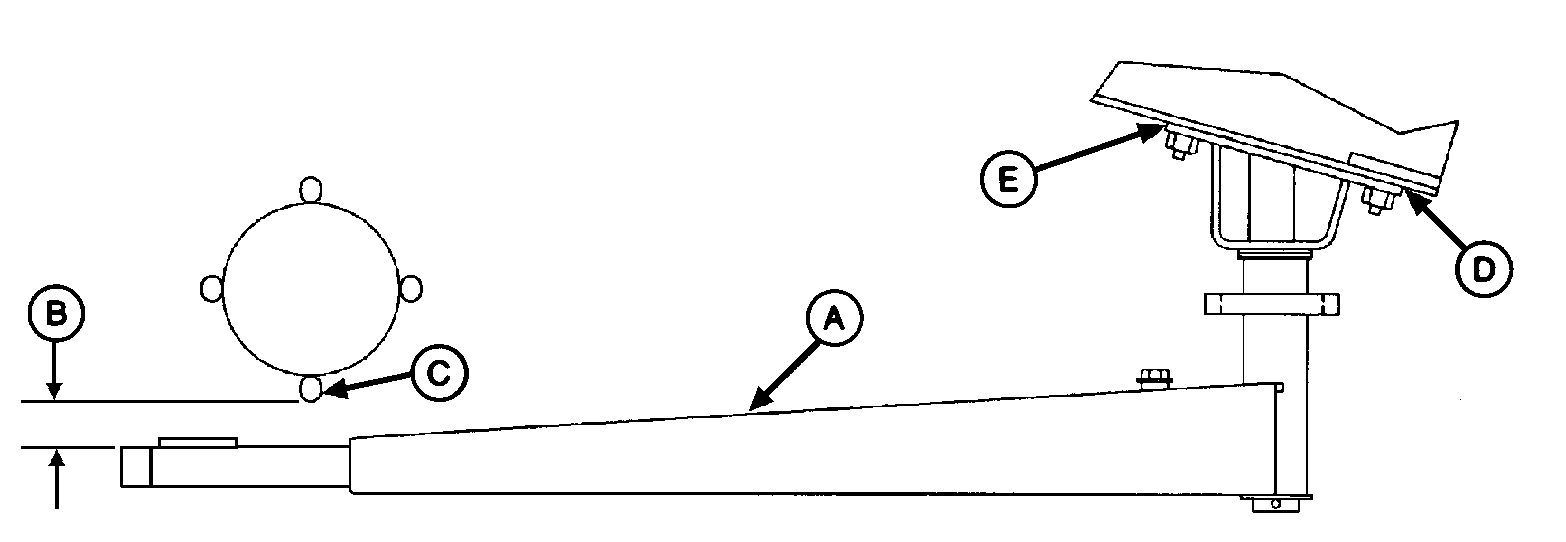
1. Turn tractor key to ON position. Do not start tractor engine. Set monitor-controller selector switch to TWINE symbol to turn monitor-controller ON. 2. Press EXTEND key to move twine arms so rear twine arm (A) points toward rear of baler. 3. Set monitor-controller selector switch to OFF position (centered) position. Turn tractor key to OFF position. Remove key. 4. Rotate starter roll until starter roll rod (C) is closest to the twine arm tube. 5. By hand, remove end play at end of twine arm toward starter roll. Check dimension (B) between starter roll rod (C) and twine arm tube. Dimension (B) should be within specifications. Specification
6. If dimension (B) is less than specified:
|
OR
7. If dimension (B) is more than specified:
8. Turn tractor key to ON position. Do not start tractor engine. Set monitor-controller selector switch to TWINE symbol to turn monitor-controller ON. |
AG,OUMX005,1536 -19-03AUG00-3/6 |
|
|
|
|
|
|
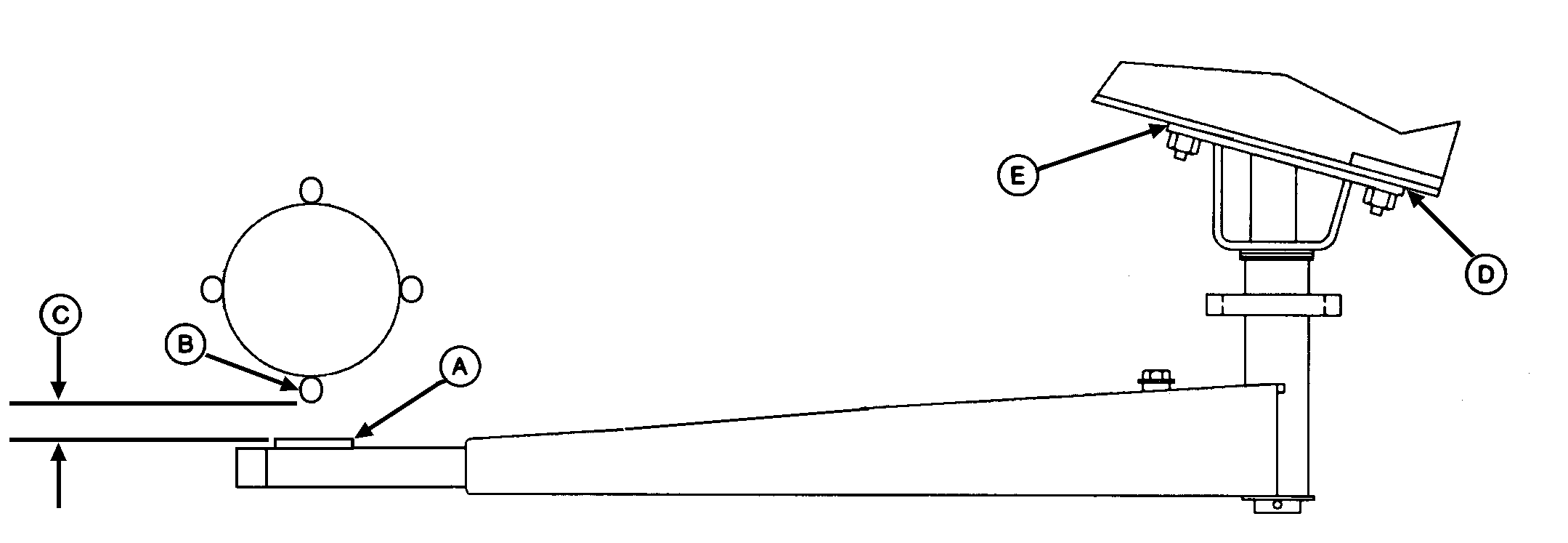
9. Press monitor-controller EXTEND key to move twine arms to right of center so strap (A) is below starter roll rod (B). 10. Set monitor-controller selector switch to OFF (centered) position. Turn tractor key to OFF position. Remove key. 11. Rotate starter roll until starter roll rod (B) is closest to twine arm strap (A). 12. By hand, remove twine arm end play at end of twine arm toward starter roll. 13. Check dimension (C) between starter roll rod (B) and strap (A). Dimension (C) should be to specifications. Specification
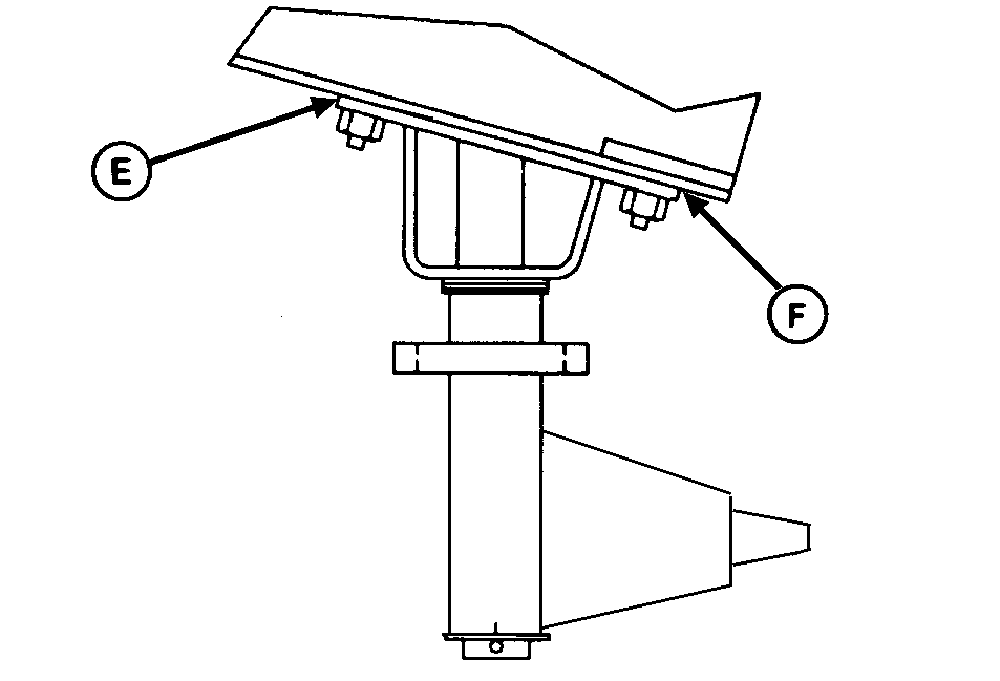
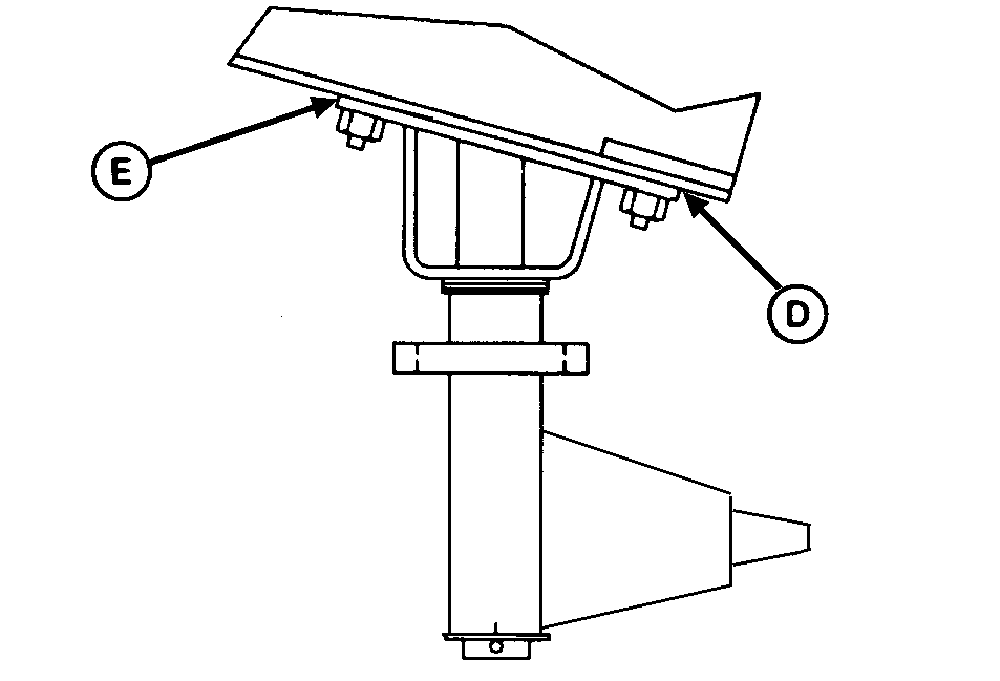
14. If dimension (C) is less than specified, add an equal number of shims at right-hand location (D |
and E), or remove an equal number of shims at left-hand location (D and E).
15. Turn tractor key to ON position. Set monitor-controller selector switch to TWINE symbol to turn monitor-controller ON. 16. Press monitor-controller RETRACT key to move twine arm left of center so strap (A) is below starter roll rod (B). 17. Set monitor-controller selector switch to OFF (centered) position. Turn tractor key to OFF position. Remove key. 18. Rotate starter roll until starter roll rod (B) is closest to twine arm strap (A). 19. If dimension (C) is less than specified, add an equal number of shims at the left-hand locations (D and E), or remove an equal number of shims at the right-hand locations (D and E). |
AG,OUMX005,1536 -19-03AUG00-4/6 |
|
Adjust Twine Arm-to-Cutter Link Support
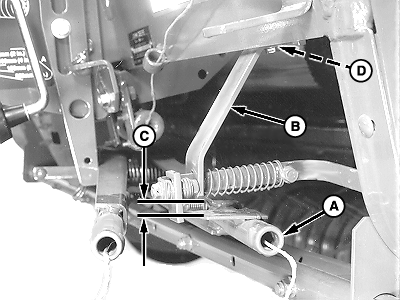
1. Turn tractor key to ON position. Do not start tractor engine. Set monitor-controller selector switch to TWINE symbol to turn monitor-controller ON. 2. Press monitor-controller RETRACT key to move twine arms until twine arm (A) lightly contacts the cutter link contact tab. 3. Set monitor-controller selector switch to OFF (centered) position. Turn tractor key to OFF position. Remove key. 4. Check dimension (C) between top of twine arm strap and bottom edge of cutter link support (B). Dimension (C) should be within specifications. Specification
5. If dimension (C) is less than specified and no shims exist at location (D) between support (B) and crossbeam:
|
|
AG,OUMX005,1536 -19-03AUG00-5/6 |
|
Adjust Twine Arm-to-Twine Stop
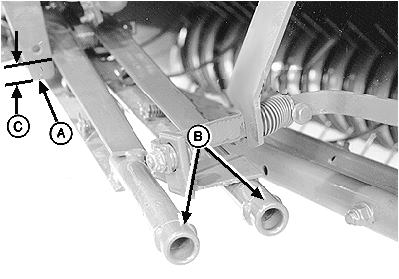
1. Make sure twine arm stop (A) is in the down position. 2. Turn tractor key to ON position. Do not start tractor engine. Set monitor-controller selector switch to TWINE symbol to turn monitor-controller ON. 3. Press monitor-controller RETRACT key to return twine arms (B) to home position. 4. Set monitor-controller selector switch to OFF (centered) position. Turn tractor key to OFF position. Remove key. 5. Check overlap (C). There should be a minimum overlap between bottom of stop (A) and front twine arm surface to within specifications. Specification
6. If dimension (C) is less than specified:
1. Check clearances again between twine arm and starter roll, twine arm and cutter link support, and twine arm to twine arm stop. If twine arm to starter roll dimension has changed due to adjusting twine arm to cutter link support or twine arm stop, adjust shims between twine arm and crossbeam as needed. 2. Adjust twine cutter-to-twine arm. (See ADJUSTING TWINE CUTTER-TO-TWINE ARM in this section.) 3. Install lower drive roll chain. 4. Unlock and close gate. |
|
AG,OUMX005,1536 -19-03AUG00-6/6 |