Removing and Installing Net Wrap Cutoff Knife
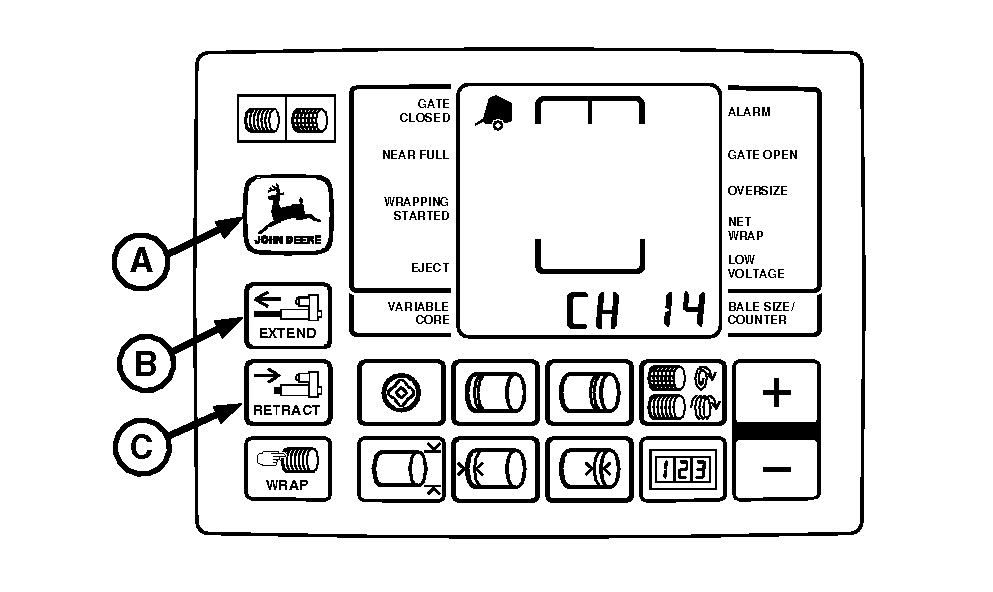
IMPORTANT: Current overload protection to net actuator is bypassed when using channel 14. Extended use of channel 14 may cause actuator damage. 1. Turn tractor key to ON position. Press and hold DEERE key (A) while turning monitor-controller selector switch to NET. "CH 01" will appear in the digital display. 2. Continue to hold DEERE key and press PLUS key to advance to "CH 14". Release DEERE key. 3. Press and hold EXTEND key (B) to move counterknife to the up position. 4. Turn tractor key to OFF position and remove key. Turn off monitor-controller. 5. Open net wrap cover.
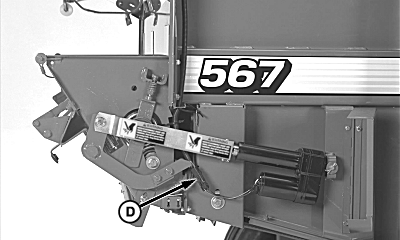
6. Disconnect net actuator wiring harness (D). |
|
 CAUTION:
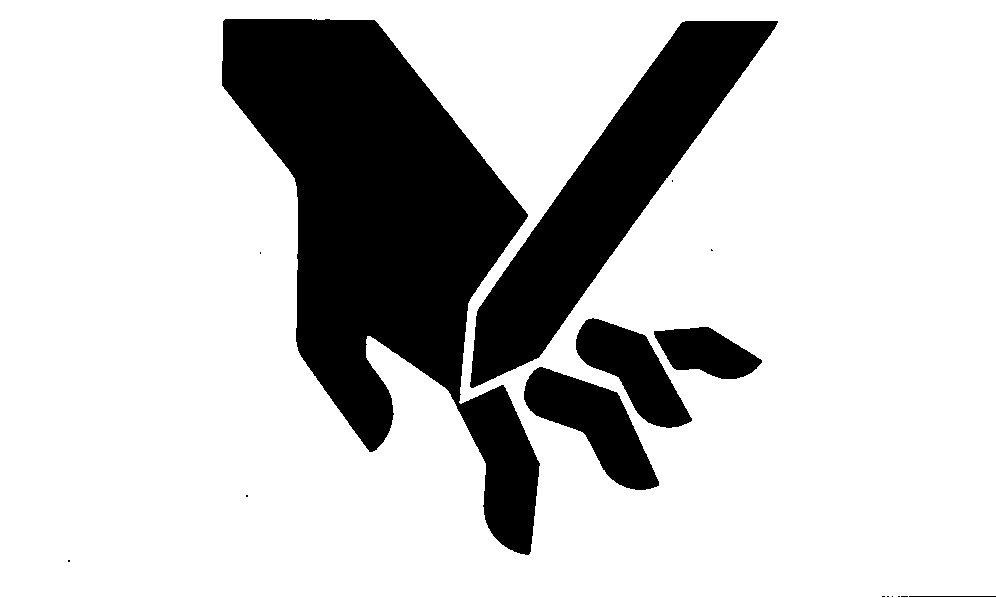
To avoid personal injury from unexpected knife movement, disconnect net actuator wiring connector.
CAUTION:
To avoid personal injury from unexpected knife movement, disconnect net actuator wiring connector.
AG,OUMX005,1553 -19-03AUG00-1/3 |
|
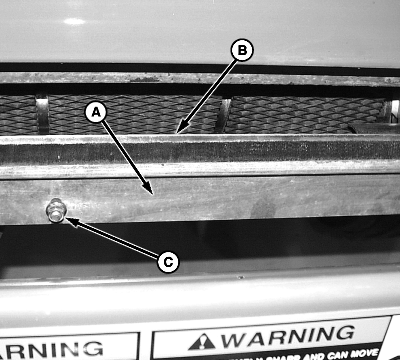
NOTE: Roll removed for illustration only. 7. Remove brush (A) from cutoff knife (B) by removing four round-head bolts and nuts (C).
|
|
AG,OUMX005,1553 -19-03AUG00-2/3 |
|
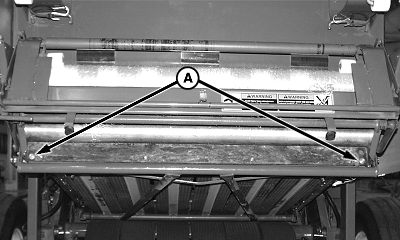
8. Remove two round-head bolts and nuts (A) on each end of cutoff knife. Remove cutoff knife from knife bracket. 9. Repair or replace if necessary. 10. Install cutoff knife with beveled surface up and facing rear of machine. 11. Install round-head bolts and nuts (A) so the round heads facing front of machine. Tighten to specifications. Specification
12. Install brush to cutoff knife by using four round-head bolts and nuts. Do not tighten at this time. 13. Brush bottom edge aligns to bottom edge of cutoff knife, tighten all nuts to specifications. Specification
14. Connect net actuator wiring connector. IMPORTANT: Make sure to move net wrap counterknife fully downward to "home" position. If baler is operated with counterknife at the up position, net will feed continuously during baling. 15. Turn tractor key to ON position. 16. Press WRAP key on monitor-controller to move counterknife fully downward to the "home" position. 17. Turn tractor key to OFF position. Turn off monitor-controller. 18. Close net wrap cover. |
|
AG,OUMX005,1553 -19-03AUG00-3/3 |