Replace Gate Latch Switch(es)
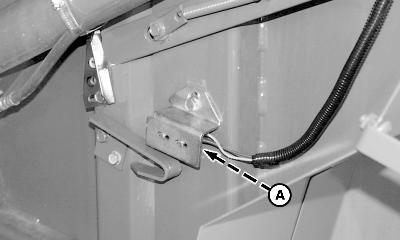
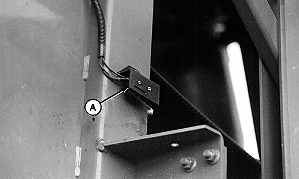
NOTE: 457, 457S, and 557 have one gate latch switch located on right-hand side. 467, 467S, and 567 have two switches, one on each side. 1. Set monitor-controller selector switch to OFF (centered) position. Turn tractor key to OFF position. Remove key. NOTE: Label wires before disconnecting from switch to ensure proper connection to new switch terminals. 2. Label wires. |
AG,OUO6017,1095 -19-19AUG99-1/2 |
|
3. Remove mounting hardware and bracket with switch (A). 4. Disconnect wires from switch. 5. Remove switch from mounting bracket. 6. Install new switch in reverse order of removal using the following special instructions:
|
|
AG,OUO6017,1095 -19-19AUG99-2/2 |