Adjusting Tractor Drawbar
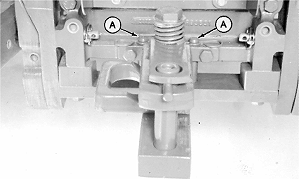
1. Remove locking pins (A) and slide drawbar to center position (shown). 2. Install locking pins. 3. Remove clevis assembly, if equipped. 4. Measure drawbar thickness. Hitch conversion kit is recommended if the tractor has a 51 mm (2 in.) thick drawbar. Conversion kit is available through your John Deere dealer. |
|
 CAUTION:
To avoid personal injury, use locking pins to hold drawbar stationary when operating PTO-driven implements.
CAUTION:
To avoid personal injury, use locking pins to hold drawbar stationary when operating PTO-driven implements.
OUO6077,000191E -19-22JUN06-1/3 |
|
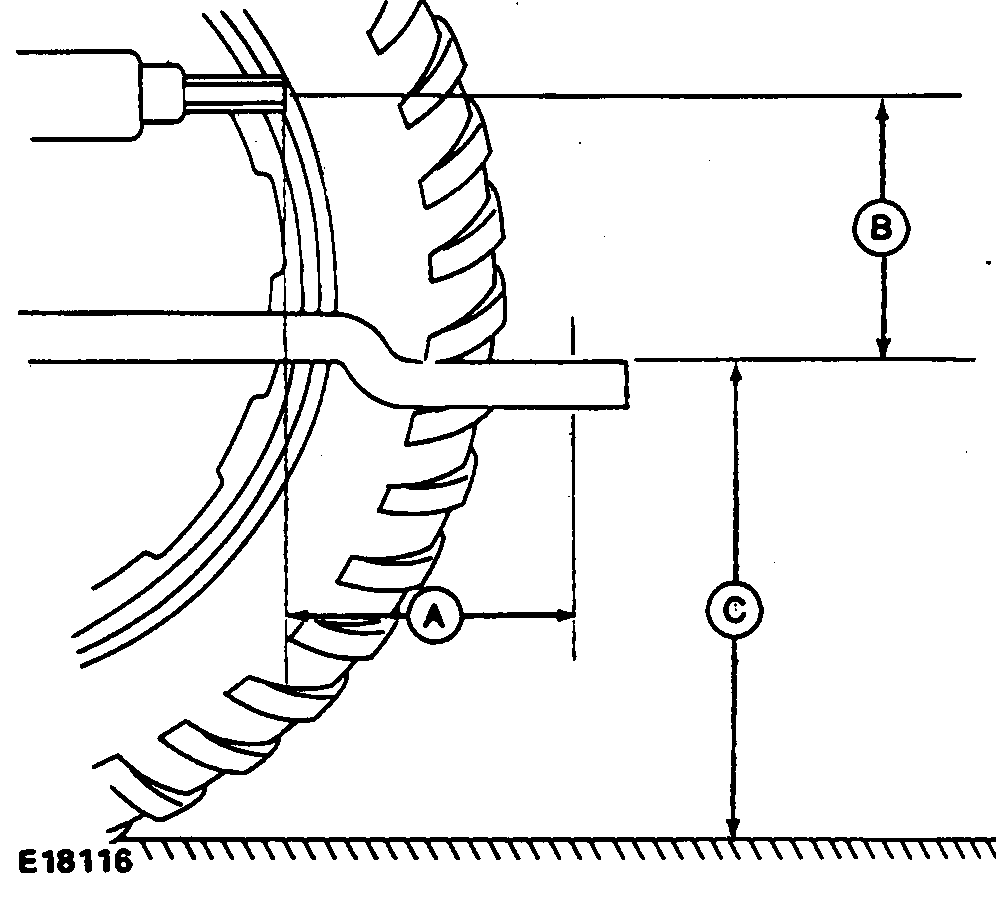
IMPORTANT: Failure to conform to the following setup dimensions can result in serious powerline damage. 5. If drawbar is offset, turn drawbar so offset is down, as shown. 6. Set drawbar to the following dimensions:
|
|
OUO6077,000191E -19-22JUN06-2/3 |
|
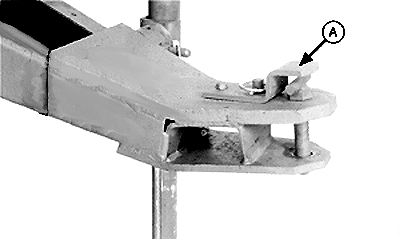
IMPORTANT: To avoid powerline damage when front of tractor "noses" down, there must be a minimum of 76-89 mm (3-3-1/2 in.) clearance between powerline and top of hitch strap (A). Measure on level ground. If tractor drawbar is too low the following problems may occur:
To increase drawbar height, flip drawbar over (offset up). If tractor drawbar is too high the following problems may occur:
|
|
OUO6077,000191E -19-22JUN06-3/3 |